SmartImage logo

SmartImage 1.3.1

  • User Rating:
    ★★★★★
    ★★★★★
    0.0 ★ 0Votes
  • Requirements:
    Windows
  • Version: 1.3.1
  • Latest updated: 2 weeks ago
  • License: Freeware  
  • Publisher: Read Stanton
  • Size: 28 MB
× app stores

SmartImage is a reverse image search utility for Windows that helps users find matching or similar images online by sending images to supported image search engines. Instead of manually searching with keywords, the application allows users to provide an image file or image link and quickly open the best available match returned by supported search services.

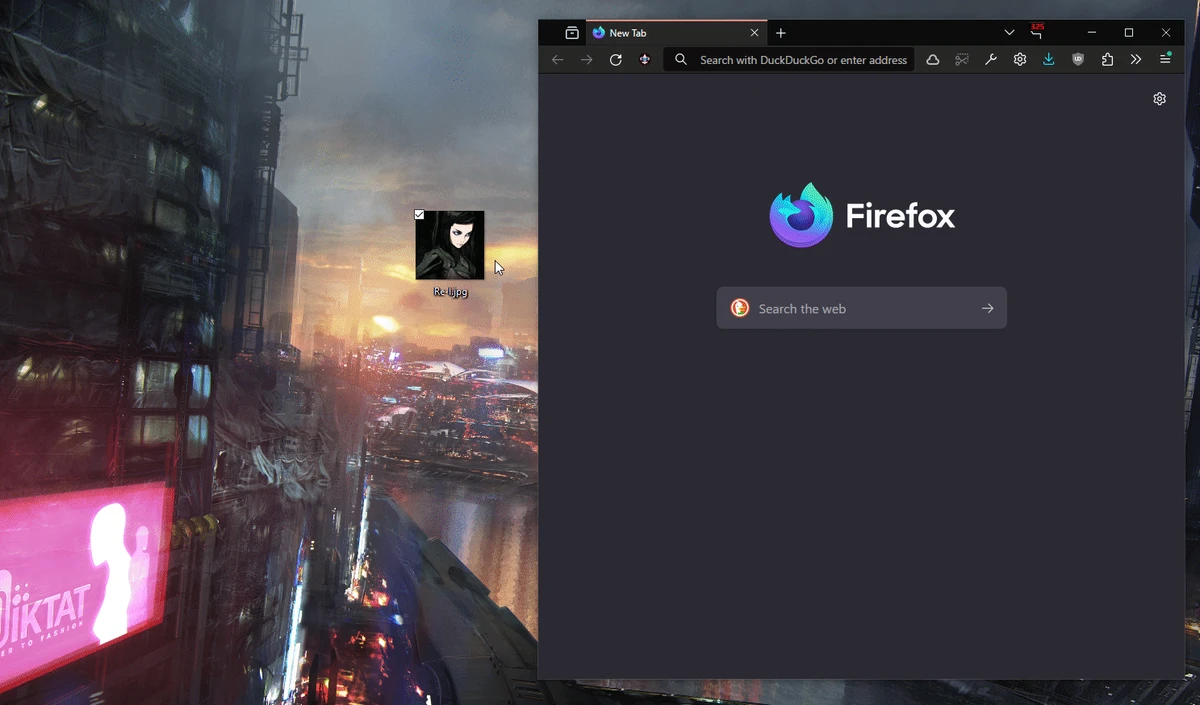
The software is designed to provide a flexible image search workflow with multiple input methods. Users can enter image paths or links directly, drag and drop images into the application, use clipboard detection, or launch SmartImage from the Windows context menu. These options make it convenient to search images from different locations without repeatedly browsing for files.

SmartImage is available in two forms: a Windows graphical interface (GUI) and Rdx, a cross-platform version. The application can also be used through command-line arguments, allowing integration with scripts or other system workflows.

With its focus on speed and convenience, SmartImage is useful for users who need to verify image sources, find higher-quality versions of images, discover similar visuals, or perform quick reverse image searches from their desktop.

Features of SmartImage

  • Reverse image search functionality
  • Opens best matches from supported image search engines
  • Supports image files and direct image links
  • Drag-and-drop image input
  • Automatic clipboard detection
  • Supports copied image files and links
  • Windows context menu integration
  • Command-line support
  • Available as Windows GUI and cross-platform Rdx versions
  • Configurable search behavior

Interface and Usability

After using SmartImage, I found the application designed around quick access rather than complicated settings. The input process is straightforward, allowing users to provide an image through several convenient methods.

The drag-and-drop feature makes searching images simple, while clipboard monitoring reduces the steps needed when working with copied files or links. The context menu option is also useful for quickly launching a reverse search directly from an image.

For advanced users, command-line support provides additional flexibility by allowing SmartImage to be used from scripts or other applications. The interface focuses on completing image searches efficiently without unnecessary complexity.

Who Should Use SmartImage?

  • Users who need reverse image search tools
  • Researchers verifying image sources
  • Content creators looking for image references
  • Users searching for higher-resolution versions of images
  • Developers or advanced users needing command-line access
  • Anyone who frequently works with online images

Conclusion

SmartImage is a useful desktop utility for anyone who frequently needs to search images online. Its combination of reverse image search capabilities, flexible input methods, and Windows integration makes it a convenient alternative to manually uploading images through a browser.

Pros & Cons

✓

Pros

  • Quick reverse image searching from Windows
  • Multiple ways to provide image input
  • Supports drag-and-drop workflow
  • Clipboard detection improves convenience
  • Context menu integration available
  • Includes command-line support
  • Offers both GUI and cross-platform versions
✕

Cons

  • Depends on supported image search engines
  • Designed mainly for reverse searching rather than image editing

Frequently Asked Questions

What is SmartImage used for?

SmartImage is used for reverse image searching, allowing users to find matching or similar images online through supported search engines.

How can I add an image to SmartImage?

You can add images by entering a file path or image link, dragging and dropping an image, copying an image or link to the clipboard, using the context menu, or using command-line options.

Does SmartImage work on Windows?

Yes. SmartImage includes a Windows graphical interface designed for desktop use.

Can SmartImage detect copied images automatically?

Yes. SmartImage can automatically detect clipboard changes, including copied image files and image links.

Does SmartImage support command-line usage?

Yes. SmartImage supports documented command-line arguments for use with scripts or other system workflows.

Can SmartImage edit images?

No. SmartImage is designed for reverse image searching and does not function as a general image editing application.

Recommended apps [Freeware]:
  • WifiInfoView 3.00 WifiInfoView logo scans nearby Wi-Fi networks and displays detailed technical information in real time
  • Czkawka 12.0.0 Czkawka logo open-source file cleanup tool that finds duplicates, empty folders, similar images, and large files across your system
  • MuseScore 4.7.4 MuseScore logo Create, edit, print, and share professional sheet music with free notation tools, MIDI support, and cross-platform compatibility.
  • Shortcut Virus Removal Tool 2.2.0 Shortcut Virus Removal Tool logo Remove shortcut viruses from USB drives, recover hidden files, delete autorun threats, and repair Windows settings with one click.
  • Eusing MultiClip 2.2 Eusing MultiClip logo Store frequently used text snippets, assign custom hotkeys, and speed up repetitive typing with a lightweight clipboard management utility.
  • Clonezilla 3.3.3-15 Clonezilla logo Create disk images, clone drives, and restore entire systems with an open-source backup and deployment solution for multiple platforms.
Recommended apps [Shareware]:
  • SketchUp Pro 2026 SketchUp Pro logo powerful 3D modeling software for architects, designers, and engineers with intuitive tools.
  • MobiKin Backup Manager for Android 2.0.30 MobiKin Backup Manager for Android logo Back up and restore Android data with one click using MobiKin Backup Manager for Android for Windows PCs
  • Chris-PC Game Booster 7.26.0706 Chris-PC Game Booster logo optimizes Windows settings, CPU, GPU, memory, storage, and network usage for gaming performance
  • Software Ideas Modeler 15.50 Software Ideas Modeler logo Design UML, ERD, BPMN, SysML, and 110+ diagram types with an intuitive modeling tool built for software analysis and planning.
  • Rapid PHP 2025 v18.7.0.277 Rapid PHP logo Lightweight PHP editor with intelligent coding tools, debugging, FTP support, and modern web development features for Windows.
  • Windscribe 2.23.12 Windscribe logo Browse privately with encrypted connections, ad and tracker blocking, malware protection, and free monthly data across multiple server locations.