Minimal Image Viewer logo

Minimal Image Viewer 2.0.3

  • User Rating:
    ★★★★★
    ★★★★★
    0.0 ★ 0Votes
  • Requirements:
    Windows
  • Version: 2.0.3
  • Latest updated: 2 weeks ago
  • License: Open Source  
  • Publisher: Deminimis
  • Size: 1 MB
× app stores

Minimal Image Viewer is a lightweight, open-source image viewer for Windows designed around speed, privacy, and efficient local image browsing. Built with native Win32 and modern C++20, the application focuses on opening images quickly without unnecessary background services, external runtimes, or installation requirements in portable builds. The software stands out for its extremely small footprint, fast startup time, and support for a wide range of image formats, from common JPEG and PNG files to RAW camera images, HDR files, SVG graphics, and QOI images. It uses Windows Imaging Component alongside custom decoders and GPU-based rendering technologies to provide smooth viewing, navigation, and zooming performance while keeping the application compact and resource-efficient.

Features of Minimal Image Viewer

  • Native Win32 application built with C++20.
  • Open-source and designed without telemetry.
  • Portable builds available without installation.
  • Very small executable size (approximately 500 KB).
  • Low memory usage and fast startup performance.
  • Supports common image formats through Windows Imaging Component.
  • Supports a wide range of formats, including:
    • JPEG, PNG, BMP, GIF, TIFF, ICO
    • WebP, HEIF, HEIC, AVIF
    • RAW formats such as CR2, CR3, NEF, DNG, ARW, ORF, and RW2
    • SVG, HDR, QOI, TGA, PSD, PPM, PGM, PBM, and PNM
  • Animated GIF and multi-frame image playback.
  • Smooth zooming and navigation controls.
  • GPU-assisted deep zoom for large images.
  • Asynchronous image loading to prevent interface blocking.
  • Directory scanning and image preloading.
  • Sorting by name, modification date, and file size.
  • GPU rendering through Direct2D and DXGI.
  • Adjustable background modes and scaling options.
  • Non-destructive editing tools:
    • Crop
    • Resize
    • Rotate
    • Flip
    • Undo history
  • Built-in EXIF and metadata viewer.
  • File operations including save, save as, delete, and clipboard support.
  • Automatic refresh when files are modified externally.
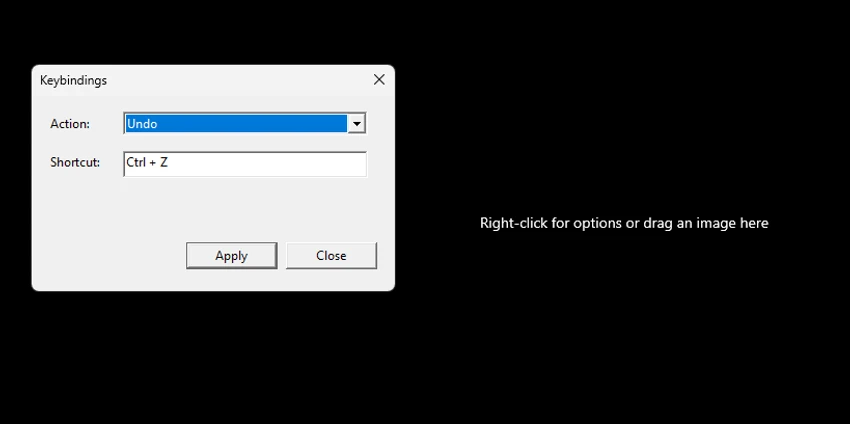
  • Customizable keyboard shortcuts and portable configuration.
  • Settings stored in an INI file without registry usage.

Interface and Usability

Minimal Image Viewer follows a straightforward design philosophy: provide essential image viewing tools without unnecessary complexity. The interface is lightweight and responsive, focusing on displaying images rather than adding extra features that may slow down the experience. Navigation is practical, with support for keyboard shortcuts, mouse controls, zoom adjustments, and quick movement between images in a folder. The cursor-centered zoom feature makes examining details easier, while the deep zoom system helps handle very large images by loading high-resolution data only when needed.

The portable configuration system is also convenient for users who prefer keeping settings with the application. Custom keybindings, fullscreen options, background choices, and zoom preferences allow users to adjust the viewer to their workflow.

Who Should Use Minimal Image Viewer?

  • Users who want a fast alternative to default Windows image viewers.
  • Photographers who need RAW image preview support.
  • Users working with large images or high-resolution files.
  • Privacy-conscious users who prefer software without telemetry.
  • People looking for portable Windows applications.
  • Users who need support for less common image formats.
  • Anyone wanting a small and efficient image viewing tool.

Conclusion

Minimal Image Viewer delivers a focused and efficient image viewing experience for Windows users who value speed, privacy, and simplicity. Its combination of native performance, broad format compatibility, GPU-assisted rendering, and portable design makes it an appealing alternative to heavier image viewers.

Pros & Cons

✓

Pros

  • Extremely lightweight application size.
  • Fast startup and low memory usage.
  • No telemetry or external runtime dependencies.
  • Portable operation available.
  • Supports many modern and professional image formats.
  • RAW, HDR, SVG, and QOI support.
  • GPU-accelerated rendering.
  • Smooth zoom and large image handling.
  • Built-in metadata viewing.
  • Non-destructive editing tools.
✕

Cons

  • Designed mainly for viewing and lightweight editing rather than advanced photo manipulation.

Frequently Asked Questions

What is Minimal Image Viewer?

Minimal Image Viewer is a lightweight open-source Windows application designed for viewing images quickly while supporting a wide range of standard, modern, RAW, and advanced image formats.

Is Minimal Image Viewer portable?

Yes. Portable builds are available, and settings can be stored in a portable INI configuration file instead of using the Windows registry.

What image formats does Minimal Image Viewer support?

The application supports common formats such as JPEG, PNG, BMP, GIF, TIFF, and WebP, as well as formats including HEIF, HEIC, AVIF, RAW camera files, SVG, HDR, QOI, PSD, and others.

Can Minimal Image Viewer open RAW camera images?

Yes. It supports RAW formats including CR2, CR3, NEF, DNG, ARW, ORF, and RW2 through available codecs and preview extraction methods.

Does Minimal Image Viewer include editing tools?

Yes. It includes non-destructive editing features such as cropping, resizing, rotating, flipping, and multi-step undo support.

Does Minimal Image Viewer collect user data?

No. The software is designed without telemetry and focuses on local image viewing with privacy-oriented operation.

Recommended apps [Freeware]:
  • Smadav 2026 v15.8.2 Smadav logo a lightweight antivirus for Windows that provides USB protection, malware cleaning, and additional security
  • MakeMKV 1.18.4 MakeMKV logo disc ripper that converts DVD and Blu-ray discs into MKV files while preserving audio, video, subtitles, and metadata
  • XnConvert 1.112.0.0 XnConvert logo batch image converter supporting 500 formats with 80+ editing actions and cross-platform compatibility
  • WonderPen 3.2.0.8457 WonderPen logo writing app with Markdown support, tree structure organization, and export tools for Windows users
  • RSS Guard 5.2.2 RSS Guard logo Read RSS, RDF, and Atom feeds with RSS Guard, an open-source feed reader featuring online synchronization and podcast support.
  • HWiNFO 8.50 HWiNFO logo Analyze hardware components, monitor system sensors, generate detailed reports, and evaluate PC performance with a free diagnostic tool.
Recommended apps [Shareware]:
  • Duplicate Finder 2026 v418 Duplicate Finder logo remove duplicate photos and videos by scanning files using MD5 hashing for accurate results.
  • Shield Antivirus 5.6.6 Shield Antivirus logo real-time protection against viruses, ransomware, spyware, and malware with scheduled scans and system tools
  • CleverPrint 9.3.73976 CleverPrint logo virtual printing utility that optimizes print jobs, saves paper and ink, adds watermarks, and exports documents to PDF or images
  • GlassWire 3.9.1102 GlassWire logo monitors network activity, alerts you to suspicious internet behavior, tracks bandwidth usage, and helps protect your privacy and security
  • Actual Multiple Monitors 8.15.4 Actual Multiple Monitors logo multi-monitor setups with taskbars, window control, gaming tools, wallpapers, and desktop management features
  • Actual File Folders 1.15.5 Actual File Folders logo Speed up folder navigation and access frequently used locations faster with a Windows tool designed for file dialogs.