


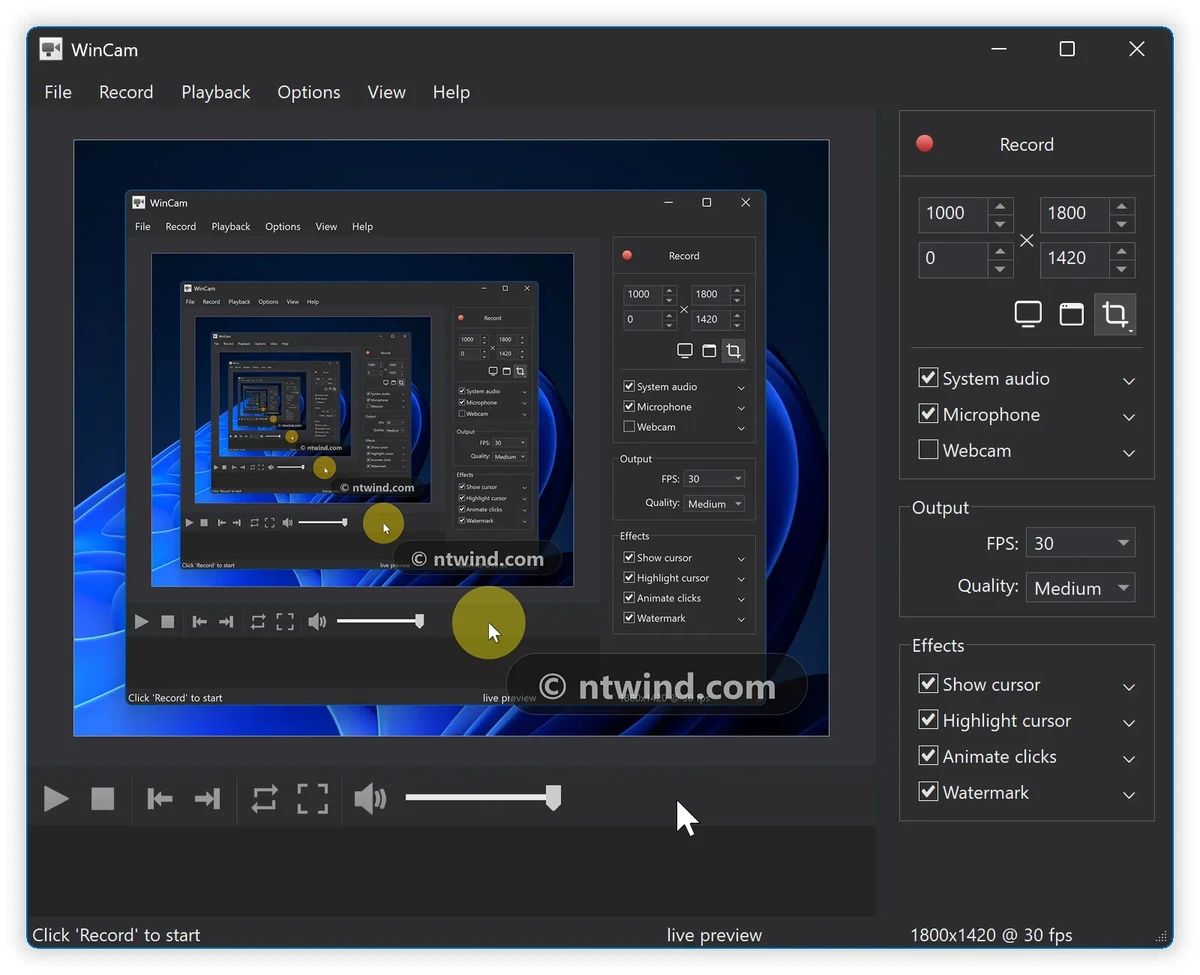

WinCam is a Windows screen recording application designed to make capturing desktop activity quick and simple. It allows users to record a specific application, selected region, or the entire screen while maintaining smooth video quality with support for recording up to 60 frames per second. The software uses hardware acceleration for real-time video rendering and encoding, helping create recordings efficiently. WinCam is built for users who need to produce tutorials, capture online calls, record media, or create visual content without complicated setup processes. With features such as cursor effects, audio recording, live preview, and basic video trimming, WinCam provides a focused screen recording experience for everyday content creation.
Features of WinCam
- Record a specific application, selected area, or full screen.
- Support for recording up to 60 frames per second.
- Hardware acceleration for real-time video rendering and encoding.
- Live preview of recording settings before starting.
- Adjustable video source, frame rate, and post-processing effects.
- Cursor customization with zoom, highlight effects, and click animations.
- Option to hide the cursor during recordings.
- Record system audio, microphone input, or both simultaneously.
- Real-time audio mixing and encoding.
- Basic video editing tools for trimming recordings.
- Save edited clips as new files or overwrite original recordings.
- Hotkey support for quick recording control.
- Available for Windows 8 through Windows 11.
- Includes a native 64-bit version.
Interface and Usability
WinCam focuses on providing a simple recording workflow without unnecessary complexity. The interface is designed around quick access to essential recording controls, allowing users to select their capture source, adjust settings, preview changes, and begin recording with minimal setup. The live preview feature is useful because users can adjust frame rate and effects before recording instead of checking the results afterward. Cursor customization tools are also practical for tutorial creators who want viewers to easily follow mouse movements and clicks.
The built-in trimming feature provides basic editing directly inside the application, making it convenient to remove unwanted sections at the beginning or end of a recording without opening another video editor. Overall, WinCam is designed for users who want a dedicated screen recorder rather than a complicated multimedia production suite.
Who Should Use WinCam?
- Content creators making video tutorials.
- Teachers and trainers creating instructional videos.
- Users recording software demonstrations.
- Gamers capturing gameplay sessions.
- Professionals saving online calls or desktop presentations.
- Anyone who wants a lightweight screen recording solution for Windows.
Conclusion
WinCam is a focused and user-friendly screen recorder that delivers the essential tools needed for creating tutorials, capturing desktop activity, and recording video content. Its fast setup, high frame rate support, cursor effects, audio recording, and simple editing features make it a convenient option for everyday screen capture tasks.


