


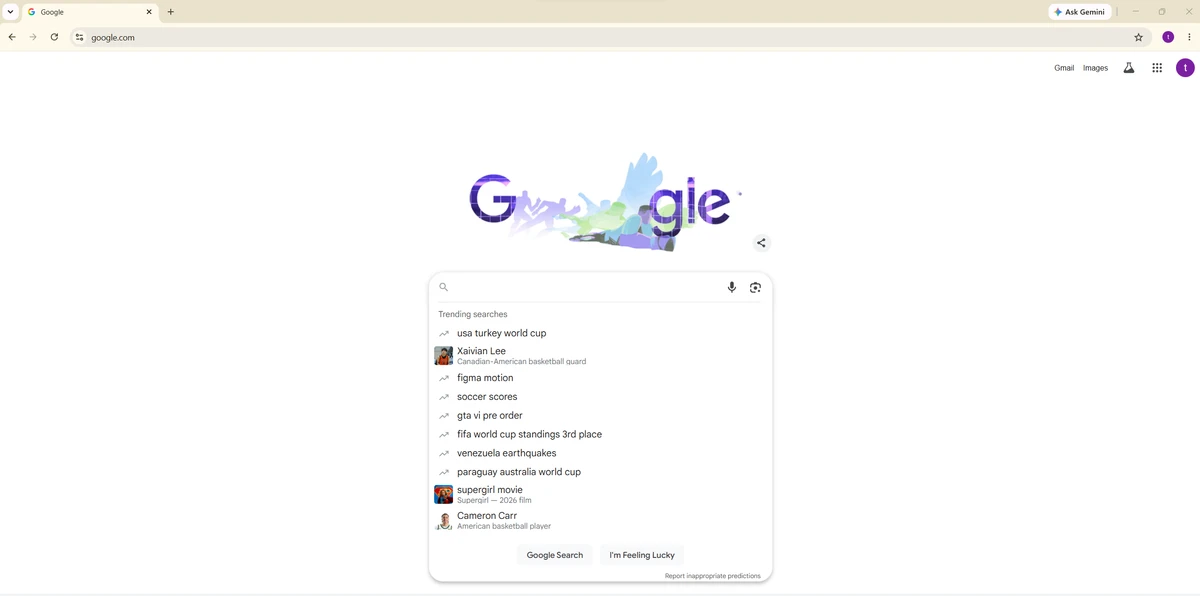

Google Chrome is a fast and easy-to-use web browser developed by Google, designed with a focus on speed, security, stability, and a clean user interface. It combines a minimal design with advanced technology to deliver a smooth browsing experience for both casual users and web application-heavy workflows. Chrome uses a unified address and search bar (Omnibox), allowing users to search the web or navigate directly to websites from a single input field. It also provides quick access to frequently visited sites through a thumbnail-based new tab page.
Built with a modern architecture, Chrome is designed to support web applications efficiently while maintaining strong isolation between browser components for improved performance and security.
Key Features of Google Chrome
- Fast and responsive browsing performance
- Minimal and clean user interface
- Omnibox for combined search and URL navigation
- New Tab page with frequently visited site thumbnails
- Sandboxed tab architecture for security
- Multi-process design for stability
- Built-in phishing and malware protection
- Incognito mode for private browsing sessions
- Tab-based interface with independent processes
- Process manager for monitoring CPU and memory usage
- Crash isolation (failure in one tab does not affect others)
- Support for modern web applications
- Integration of common browser features like pop-up handling and tab management
User Experience
After using Google Chrome, the first noticeable aspect is its speed and simplicity. Pages load quickly, and the interface remains uncluttered, allowing users to focus on content rather than controls. The Omnibox is one of the most convenient features, combining search and navigation into a single input field. This reduces friction when switching between searching and directly visiting websites.
Chrome’s tab system is particularly stable due to its multi-process architecture. Each tab runs independently, so if one tab crashes, the rest of the browser continues functioning normally. This design improves reliability, especially when handling multiple web applications or media-heavy sites. The sandboxing system adds another layer of protection by isolating each tab from accessing sensitive system data, such as local files or the desktop environment. This improves security by limiting the impact of potentially malicious websites.
Incognito Mode offers private browsing by preventing local storage of browsing history and cookies during the session. Meanwhile, the New Tab page improves usability by displaying frequently visited sites and recently used resources in a visual layout. Overall, Chrome delivers a balanced experience that prioritizes speed, security, and usability, making it suitable for everyday browsing as well as advanced web applications.
Who Should Use Google Chrome?
- Everyday internet users
- Students and professionals
- Users who rely on web applications
- People who prioritize speed and stability
- Users who want a secure, modern browsing experience
Conclusion
Google Chrome is a modern, high-performance web browser built around speed, stability, and security. Its multi-process architecture, sandboxing system, and streamlined interface make it one of the most reliable choices for everyday browsing and web application usage.


