


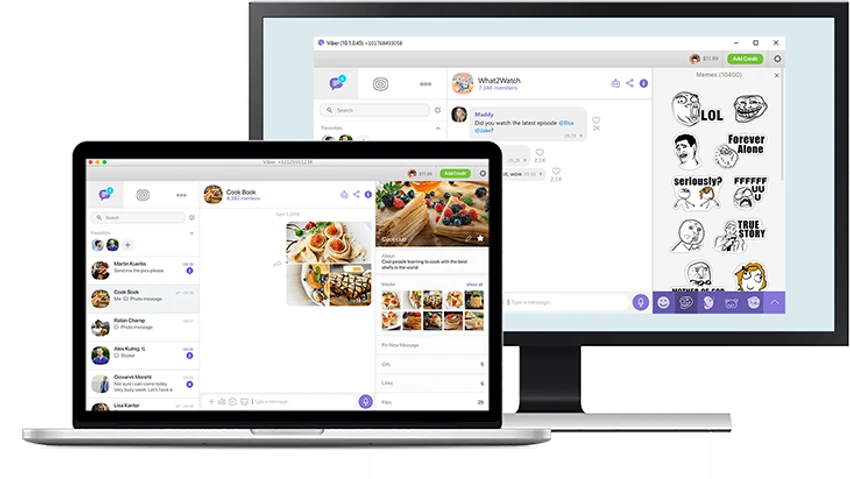

Viber for Windows is a cross-platform communication tool designed to help users stay connected with friends and family through free messaging and voice calls. It works over WiFi or 3G and requires synchronization with a mobile device for activation.
Overview
Viber for Windows is built as a simple yet effective messaging and calling application that connects desktop users with mobile contacts seamlessly. Once installed on both PC and mobile devices, it synchronizes your contacts and conversations using an activation code, enabling free communication over the internet. The software supports text messaging, voice calls, and multimedia sharing, including photos, videos, emoticons, and location data. Its interface is clean and user-friendly, making it accessible even for first-time users.
Features of Viber for Windows
- Free voice calls over WiFi or 3G
- Instant messaging with synced mobile contacts
- Cross-platform support (iOS, Android, Windows Phone, Mac OS, and more)
- Multimedia sharing (photos, videos, and locations)
- Emoticon support for richer conversations
- Automatic contact synchronization from device address book
- Desktop notifications for calls and messages
- Simple activation via mobile verification code
User Experience
From a user perspective, Viber for Windows offers a smooth and straightforward experience. Installation is quick, and the activation process ensures secure syncing with your mobile account. Once connected, contacts and conversations are automatically available on the desktop. The interface is organized into contacts, recent chats, and call history, allowing easy navigation. Notifications appear discreetly in the system tray, ensuring users stay updated without disrupting workflow. Call quality is described as stable and clear, making it reliable for everyday communication.
Who Should Use Viber for Windows?
Viber for Windows is ideal for users who want a unified messaging experience across mobile and desktop devices. It suits individuals who frequently communicate with international contacts and prefer internet-based calling and messaging without relying on traditional SMS or phone services.
Conclusion
Viber for Windows delivers a practical and reliable communication experience for users who want seamless messaging and calling across devices. With its simple setup, cross-platform support, and stable performance, it remains a solid choice for everyday digital communication.


