ON1 Resize AI logo

ON1 Resize AI 2026.4

  • User Rating:
    ★★★★★
    ★★★★★
    0.0 0Votes
  • Requirements:
    Windows
  • Version: 2026.4
  • Latest updated: 5 days ago
  • License: Free Trial  
  • Publisher: ON1
  • Size: 201 MB
× app stores

ON1 Resize AI 2026 is a professional image enlargement and photo upscaling solution designed for photographers, designers, and print professionals. Powered by advanced AI-driven super-resolution technology, it allows users to enlarge images by up to 10 times their original size while maintaining impressive levels of detail, edge clarity, and sharpness. Whether you're preparing large-format prints, restoring older images, enlarging heavily cropped photos, or improving AI-generated artwork, ON1 Resize AI focuses on producing high-quality results with minimal artifacts and blurring.

The software can operate as a standalone application or integrate directly into existing workflows through plugin support for Adobe Photoshop, Lightroom, and other compatible applications.

Features of ON1 Resize AI 2026

  • AI-powered image enlargement up to 10x original size
  • Advanced super-resolution technology
  • Face recovery tools with adjustable strength controls
  • Photorealistic detail enhancement
  • Standalone application and plugin support
  • Compatible with Photoshop, Lightroom, and other editors
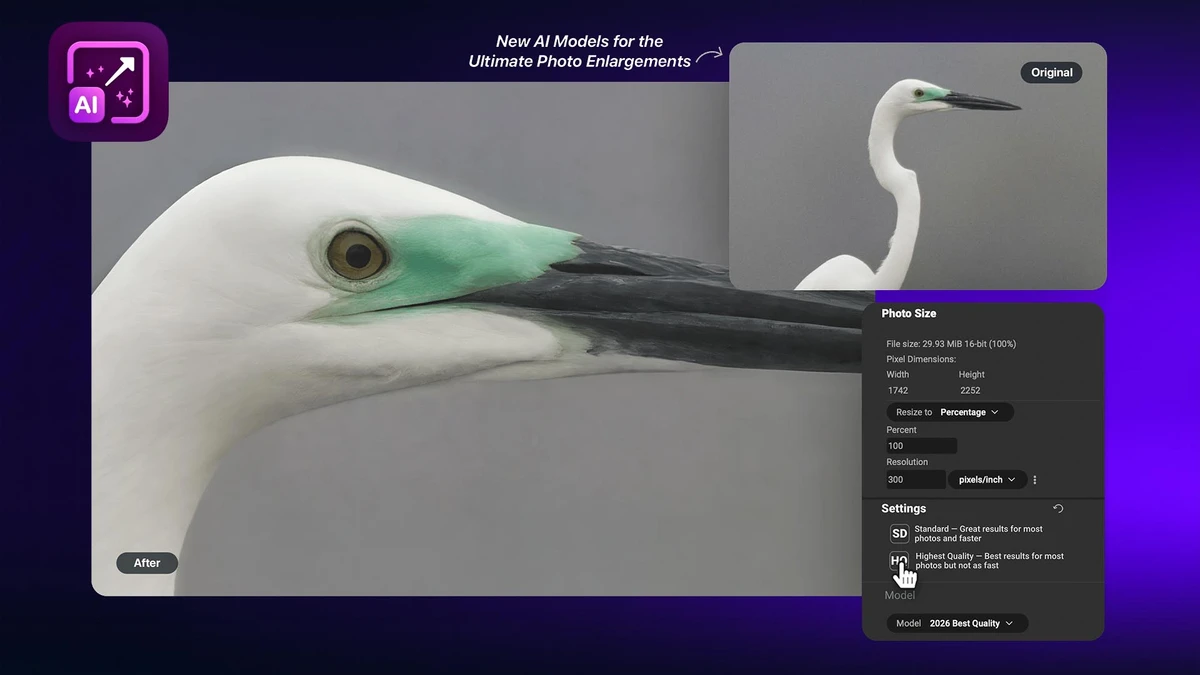
  • New Highest Quality AI Model for maximum detail reconstruction
  • New Standard AI Model optimized for speed and batch processing
  • Automatic AI model recommendations based on image type
  • Print-focused resolution presets
  • Smart sharpening technology
  • Soft proofing for print previews
  • Gallery wrap margin creation for canvas printing
  • Image tiling for murals and large-format prints
  • Batch resizing and export capabilities
  • Watermark support during export
  • Support for layered Photoshop files including masks and text

User Experience

During my experience with ON1 Resize AI 2026, the software demonstrated a strong focus on producing high-quality enlargements without requiring extensive technical adjustments. The interface is straightforward, allowing users to quickly load an image, choose a target size, and let the AI determine the most appropriate processing method.

The new Highest Quality Model is particularly impressive when working with heavily cropped or lower-resolution images. It reconstructs fine textures and edge details in a way that appears natural rather than artificially sharpened. This makes it especially valuable for photographers preparing gallery-sized prints or recovering detail from older image files. For users handling large numbers of images, the Standard Model provides a faster alternative while still delivering reliable results. Batch processing is well implemented and can significantly reduce the time required for high-volume workflows.

Print preparation tools are another standout feature. Soft proofing helps visualize final print output, while gallery wrap and tiling tools simplify the process of creating canvas prints and oversized wall displays. Integration with Adobe Photoshop and Lightroom ensures photographers can incorporate resizing and enlargement directly into existing editing workflows without exporting files between multiple applications.

Who Should Use ON1 Resize AI 2026?

  • Professional photographers
  • Fine art and gallery print creators
  • Graphic designers
  • Print shops and publishing professionals
  • Users restoring old photographs
  • Creators working with AI-generated images
  • Adobe Photoshop and Lightroom users
  • Anyone needing high-quality image enlargements

Conclusion

ON1 Resize AI 2026 is a powerful solution for anyone who regularly enlarges images for printing or professional presentation. Its advanced AI technology, print-focused workflow tools, and flexible integration options make it one of the strongest photo enlargement solutions available.

Pros & Cons

Pros

  • Excellent AI-powered enlargement quality
  • Enlarges images up to 10x while preserving detail
  • Advanced face recovery technology
  • Dedicated print preparation tools
  • Supports batch processing workflows
  • Works as both standalone software and plugin
  • Gallery wrap and mural tiling features
  • Multiple AI models for different performance needs
  • Strong integration with Photoshop and Lightroom

Cons

  • Focused primarily on resizing rather than full photo editing
  • High-quality AI processing may require more system resources
  • Some advanced users may still require additional editing software for complete workflows

Frequently Asked Questions

What is ON1 Resize AI 2026 used for?

ON1 Resize AI 2026 is used to enlarge, upscale, and prepare photos for high-quality printing while preserving detail and sharpness.

How much can ON1 Resize AI enlarge an image?

The software can enlarge images by up to 10 times their original size using AI-powered super-resolution technology.

Does ON1 Resize AI improve image quality?

Yes. It uses AI models to reconstruct and enhance detail, sharpness, and edge clarity during enlargement.

Can ON1 Resize AI restore old photos?

Yes. Its AI technology can help improve detail and quality when enlarging older or lower-resolution images.

Does ON1 Resize AI work with Photoshop and Lightroom?

Yes. It can be used as a standalone application or as a plugin for Photoshop, Lightroom, and other compatible software.

What is the Highest Quality Model?

The Highest Quality Model is a next-generation AI engine designed to rebuild fine details and textures for maximum-quality enlargements.

Is ON1 Resize AI suitable for large-format printing?

Yes. It includes soft proofing, gallery wrap tools, tiling features, and print presets specifically designed for professional printing workflows.

Recommended apps [Freeware]:
  • Sysinternals Suite 2026.6.17 Sysinternals Suite logo a powerful collection of Windows tools for system monitoring, troubleshooting, process analysis, and performance optimization.
  • Autoruns 14.30 Autoruns logo a Windows startup manager that reveals and controls all autostart programs, services, drivers, and registry entries
  • Futuremark SystemInfo 5.92.1497 Futuremark SystemInfo logo scans your PC hardware and system components, generating detailed diagnostic reports.
  • ExpanDrive 2026.06.11 ExpanDrive logo mounts cloud storage and remote servers as local drives for seamless file access in Windows Explorer
  • HeidiSQL 12.20 HeidiSQL logo manage MySQL, MSSQL, and databases, run queries, edit tables, and export data on Windows
  • SoundVolumeView 2.52 SoundVolumeView logo displays, manages, saves, and restores Windows audio settings with powerful profile and command-line support
Recommended apps [Shareware]:
  • Amazing Laptop Cooling Wizard 1.1.5.8 Amazing Laptop Cooling Wizard logo Reduce laptop overheating by optimizing CPU and fan cooling performance on Windows.
  • Bulk Image Downloader 6.64 Bulk Image Downloader logo Download full-size images and videos from galleries, forums, and image hosts with Bulk Image Downloader
  • MacDrive 12.0.1.23 MacDrive logo Access, read, and write Mac-formatted APFS and HFS+ drives on Windows with full support for encrypted volumes and RAID
  • Okdo Pdf to All Converter Professional 6.0 Okdo Pdf to All Converter Professional logo Convert PDF files to Word, Excel, PowerPoint, images, HTML, text, and more with batch processing support
  • IntraWEB 16.2.2 IntraWEB logo web development framework for creating interactive web applications using a Windows application-style approach
  • TubeDownload Pro 7.5.6 TubeDownload Pro logo a Windows video downloader that supports HD downloads, playlists, speed boosts, and format conversion