


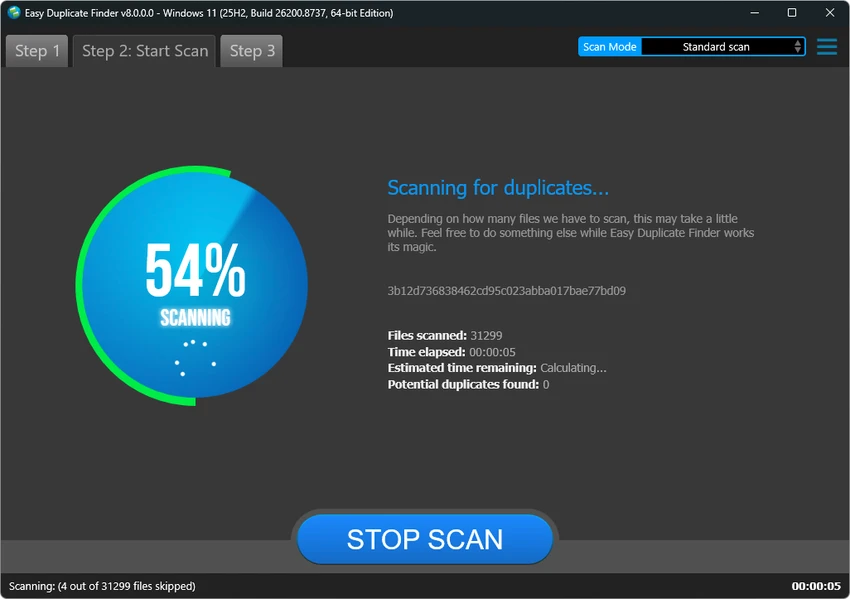

Easy Duplicate Finder is a file management utility designed to help users locate and remove duplicate files from their computers. The software scans storage locations to identify files with identical content, helping users recover disk space and organize their data more efficiently.
Duplicate files can accumulate over time through downloads, backups, copied documents, media collections, and other everyday activities. Easy Duplicate Finder helps simplify the cleanup process by searching selected folders or drives and identifying unnecessary copies.
The application uses advanced search methods to detect true duplicates by comparing file contents rather than relying only on file names. Users can customize scans by selecting specific folders or drives, applying search conditions, and adjusting scanning options to match their needs.
Easy Duplicate Finder supports managing different types of duplicate files, including documents, photos, music, videos, emails, and other file formats. Before deletion, users can preview files, review results, and manually choose which copies to remove. The software also includes protection features designed to prevent accidental deletion of important system files and folders. With its combination of accurate scanning, flexible search options, and file management tools, Easy Duplicate Finder provides a practical solution for users looking to clean up storage space and maintain better file organization.
Features of Easy Duplicate Finder
- Finds true duplicate files by comparing file contents
- Scans selected folders and drives
- Supports customizable search settings
- Finds duplicate documents, photos, music, videos, and emails
- Provides fast and accurate duplicate detection
- Allows manual file selection before deletion
- Supports automatic removal of duplicate copies
- Includes file preview options
- Provides an undo option for recovering removed files
- Protects system files and folders
- Opens the folder containing selected files
- Displays file properties
- Supports duplicate management for iTunes, Photos, iPhoto, and Windows Media Player
- Finds duplicates from Google Drive and Dropbox
Interface and Usability
Easy Duplicate Finder provides a straightforward interface designed for users of different experience levels. The scanning process is simple, allowing users to select folders or drives and begin searching for duplicate files.
The software focuses on making file cleanup safer by providing previews and manual selection options before deletion. This gives users more control over which files are removed and reduces the risk of deleting important data.
Advanced users can adjust search settings and scanning options, while beginners can rely on the simpler workflow to quickly identify unnecessary duplicates. The file management features make it easier to review results, check file details, and organize cleanup tasks without needing complex configuration.
Who Should Use Easy Duplicate Finder?
- Users with limited storage space
- People managing large photo or music collections
- Users organizing backup folders
- Anyone cleaning up old documents and files
- Users who want safer duplicate removal tools
Conclusion
Easy Duplicate Finder is a practical file cleanup tool that helps users identify and remove unnecessary duplicate files. Its accurate scanning methods, customizable search options, and safety features make it easier to free up storage space without manually checking thousands of files.
The ability to preview duplicates, select files manually, and restore deleted items provides additional confidence during cleanup. Whether you are managing personal media collections, documents, or large folders, the software offers a convenient way to improve file organization.


