reaConverter Pro logo

reaConverter Pro 8.0.229

  • User Rating:
    ★★★★★
    ★★★★★
    0.0 0Votes
  • Requirements:
    Windows
  • Version: 8.0.229
  • Latest updated: 6 days ago
  • License: Free Trial  
  • Publisher: ReaSoft Development
  • Size: 410 MB
× app stores

reaConverter Pro is a professional-grade batch image conversion and processing tool designed to handle large-scale image workflows efficiently. It supports over 700 file formats and combines conversion, editing, and automation features in a single streamlined application.

Overview

reaConverter Pro is built for users who need to process large volumes of images quickly and consistently. It simplifies repetitive tasks such as file conversion, resizing, formatting, and applying image adjustments by allowing users to execute operations in bulk. The software is widely used in professional environments where automation and high-throughput image processing are essential. It provides both a user-friendly interface for manual workflows and advanced automation options for developers and technical users. With support for scripting, command-line execution, and DLL integration, reaConverter Pro can also be embedded into larger software systems or automated pipelines.

Features of reaConverter Pro

  • Supports 700+ image and file formats
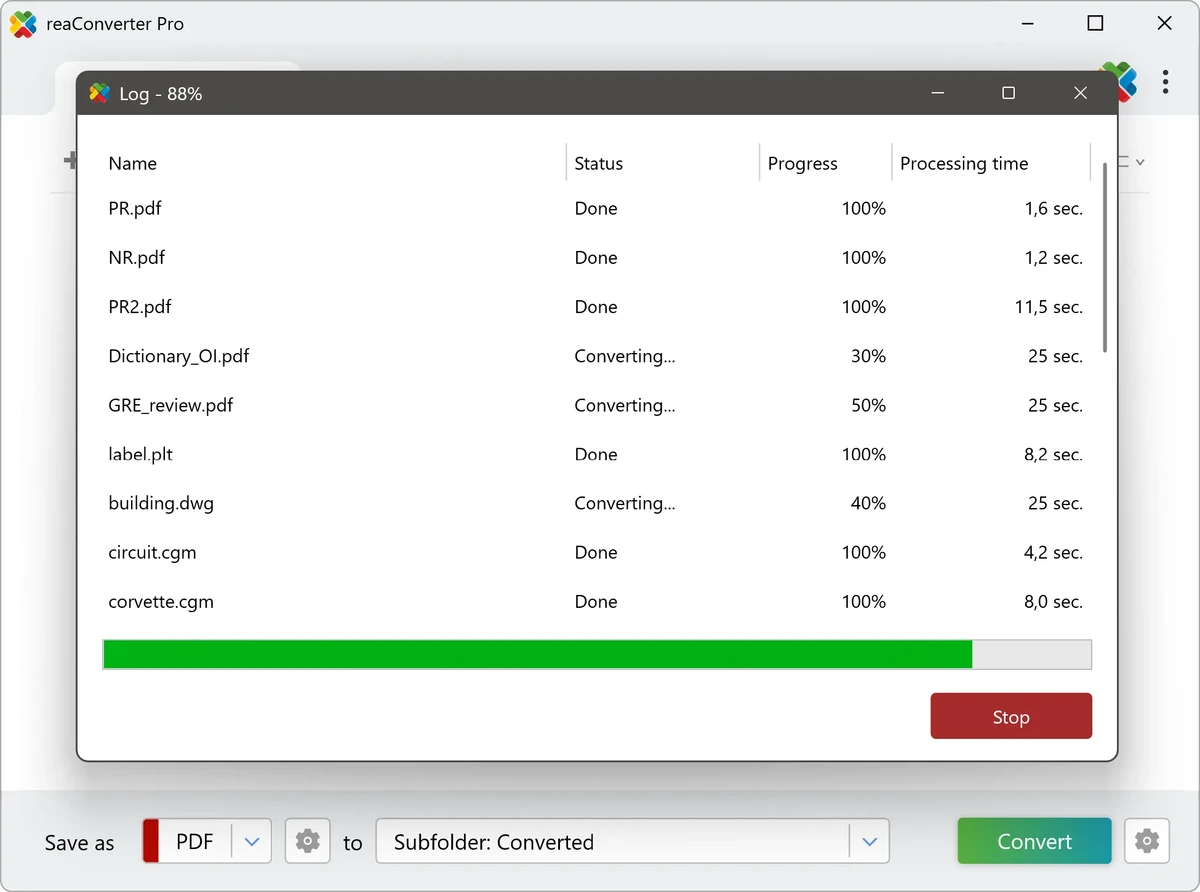
  • High-speed batch image conversion
  • Advanced image editing tools for bulk processing
  • Automation for repetitive image workflows
  • Precise control over output settings
  • Resize, transform, and apply effects to multiple images
  • Command-line interface for scripting and automation
  • DLL integration for developers and custom applications
  • Folder-based batch processing
  • Professional-grade workflow optimization
  • Suitable for large-scale image handling
  • Cross-format conversion support

User Experience

reaConverter Pro is designed with productivity in mind. The interface focuses on batch operations, allowing users to process entire folders of images with minimal manual intervention. Once a workflow is configured, it can be reused or automated, significantly reducing repetitive work. The ability to handle over 700 formats makes it highly versatile, especially for users working with mixed or legacy image collections. Conversion tasks are straightforward, with clear controls for output format, quality, and transformation settings.

Advanced users benefit from automation features such as command-line execution and script integration, enabling full workflow automation without manual interaction. This makes it suitable not only for designers and photographers but also for developers and enterprise environments. Despite its powerful capabilities, the tool maintains a relatively accessible workflow structure, making it usable even for non-technical users once initial setup is complete.

Who Should Use reaConverter Pro?

  • Photographers processing large image collections
  • Graphic designers handling batch conversions
  • Web developers optimizing image assets
  • Businesses managing large media libraries
  • Developers integrating image processing into applications
  • Users needing automation for repetitive image tasks

Supported Operating Systems

  • Windows 7
  • Windows 8
  • Windows 10
  • Windows 11
  • Windows Server editions

Conclusion

reaConverter Pro is a highly capable batch image processing tool designed for users who need speed, scale, and automation. With support for hundreds of formats and powerful workflow integration options, it stands out as a strong solution for professional and enterprise-level image management.

Pros & Cons

Pros

  • Supports 700+ file formats
  • Excellent batch processing capabilities
  • Strong automation and scripting support
  • Suitable for high-volume workflows
  • Precise control over image output settings
  • Developer-friendly integration options
  • Efficient and reliable processing engine

Cons

  • Interface may feel complex for beginners
  • Primarily focused on batch processing rather than creative editing
  • Advanced features require some technical understanding

Frequently Asked Questions

What is reaConverter Pro used for?

reaConverter Pro is used for batch image conversion, editing, and automation across hundreds of file formats.

Does reaConverter Pro support automation?

Yes. It includes command-line tools, scripting capabilities, and DLL integration for full automation.

How many file formats does it support?

It supports over 700 file formats for conversion and processing.

Can I edit images in batches?

Yes. You can apply resizing, transformations, and effects to multiple images at once.

Is reaConverter Pro suitable for developers?

Yes. It includes developer-friendly tools such as command-line access and DLL integration.

Is it beginner-friendly?

It can be used by beginners, but advanced automation features may require some learning.

Recommended apps [Freeware]:
  • Trillian 6.6 Build 16 Trillian logo all-in-one chat software designed to simplify online communication
  • XMedia Recode 3.6.3.1 XMedia Recode logo Free video and audio converter with GPU acceleration, batch conversion, editing tools, and subtitle support
  • CCleaner 7.08.1355 CCleaner logo removes junk files, clears browsing traces, and helps optimize Windows for better performance
  • Don't Sleep 10.22 Don't Sleep logo prevent sleep, restart, or hibernation with a lightweight Windows power control utility
  • darktable 5.6.0 darktable logo a free open-source RAW photo editor and photography workflow tool for professional image management
  • Disk Drill 6.3.1398.0 Disk Drill logo advanced data recovery software for Windows to restore deleted files from drives, USB, and partitions
Recommended apps [Shareware]:
  • EF Commander 26.06 EF Commander logo a feature-rich Windows file manager with FTP, media tools, archiving, and advanced file control
  • Bulk Image Downloader 6.64 Bulk Image Downloader logo Download full-size images and videos from galleries, forums, and image hosts with Bulk Image Downloader
  • Coolutils Total Doc Converter 5.1.0.394/167 Coolutils Total Doc Converter logo Convert DOC, DOCX, RTF, and TXT files into PDF, HTML, images, and more with fast batch processing
  • Ant Download Manager 2.17.4.96212 Ant Download Manager logo a Windows tool that speeds up downloads, captures streaming media, supports torrents, and integrates with browsers
  • EF Mailbox Manager 26.05 EF Mailbox Manager logo Manage multiple POP3 email accounts, remove spam on the server, and download messages securely
  • TubeMate 6.4.6 TubeMate logo downloads online videos, converts media formats, extracts audio, and manages high-quality video downloads