



Wondershare PDFelement Professional is a comprehensive PDF solution designed to simplify how users create, edit, convert, and sign PDF documents. It aims to offer a familiar editing experience similar to working in a word processor, making PDF management more accessible for both personal and professional users.
Overview
Wondershare PDFelement Professional provides a wide range of PDF editing and document management features in a single platform. It allows users to modify text, images, pages, and forms directly within PDF files, while also supporting advanced functions like OCR for scanned documents and batch conversion to Microsoft Office formats. The software focuses on productivity, enabling users to handle everything from simple edits to complex document workflows without switching between multiple tools. It also supports password-protected PDFs and offers tools for organizing, converting, and securing files efficiently.
Features of Wondershare PDFelement Professional
- Edit PDF Like Word: Modify text, fonts, size, color, links, watermarks, headers, and footers.
- Image Editing in PDFs: Move, crop, rotate, replace, or delete images within documents.
- Page Management: Add, delete, rotate, split, crop, and rearrange PDF pages easily.
- PDF Form Editing: Create, edit, and manage fillable forms with field recognition and e-signature support.
- OCR Technology: Convert scanned PDFs and images into editable and searchable text.
- Password-Protected PDF Handling: Unlock, edit, and remove security (if password is available).
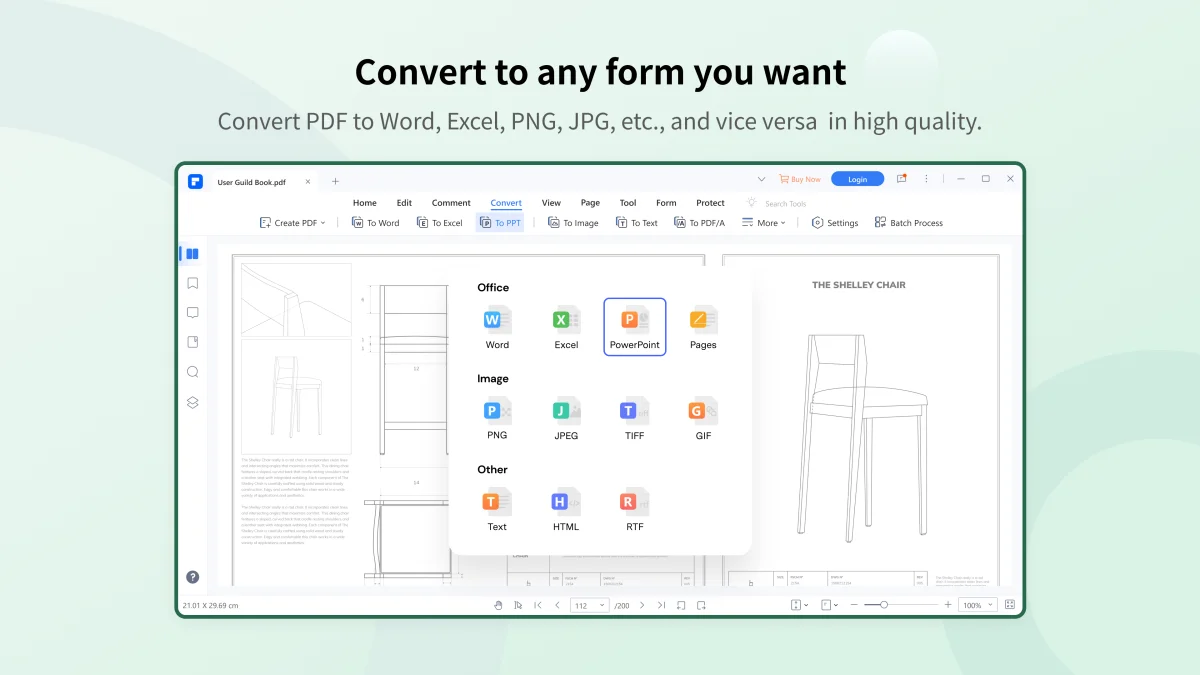
- Batch Conversion Tools: Convert PDFs to Word, Excel, PowerPoint, and image formats.
- Object Alignment Tools: Precisely align and organize elements within PDF pages.
- Background Editing: Add or modify backgrounds using colors, images, or PDF files.
User Experience
Using PDFelement Professional feels similar to working in a modern document editor, which lowers the learning curve for users familiar with Microsoft Word. The interface is structured and task-oriented, allowing users to quickly locate editing, conversion, and form tools. Editing text and images inside PDFs is straightforward, and changes apply smoothly without complicated workflows. The OCR feature is particularly useful when working with scanned documents, making previously non-editable files usable again. Form creation and editing are also well-integrated, especially for users dealing with contracts or digital paperwork. While the software is feature-rich, it remains relatively easy to navigate once users understand the tool layout.
Who Should Use Wondershare PDFelement?
This software is ideal for office workers, students, business professionals, and anyone who regularly works with PDF documents. It is especially useful for users who need to edit PDFs frequently, convert documents into Office formats, or manage digital forms and scanned files.
Conclusion
Wondershare PDFelement Professional is a powerful and well-rounded PDF solution that covers nearly every aspect of document management. From editing and conversion to OCR and form handling, it offers a complete toolkit for professional PDF workflows. If you need a reliable alternative to traditional PDF editors with a more user-friendly approach, PDFelement Professional is a strong choice worth considering.


