Glary Malware Hunter logo

Glary Malware Hunter 1.218.0.860

  • User Rating:
    ★★★★★
    ★★★★★
    0.0 0Votes
  • Requirements:
    Windows
  • Version: 1.218.0.860
  • Latest updated: 1 day ago
  • License: Free Trial  
  • Publisher: Glarysoft
  • Size: 64 MB
× app stores

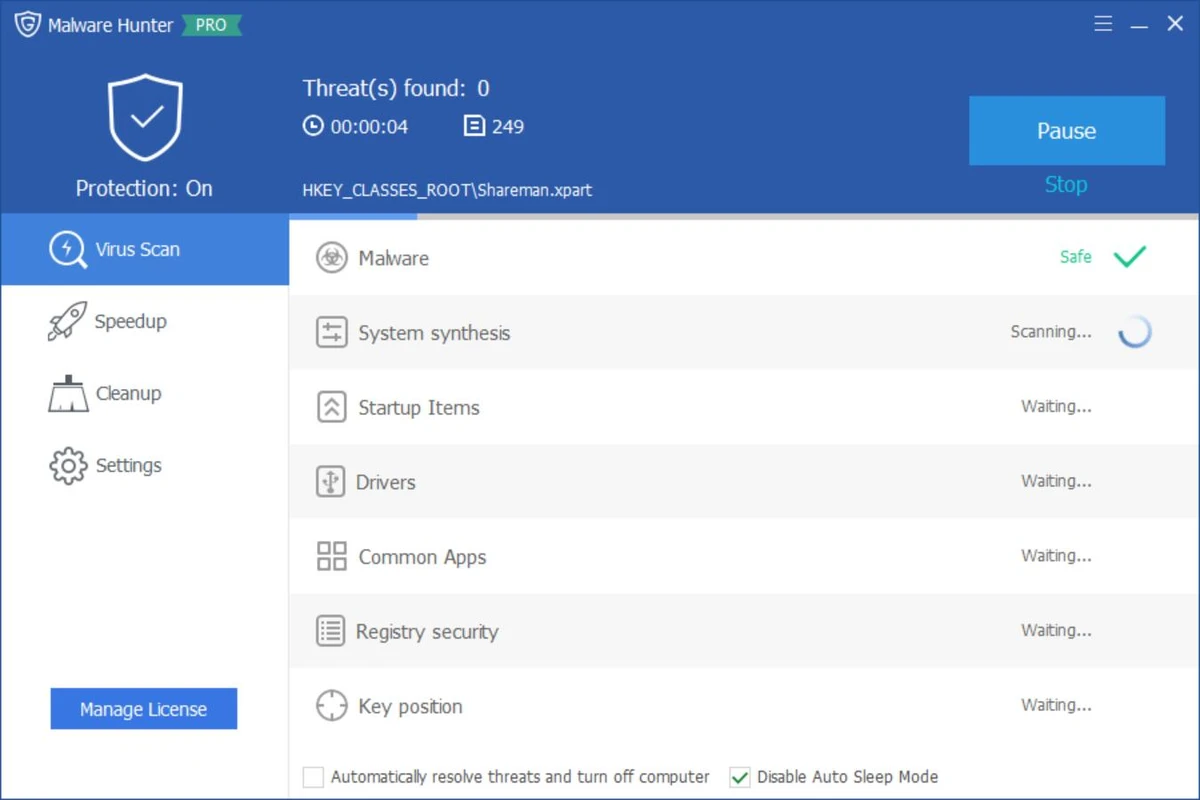
Glary Malware Hunter is a Windows security utility designed to detect and remove malicious files and components from a system. It provides on-demand scanning capabilities to help users identify threats such as viruses, trojans, spyware, worms, and other potentially harmful software. In addition to malware detection, the tool also includes basic system optimization features such as disk cleanup and performance improvements, making it a hybrid security and maintenance utility for Windows users.

Features of Glary Malware Hunter

  • On-demand malware scanning for system files and folders
  • Detects and removes malicious software including:
    • Viruses
    • Trojans
    • Worms
    • Spyware
    • Other online threats
  • Quick and deep scan modes for flexible analysis
  • Scheduled scanning support
  • Process protection against malicious activity
  • Disk cleanup functionality to remove temporary and unnecessary files
  • System optimization tools to improve performance
  • Helps free up disk space by removing junk files
  • Lightweight interface designed for ease of use

User Experience

Glary Malware Hunter provides a straightforward and accessible interface focused on quick malware scanning and removal. Users can initiate system-wide scans or target specific files and directories, making it suitable for both general maintenance and focused threat detection. The scanning process is designed to be relatively fast while still covering critical areas of the system where malware commonly resides. Scheduled scanning helps automate protection, reducing the need for manual intervention.

Beyond security, the tool also includes performance-oriented features such as disk cleanup and system optimization. These tools help remove unnecessary files and improve system responsiveness, though they are secondary to its core malware protection functionality. Process protection adds an additional layer of defense by monitoring and safeguarding the system against potentially harmful activities during runtime. Overall, the experience is simple and functional, making it suitable for users who want a lightweight security tool without complex configuration.

Who Should Use Glary Malware Hunter?

  • Users looking for a secondary malware scanning tool
  • Windows users wanting on-demand virus removal
  • People needing a lightweight security utility
  • Users who want basic system cleanup alongside malware scanning
  • Those seeking an easy-to-use alternative security tool

Conclusion

Glary Malware Hunter offers a simple yet effective approach to malware detection and system cleanup. With its focus on on-demand scanning, scheduled protection, and basic optimization features, it serves as a useful companion tool alongside a primary antivirus solution.

Pros & Cons

Pros

  • Easy-to-use malware scanning interface
  • Detects a wide range of threats
  • Supports scheduled scans
  • Includes system cleanup tools
  • Lightweight and beginner-friendly
  • Combines security and optimization features

Cons

  • Not a full replacement for advanced antivirus suites
  • Limited advanced configuration options
  • Optimization tools are basic compared to dedicated system utilities
  • Primarily focused on on-demand scanning rather than real-time protection

Frequently Asked Questions

What is Glary Malware Hunter used for?

It is used to detect and remove malware such as viruses, trojans, spyware, and other malicious files from Windows systems.

Does Glary Malware Hunter provide real-time protection?

It focuses mainly on on-demand scanning, with limited protective features compared to full antivirus suites.

Can it improve PC performance?

Yes. It includes basic system optimization and disk cleanup tools to help improve performance.

Is Glary Malware Hunter a full antivirus?

No. It is best used as a supplementary tool alongside a full antivirus program.

Does it support scheduled scans?

Yes. Users can schedule scans to run automatically at set intervals.

Recommended apps [Freeware]:
  • QuadSpinner Gaea 2.3.0.1 QuadSpinner Gaea logo a procedural terrain design tool for creating realistic landscapes with advanced erosion tools.
  • Process Monitor 4.04 Process Monitor logo a Windows tool that tracks real-time file, registry, and process activity for system troubleshooting and malware analysis
  • Claude Desktop 1.15962.1 Claude Desktop logo Anthropic's AI assistant to Windows and macOS for writing, coding, research, and file analysis
  • Google Drive 127.0.1 Google Drive logo secure cloud storage, file syncing, collaboration tools, and 15GB of free storage
  • F-Secure Uninstallation Tool 19.3.15 F-Secure Uninstallation Tool logo completely removes F-Secure security products, including files, services, and registry entries from Windows
  • GnuCash 5.16 GnuCash logo open-source accounting software for tracking personal and small business finances with double-entry bookkeeping
Recommended apps [Shareware]:
  • Adobe After Effects 2026 Adobe After Effects logo advanced motion graphics, visual effects, compositing, and animation tools for creators.
  • Any video Converter 9.2.3 Any video Converter logo video conversion tool that supports multiple formats, editing features, and device-ready output profiles
  • EditPlus 6.1.899 EditPlus logo powerful Windows text editor with syntax highlighting, coding tools, FTP support, and web editing features
  • Neevia Document Converter Pro 7.7.0.289 Neevia Document Converter Pro logo Convert over 300 document formats to PDF, PDF/A, and image files
  • Start11 2.72 Start11 logo Windows customization tool that restores classic Start Menu styles and enhances taskbar functionality on Windows 10 and 11
  • IObit Uninstaller 15.4.0.1 IObit Uninstaller logo Windows tool for removing programs, browser extensions, leftovers, and unwanted apps