Glary Malware Hunter logo

Glary Malware Hunter 1.218.0.860

  • 사용자 평점:
    ★★★★★
    ★★★★★
    0.0 0Votes
  • 시스템 요구사항:
    Windows
  • 버전: 1.218.0.860
  • 최신 업데이트: 4주 전
  • 라이선스: 무료 체험  
  • 제공자: Glarysoft
  • 크기: 64 MB
× app stores

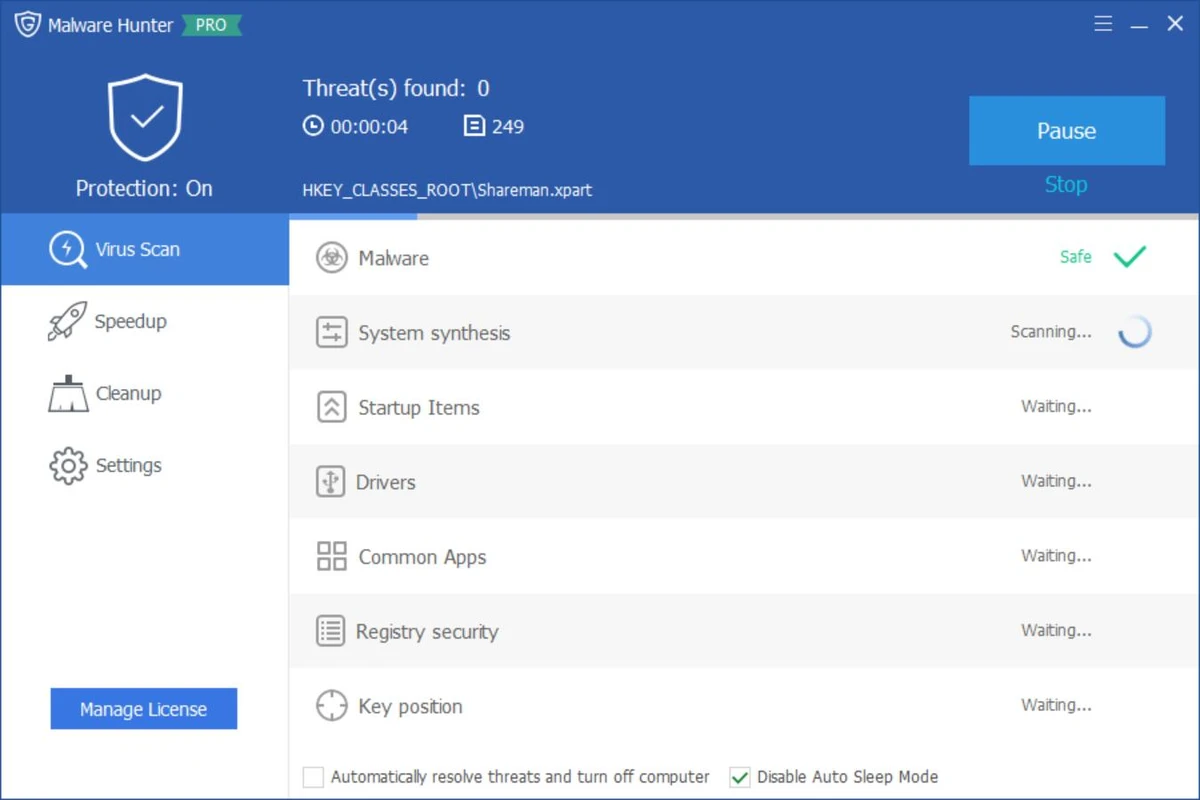
Glary Malware Hunter is a Windows security utility designed to detect and remove malicious files and components from a system. It provides on-demand scanning capabilities to help users identify threats such as viruses, trojans, spyware, worms, and other potentially harmful software. In addition to malware detection, the tool also includes basic system optimization features such as disk cleanup and performance improvements, making it a hybrid security and maintenance utility for Windows users.

Features of Glary Malware Hunter

  • On-demand malware scanning for system files and folders
  • Detects and removes malicious software including:
    • Viruses
    • Trojans
    • Worms
    • Spyware
    • Other online threats
  • Quick and deep scan modes for flexible analysis
  • Scheduled scanning support
  • Process protection against malicious activity
  • Disk cleanup functionality to remove temporary and unnecessary files
  • System optimization tools to improve performance
  • Helps free up disk space by removing junk files
  • Lightweight interface designed for ease of use

User Experience

Glary Malware Hunter provides a straightforward and accessible interface focused on quick malware scanning and removal. Users can initiate system-wide scans or target specific files and directories, making it suitable for both general maintenance and focused threat detection. The scanning process is designed to be relatively fast while still covering critical areas of the system where malware commonly resides. Scheduled scanning helps automate protection, reducing the need for manual intervention.

Beyond security, the tool also includes performance-oriented features such as disk cleanup and system optimization. These tools help remove unnecessary files and improve system responsiveness, though they are secondary to its core malware protection functionality. Process protection adds an additional layer of defense by monitoring and safeguarding the system against potentially harmful activities during runtime. Overall, the experience is simple and functional, making it suitable for users who want a lightweight security tool without complex configuration.

Who Should Use Glary Malware Hunter?

  • Users looking for a secondary malware scanning tool
  • Windows users wanting on-demand virus removal
  • People needing a lightweight security utility
  • Users who want basic system cleanup alongside malware scanning
  • Those seeking an easy-to-use alternative security tool

Conclusion

Glary Malware Hunter offers a simple yet effective approach to malware detection and system cleanup. With its focus on on-demand scanning, scheduled protection, and basic optimization features, it serves as a useful companion tool alongside a primary antivirus solution.

장점 및 단점

장점

  • Easy-to-use malware scanning interface
  • Detects a wide range of threats
  • Supports scheduled scans
  • Includes system cleanup tools
  • Lightweight and beginner-friendly
  • Combines security and optimization features

단점

  • Not a full replacement for advanced antivirus suites
  • Limited advanced configuration options
  • Optimization tools are basic compared to dedicated system utilities
  • Primarily focused on on-demand scanning rather than real-time protection

자주 묻는 질문

What is Glary Malware Hunter used for?

It is used to detect and remove malware such as viruses, trojans, spyware, and other malicious files from Windows systems.

Does Glary Malware Hunter provide real-time protection?

It focuses mainly on on-demand scanning, with limited protective features compared to full antivirus suites.

Can it improve PC performance?

Yes. It includes basic system optimization and disk cleanup tools to help improve performance.

Is Glary Malware Hunter a full antivirus?

No. It is best used as a supplementary tool alongside a full antivirus program.

Does it support scheduled scans?

Yes. Users can schedule scans to run automatically at set intervals.

추천 앱 [무료]:
  • XRecode 3 v1.184 XRecode logo 다양한 오디오 포맷을 지원하고, CD 리핑 및 비디오 파일에서 오디오를 추출하는 강력한 오디오 변환기입니다.
  • FlowHeater 4.5.6 FlowHeater logo Excel, Access, SQL Server, MySQL 등의 파일과 데이터베이스를 연결하는 데이터 통합 ​​도구입니다.
  • darktable 5.6.0 darktable logo 전문적인 이미지 관리를 위한 무료 오픈 소스 RAW 사진 편집기 및 사진 워크플로우 도구입니다.
  • MSI Center 2.0.71.0 MSI Center logo MSI 기기의 성능, 게임 모드, 모니터링, RGB 및 하드웨어 최적화 도구를 관리하는 시스템 유틸리티입니다.
  • DISMTools 0.8 DISMTools logo Windows DISM용 오픈 소스 GUI로, 이미지 관리, 시스템 복구 및 유지 관리를 간소화합니다.
  • HWiNFO 8.50 HWiNFO logo 무료 진단 도구를 사용하여 하드웨어 구성 요소를 분석하고, 시스템 센서를 모니터링하고, 자세한 보고서를 생성하고, PC 성능을 평가하세요.
추천 앱 [쉐어웨어]:
  • Gilisoft SnapID 8.8.0 Gilisoft SnapID logo Windows용 Gilisoft SnapID의 강력한 도구를 사용하여 이미지를 편집, 향상, 보정 및 변환하세요.
  • ViewCompanion Pro 17.10.0.1204 ViewCompanion Pro logo 강력한 일괄 처리 도구를 사용하여 PDF, DWF, CAD 및 기술 도면 파일을 보고, 변환하고, 주석을 달고, 비교하세요.
  • FastKeys 6.07 FastKeys logo Windows automation tool for shortcuts, text expansion, mouse gestures, macros, and workflow automation
  • iNMR 7.1.9 iNMR logo iNMR을 사용하여 NMR 분광 데이터를 분석하고 처리하세요. 1D~3D 처리, 스크립팅, 시뮬레이션 및 다양한 형식 지원 기능을 제공합니다.
  • Vehicle Manager 4.10.2000.1 Vehicle Manager logo 차량 유지 보수, 비용, 연료 사용량, 부품 및 차량 관리 데이터를 추적합니다.
  • Zoom Player MAX 22.5 Zoom Player MAX logo 빠른 시작, 자막 지원 및 고급 제어 기능을 갖춘 가벼운 미디어 플레이어로 DVD, 블루레이, HD 비디오 및 음악을 재생하세요.