


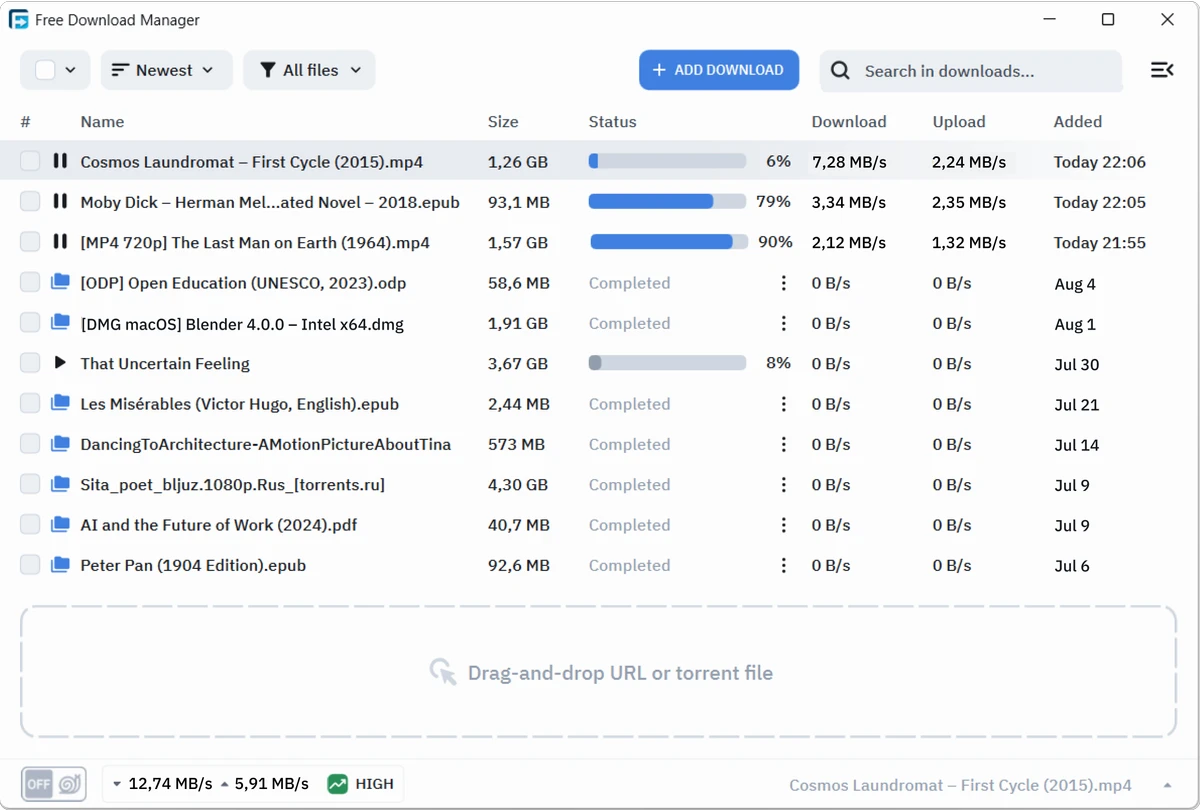

Free Download Manager (FDM) is a feature-rich download management tool designed to improve the speed, reliability, and organization of file downloads on Windows. It works by splitting files into multiple parts and downloading them simultaneously, which can significantly reduce download times compared to standard browser downloads.
Beyond acceleration, FDM also focuses on download control. Users can pause, resume, schedule downloads, and manage multiple sessions from a single interface. It also supports browser integration, making it easy to capture download links directly while browsing. With its combination of speed optimization and practical management tools, Free Download Manager is suitable for both casual users and advanced users who regularly download large files.
Features of Free Download Manager
- Accelerates downloads by splitting files into multiple segments
- Supports pause and resume for interrupted downloads
- Built-in download scheduling system
- Torrent support for peer-to-peer downloads
- Browser integration for capturing download links
- Organizes and manages multiple download sessions
- Built-in media converter (supports formats like MP4, MP3, AVI, WMV, FLV, MPEG)
- Allows extraction of archived files after download
- Optional antivirus scan for downloaded files
- Traffic control and bandwidth management options
- Automatic connection handling for unstable downloads
- Supports large file downloads efficiently
- Option to shut down or disconnect after downloads complete
Interface and Usability
Free Download Manager features a clean and structured interface that makes it accessible to beginners while still offering advanced controls for experienced users. Downloads are clearly categorized, and users can easily monitor progress, speed, and status in real time. The integration with web browsers simplifies the download process, allowing files to be captured automatically without manual copying of URLs. The scheduling and grouping features also help users manage multiple downloads efficiently. Despite its wide feature set, the interface remains relatively easy to navigate, making it suitable for everyday use.
Who Should Use Free Download Manager?
- Users who download large files frequently
- Students and professionals downloading software or media
- Torrent users looking for a combined downloader
- People with unstable or slow internet connections
- Users who want to organize multiple downloads efficiently
- Anyone seeking a free download acceleration tool
Conclusion
Free Download Manager is a well-rounded and powerful tool for improving download speed and control on Windows systems. With support for acceleration, scheduling, torrents, and media conversion, it offers more than a standard download utility.


