


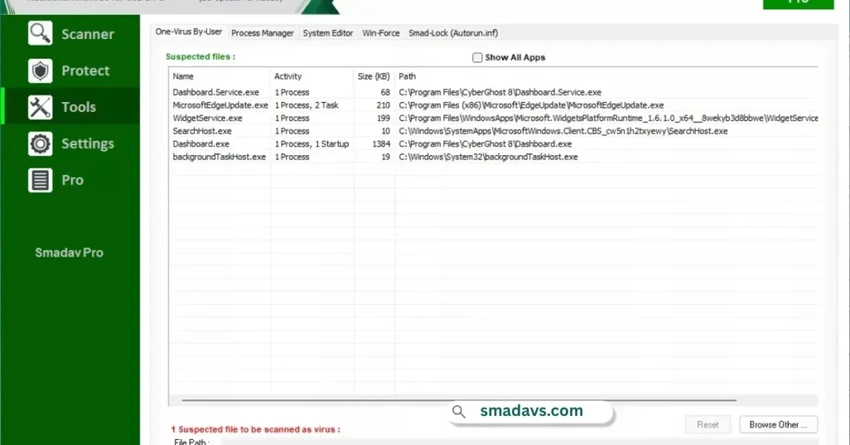

Smadav is a lightweight antivirus solution designed to provide an extra layer of protection for Windows computers. Unlike traditional antivirus programs that aim to be a complete security suite, Smadav focuses on detecting and cleaning widespread viruses, protecting USB drives, and helping users maintain a safer computing environment. One of its standout purposes is safeguarding removable storage devices, making it particularly useful for users who frequently transfer files via USB flash drives. Smadav also includes tools for malware cleaning and preventing unauthorized applications from running in the background without permission.
Compatible with Windows 11, Windows 10, Windows 8.1, and Windows 7, Smadav can serve as a complementary security solution alongside an existing antivirus program.
Features of Smadav
- Automatic Online Updates (Pro Version)
- Automatically downloads and installs new revisions when an internet connection is available.
- Free users must update manually.
- Faster Scanning with Smad-Turbo
- Speeds up scanning by filtering files based on file types most likely to be infected.
- Helps reduce scan times while maintaining detection capabilities.
- Exception List
- Allows users to exclude specific files, folders, or registry entries from scans.
- Useful for trusted items that should not be flagged.
- Resizable Interface
- Supports maximizing and resizing the application window.
- Includes a Hide Panel option for a more compact view.
- Custom Color Themes
- Lets users personalize the interface by changing the default green theme to other colors.
- Commercial Usage Support
- Pro version can be used in business environments such as offices, internet cafés, computer service centers, and other commercial organizations.
- Admin Password Protection
- Restricts access to sensitive settings and management features.
- Allows administrators to control configuration changes in shared environments.
- USB Drive Protection
- Helps protect USB storage devices from common malware and viruses.
- Virus Cleaning
- Designed to detect and clean widespread malware infections on Windows systems.
User Experience
After using Smadav, I found it to be a lightweight and straightforward security tool that focuses on practical protection rather than overwhelming users with complex settings. The installation process is simple, and the interface is easy to navigate. The scanning process feels efficient, especially when using the Smad-Turbo feature, which helps reduce waiting times. Users who regularly connect USB flash drives will likely appreciate the software's emphasis on removable media security.
The customization options, such as interface resizing and theme color changes, add a level of flexibility that many utility-focused antivirus tools overlook. Meanwhile, the Admin Password feature can be useful for organizations that want to prevent unauthorized changes to security settings.
Conclusion
Smadav offers a practical approach to antivirus protection by focusing on USB security, malware cleaning, and lightweight system performance. Its fast scanning technology, update capabilities, and administrative controls make it a useful addition to many Windows environments.


