Trellix Stinger logo

Trellix Stinger 26.06.26.4

  • User Rating:
    ★★★★★
    ★★★★★
    0.0 0Votes
  • Requirements:
    Windows
  • Version: 26.06.26.4
  • Latest updated: 3 days ago
  • License: Freeware  
  • Publisher: McAfee
  • Size: 48 MB
× app stores

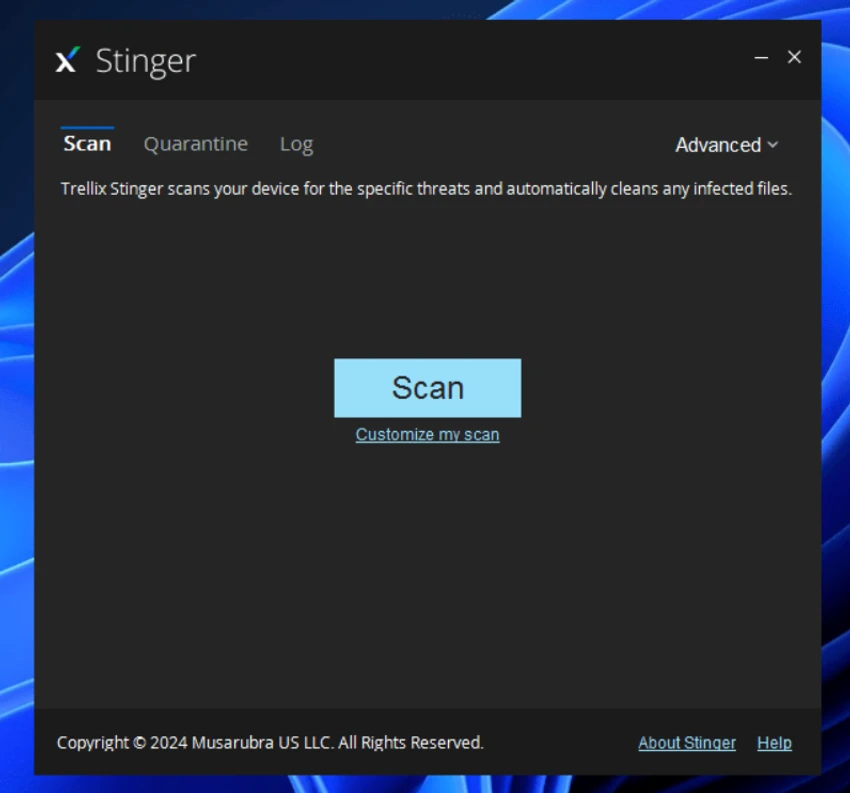
Trellix Stinger (formerly known as McAfee Stinger) is a portable antivirus utility designed specifically to detect and remove certain types of malware from already infected Windows systems. Unlike full antivirus software, it does not provide real-time protection. Instead, it is used as a targeted cleanup tool when a system is suspected to be compromised. The tool focuses on speed and efficiency by scanning only known malware locations, such as suspicious processes, registry entries, system directories, and rootkit-related areas.

Features of Trellix Stinger

  • Detects and removes specific viruses and malware strains.
  • Portable tool – no installation required.
  • Scans critical system areas including:
    • Running processes
    • Loaded modules
    • Registry locations
    • Known malware directories
  • Optimized for fast scanning by targeting high-risk areas only.
  • Available in 32-bit and 64-bit versions.
  • Includes an optional EPO version for enterprise environments.
  • Useful as a secondary malware removal tool alongside antivirus software.
  • Designed for offline or emergency system cleanup scenarios.

User Experience

Trellix Stinger is extremely simple to use, making it accessible even for non-technical users. Since it is portable, it can be run directly from a USB drive without installation, which is useful for repairing infected systems. The scanning process is faster than traditional antivirus software because it focuses only on known malware hotspots rather than performing a full system scan. However, this also means it is not designed for comprehensive protection. In practice, it works best as a second-line tool when a system is already infected and needs targeted cleaning rather than ongoing security monitoring.

Who Should Use Trellix Stinger?

  • Users dealing with infected Windows systems.
  • IT technicians performing malware cleanup.
  • Users needing a portable virus removal tool.
  • Situations requiring quick, targeted scanning.
  • Users already using full antivirus software.

Conclusion

Trellix Stinger is a focused and efficient malware removal utility designed for emergency use rather than continuous protection. Its portability and fast scanning make it a valuable tool for cleaning infected systems quickly.

Pros & Cons

Pros

  • Portable and lightweight (no installation required).
  • Fast scanning focused on critical system areas.
  • Effective for removing specific known threats.
  • Useful for emergency malware cleanup.
  • Available for both 32-bit and 64-bit systems.

Cons

  • Not a full antivirus solution.
  • No real-time protection.
  • Limited detection scope compared to full security suites.
  • Best used alongside other security software.

Frequently Asked Questions

What is Trellix Stinger used for?

It is used to detect and remove specific viruses and malware from infected Windows systems.

Is Trellix Stinger a full antivirus?

No. It does not provide real-time protection and is not a replacement for antivirus software.

Do I need to install Trellix Stinger?

No. It is a portable tool that can run without installation.

Is it suitable for daily protection?

No. It is intended for on-demand scanning and cleanup only.

Which systems does it support?

It supports Windows systems in both 32-bit and 64-bit versions.

Recommended apps [Freeware]:
  • WSCC - Windows System Control Center 10.0.3.8 WSCC - Windows System Control Center logo Windows utility manager that installs, organizes, and runs Sysinternals and system tools from one central interface
  • Valentina Studio 17.5 Valentina Studio logo manage SQL and NoSQL databases with schema design, queries, reports, and cross-platform support.
  • Opera One 133.0.5932.10 Opera One logo a fast Chromium-based browser with built-in VPN, AI assistant, tab management, and productivity tools for Windows users
  • K-Lite Codec Pack Full 19.8.2 K-Lite Codec Pack Full logo Play all audio and video formats on Windows with K-Lite Codec Pack Full, a lightweight and reliable codec package
  • AOMEI Backupper 8.4.0 AOMEI Backupper logo easy-to-use Windows backup software for system imaging, disk cloning, and file restoration
  • WAU Manager 3.8.7.0 WAU Manager logo Provides complete control over Windows Updates, including scheduling, installing, hiding, and uninstalling updates on Windows 10/11
Recommended apps [Shareware]:
  • HyperSnap 10.1.2 HyperSnap logo captures screenshots, scrolling windows, OCR text and video with advanced editing tools on Windows.
  • Syncovery 12.2.1 Syncovery logo fast backup and file synchronization tool with real-time sync, versioning, and advanced automation features
  • VovSoft Batch Audio Converter 2.0 VovSoft Batch Audio Converter logo a Windows tool for fast bulk audio conversion with drag-and-drop simplicity and format flexibility
  • Digimizer 6.5.4 Digimizer logo image analysis tool for precise measurements, object detection, and scientific image processing
  • EF Duplicate Files Manager 26.05 EF Duplicate Files Manager logo finds and removes duplicate files by name, size, or content to reclaim storage space.
  • SyncBackPro 12.0.17 SyncBackPro logo advanced backup, restore, synchronization, encryption, FTP support, and automation tools