


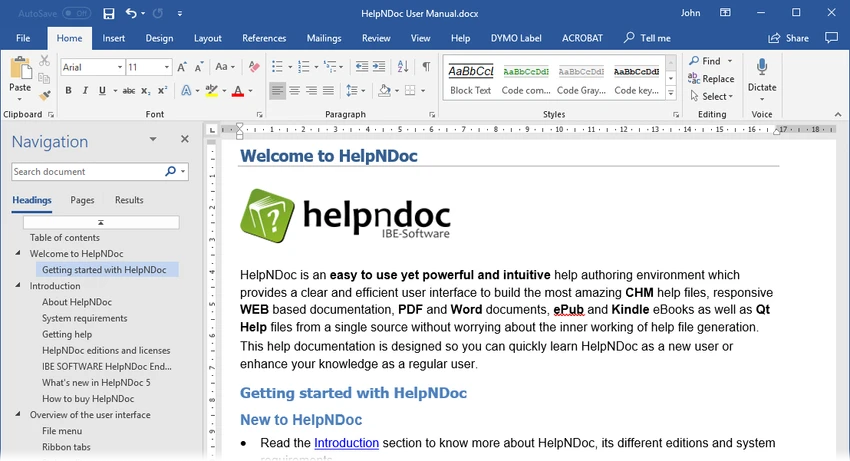

HelpNDoc is a documentation authoring tool designed to help users create professional help files and technical documentation from a single source. It supports multiple output formats, including CHM help files, web-based documentation, PDF, and Microsoft Word documents. The software simplifies the documentation process by combining a built-in WYSIWYG word processor with a one-click compilation system, allowing users to focus on writing content rather than dealing with complex formatting or file generation processes.
Features of HelpNDoc
- Create CHM (Compiled HTML Help) files.
- Generate PDF documents from a single source.
- Export documentation to Microsoft Word format.
- Build web-based HTML documentation.
- Built-in WYSIWYG word processor for editing content.
- Live spell checking for improved writing accuracy.
- Single-source publishing for multiple output formats.
- Simple “Compile” system to generate final documentation.
- Clean and intuitive interface for technical writing.
- Designed for both beginners and professional documentation creators.
User Experience
HelpNDoc offers a straightforward and familiar writing environment, especially for users who have experience with standard word processors. The interface is clean and focuses on content creation rather than overwhelming users with unnecessary complexity. Writing documentation feels natural thanks to the WYSIWYG editor, which allows users to see exactly how their final output will look while they are editing. This significantly reduces the learning curve, particularly for users transitioning from tools like Microsoft Word.
One of the most convenient aspects of HelpNDoc is its single-source publishing workflow. Users can write documentation once and then generate multiple formats—such as CHM help files, PDFs, Word documents, and web documentation—without rewriting or reformatting content. The compilation process is extremely simple. Once the content is ready, pressing the “Compile” button generates a fully functional output file in the selected format. This makes the tool especially useful for technical writers who need to produce consistent documentation across different platforms.
However, it is worth noting that the free version includes discreet banners in exported documents and is not licensed for commercial use.
Who Should Use HelpNDoc?
- Technical writers creating software documentation.
- Developers building help files for applications.
- Businesses producing user manuals or guides.
- Educators preparing structured learning materials.
- Anyone needing to export documentation in multiple formats.
Conclusion
HelpNDoc stands out as a practical and efficient solution for creating professional documentation across multiple formats. Its simple WYSIWYG editor and one-click compilation system make it easy to produce CHM files, PDFs, Word documents, and web-based help content from a single source.


