Glary Malware Hunter logo

Glary Malware Hunter 1.218.0.860

  • Avaliação dos usuários:
    ★★★★★
    ★★★★★
    0.0 0Votes
  • Requisitos:
    Windows
  • Versão: 1.218.0.860
  • Última atualização: há 4 semanas
  • Licença: Teste gratuito  
  • Editor: Glarysoft
  • Tamanho: 64 MB
× app stores

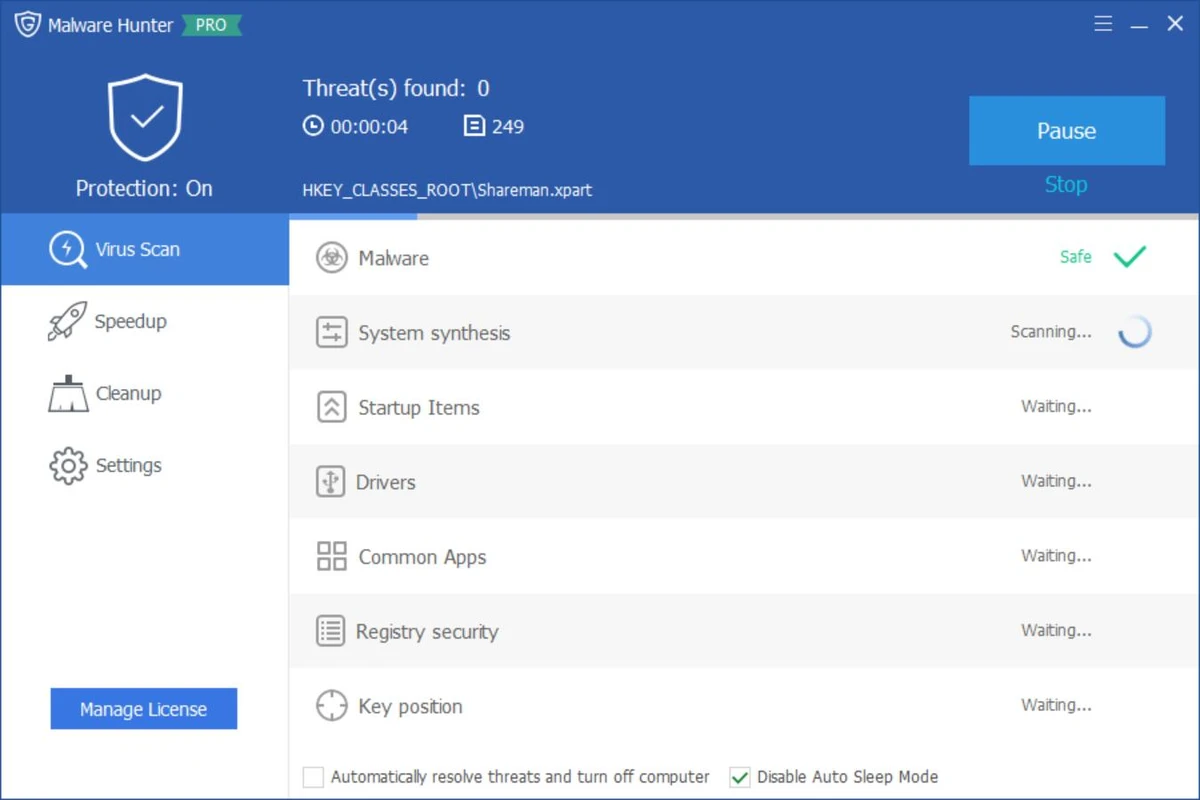
Glary Malware Hunter is a Windows security utility designed to detect and remove malicious files and components from a system. It provides on-demand scanning capabilities to help users identify threats such as viruses, trojans, spyware, worms, and other potentially harmful software. In addition to malware detection, the tool also includes basic system optimization features such as disk cleanup and performance improvements, making it a hybrid security and maintenance utility for Windows users.

Features of Glary Malware Hunter

  • On-demand malware scanning for system files and folders
  • Detects and removes malicious software including:
    • Viruses
    • Trojans
    • Worms
    • Spyware
    • Other online threats
  • Quick and deep scan modes for flexible analysis
  • Scheduled scanning support
  • Process protection against malicious activity
  • Disk cleanup functionality to remove temporary and unnecessary files
  • System optimization tools to improve performance
  • Helps free up disk space by removing junk files
  • Lightweight interface designed for ease of use

User Experience

Glary Malware Hunter provides a straightforward and accessible interface focused on quick malware scanning and removal. Users can initiate system-wide scans or target specific files and directories, making it suitable for both general maintenance and focused threat detection. The scanning process is designed to be relatively fast while still covering critical areas of the system where malware commonly resides. Scheduled scanning helps automate protection, reducing the need for manual intervention.

Beyond security, the tool also includes performance-oriented features such as disk cleanup and system optimization. These tools help remove unnecessary files and improve system responsiveness, though they are secondary to its core malware protection functionality. Process protection adds an additional layer of defense by monitoring and safeguarding the system against potentially harmful activities during runtime. Overall, the experience is simple and functional, making it suitable for users who want a lightweight security tool without complex configuration.

Who Should Use Glary Malware Hunter?

  • Users looking for a secondary malware scanning tool
  • Windows users wanting on-demand virus removal
  • People needing a lightweight security utility
  • Users who want basic system cleanup alongside malware scanning
  • Those seeking an easy-to-use alternative security tool

Conclusion

Glary Malware Hunter offers a simple yet effective approach to malware detection and system cleanup. With its focus on on-demand scanning, scheduled protection, and basic optimization features, it serves as a useful companion tool alongside a primary antivirus solution.

Prós e Contras

Prós

  • Easy-to-use malware scanning interface
  • Detects a wide range of threats
  • Supports scheduled scans
  • Includes system cleanup tools
  • Lightweight and beginner-friendly
  • Combines security and optimization features

Contras

  • Not a full replacement for advanced antivirus suites
  • Limited advanced configuration options
  • Optimization tools are basic compared to dedicated system utilities
  • Primarily focused on on-demand scanning rather than real-time protection

Perguntas frequentes

What is Glary Malware Hunter used for?

It is used to detect and remove malware such as viruses, trojans, spyware, and other malicious files from Windows systems.

Does Glary Malware Hunter provide real-time protection?

It focuses mainly on on-demand scanning, with limited protective features compared to full antivirus suites.

Can it improve PC performance?

Yes. It includes basic system optimization and disk cleanup tools to help improve performance.

Is Glary Malware Hunter a full antivirus?

No. It is best used as a supplementary tool alongside a full antivirus program.

Does it support scheduled scans?

Yes. Users can schedule scans to run automatically at set intervals.

Aplicativos recomendados [Gratuitos]:
  • XRecode 3 v1.184 XRecode logo Um poderoso conversor de áudio que suporta diversos formatos, extração de CDs e extração de áudio de arquivos de vídeo.
  • FlowHeater 4.5.6 FlowHeater logo Ferramenta de integração de dados que conecta arquivos e bancos de dados como Excel, Access, SQL Server e MySQL.
  • darktable 5.6.0 darktable logo Um editor de fotos RAW gratuito e de código aberto, além de ferramenta de fluxo de trabalho para gerenciamento profissional de imagens.
  • MSI Center 2.0.71.0 MSI Center logo Um utilitário de sistema para dispositivos MSI que gerencia desempenho, modos de jogo, monitoramento, RGB e ferramentas de otimização de hardware.
  • DISMTools 0.8 DISMTools logo Interface gráfica de usuário (GUI) de código aberto para o DISM do Windows que simplifica o gerenciamento de imagens, o reparo do sistema e a manutenção.
  • HWiNFO 8.50 HWiNFO logo Analise componentes de hardware, monitore sensores do sistema, gere relatórios detalhados e avalie o desempenho do PC com uma ferramenta de diagnóstico gratuita.
Aplicativos recomendados [Shareware]:
  • Gilisoft SnapID 8.8.0 Gilisoft SnapID logo Edite, aprimore, retoque e transforme imagens com as poderosas ferramentas do Gilisoft SnapID para Windows.
  • ViewCompanion Pro 17.10.0.1204 ViewCompanion Pro logo Visualize, converta, anote e compare arquivos PDF, DWF, CAD e de desenhos técnicos com ferramentas poderosas de processamento em lote.
  • FastKeys 6.07 FastKeys logo Windows automation tool for shortcuts, text expansion, mouse gestures, macros, and workflow automation
  • iNMR 7.1.9 iNMR logo Analise e processe dados de espectroscopia de RMN com o iNMR, que oferece processamento 1D a 3D, scripts, simulações e suporte a uma ampla variedade de formatos.
  • Vehicle Manager 4.10.2000.1 Vehicle Manager logo Monitora a manutenção de veículos, despesas, consumo de combustível, peças e dados da frota.
  • Zoom Player MAX 22.5 Zoom Player MAX logo Reproduza DVDs, Blu-rays, vídeos em HD e músicas com um reprodutor de mídia leve, que oferece inicialização rápida, suporte a legendas e controles avançados.