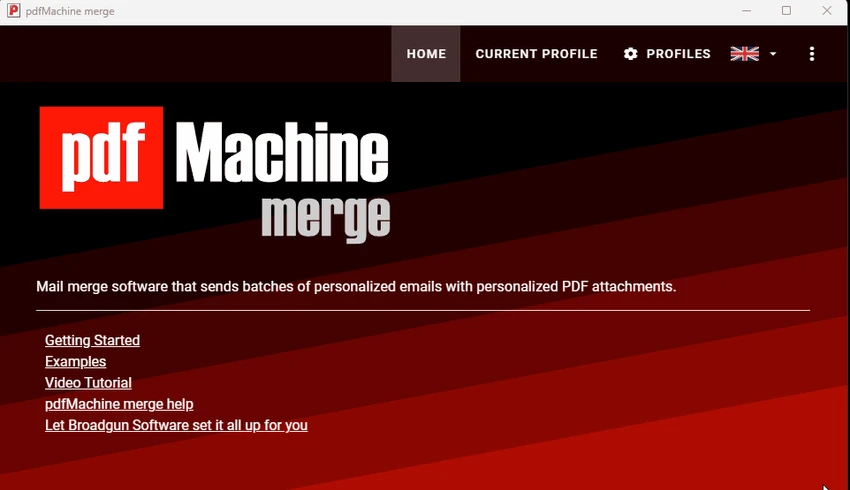
pdfMachine merge logo

pdfMachine merge 2.0.9628.25372

  • User Rating:
    ★★★★★
    ★★★★★
    0.0 0Votes
  • Requirements:
    Windows
  • Version: 2.0.9628.25372
  • Latest updated: 2 months ago
  • License: Free Trial  
  • Publisher: Broadgun Software Pty Ltd
  • Size: 23 MB
× app stores

pdfMachine merge is a Windows utility designed to automate the creation and sending of personalized PDF emails at scale. It works by combining a template file—such as Word, Excel, PowerPoint, or HTML—with a data source to generate individualized PDF attachments for each recipient.

The software is particularly useful for users who need to send large volumes of customized emails, such as newsletters, invoices, certificates, or marketing messages. Each recipient receives a uniquely generated PDF, allowing for personalization without manual editing. It requires pdfMachine to be installed, as it builds on its PDF generation engine to create the final output files.

Features of pdfMachine merge

  • Automates creation of personalized PDF attachments
  • Supports templates from:
    • Microsoft Word
    • Microsoft Excel
    • PowerPoint
    • HTML files
  • Generates individual PDFs for each recipient
  • Sends batch emails with personalized content
  • Uses data source files to populate templates dynamically
  • Supports multiple email sending methods
  • Allows test sending before full distribution
  • Option to generate PDFs without sending emails
  • Detailed logging of merge and email actions
  • Built-in merge profile management system
  • Integration with pdfMachine required for operation

Interface and Usability

pdfMachine merge provides a structured interface focused on workflow automation rather than design complexity. Users create “merge profiles” that define how templates, data sources, and email settings are combined.

The process typically involves selecting a base document, linking a data file (such as a spreadsheet of recipients), and configuring email delivery settings. While it may feel technical at first, the step-by-step workflow helps reduce complexity once users become familiar with the process. The software is designed for efficiency, especially in repetitive tasks where personalization and automation are required.

Who Should Use pdfMachine merge?

  • Businesses sending bulk personalized emails
  • HR departments distributing certificates or letters
  • Marketing teams running email campaigns
  • Educational institutions sending student documents
  • Finance teams issuing invoices or statements
  • Organizations automating document distribution

Conclusion & Recommendation

pdfMachine merge is a highly effective automation tool for creating and sending personalized PDF emails at scale. By combining template-based document generation with structured data inputs, it simplifies complex mailing tasks and reduces manual workload.

Pros & Cons

Pros

  • Strong automation for personalized PDF emails
  • Supports multiple document formats as templates
  • Saves significant time in batch communication
  • Flexible email sending options
  • Allows preview/testing before full sending
  • Detailed logging for tracking operations

Cons

  • Requires pdfMachine to function
  • Initial setup may feel complex for beginners
  • Focused on automation, not manual editing
  • Best suited for structured data workflows

Frequently Asked Questions

What is pdfMachine merge used for?

pdfMachine merge is used to automatically create and send personalized PDF emails based on templates and data sources.

Do I need pdfMachine to use pdfMachine merge?

Yes. pdfMachine merge requires pdfMachine to be installed in order to generate PDF attachments.

Can I personalize each email?

Yes. The software allows each email and PDF attachment to include personalized data from a spreadsheet or database.

What file formats can I use as templates?

You can use Word, Excel, PowerPoint, and HTML files as base templates.

Can I test emails before sending them?

Yes. You can generate documents without sending emails or send test emails to verify output.

Is pdfMachine merge suitable for marketing?

Yes. It is commonly used for personalized email campaigns and automated document distribution.

Recommended apps [Freeware]:
  • ConfigureDefender 4.1.1 ConfigureDefender logo a Windows utility that helps users fine-tune Microsoft Defender settings with presets and advanced security controls
  • Viber for Windows 28.3.1 Viber for Windows logo make free calls, send messages, and sync chats across devices via WiFi or 3G
  • Opera GX 133.0.5932.56 Opera GX logo Chromium-based gaming browser featuring CPU, RAM, and network limiters, built-in VPN, ad blocker, and gaming integrations.
  • Vovsoft Battery Alert 1.1 Vovsoft Battery Alert logo Monitor your laptop battery, receive charging alerts, and promote healthier battery habits with VOVSOFT Battery Alert
  • CapCut 8.9.1.3802 CapCut logo Create professional videos easily with a versatile editor featuring AI tools, effects, templates, and advanced editing options.
  • Inno Setup Unpacker 2.2.10 Inno Setup Unpacker logo Extract files from Inno Setup installers quickly with a lightweight command-line utility supporting advanced unpacking options.
Recommended apps [Shareware]:
  • HyperSnap 10.1.2 HyperSnap logo captures screenshots, scrolling windows, OCR text and video with advanced editing tools on Windows.
  • NTFS Permissions Auditor 26.6.27 NTFS Permissions Auditor logo analyze Windows folder permissions, audit NTFS access rights, and export detailed security reports
  • iNMR 7.1.9 iNMR logo Analyze and process NMR spectroscopy data with iNMR, featuring 1D–3D processing, scripting, simulations, and broad format support
  • 4K YouTube to MP3 26.2.0 4K YouTube to MP3 logo a simple tool to extract audio from YouTube, Vimeo, and more into MP3, M4A, or OGG
  • Actual Multiple Monitors 8.15.4 Actual Multiple Monitors logo multi-monitor setups with taskbars, window control, gaming tools, wallpapers, and desktop management features
  • Blocker Web 1.1.5.0 Blocker Web logo Block distracting websites on Windows, manage blocked URLs, and stay focused with a lightweight website blocking utility.