


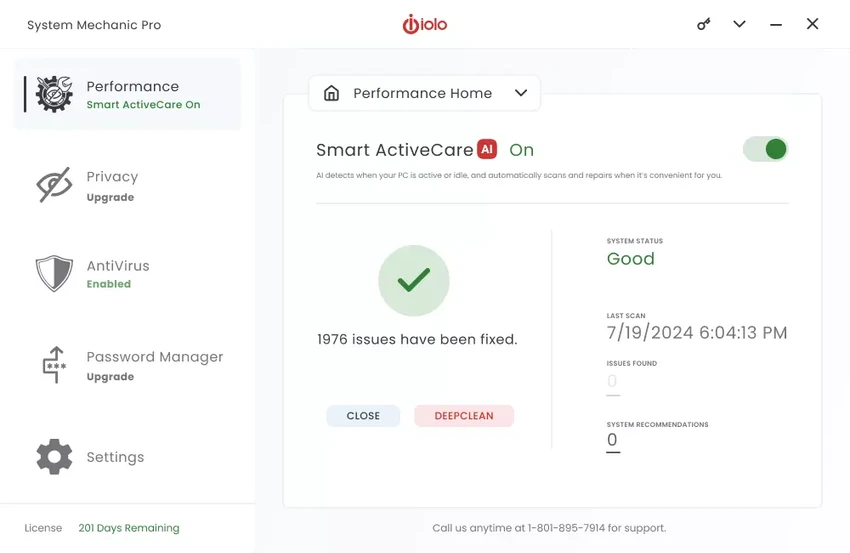

System Mechanic Pro is a comprehensive Windows optimization suite designed to improve system performance, repair common PC issues, and help maintain long-term stability. During my experience with the software, I found that it combines several maintenance tools into a single package, making routine system care much more convenient.
The software focuses on cleaning unnecessary files, repairing system problems, optimizing storage, and improving overall Windows responsiveness. Beyond performance optimization, the Pro edition also includes additional security and recovery features such as antivirus protection, firewall support, deleted file recovery, secure data wiping, and disk imaging.
Features of System Mechanic Pro
- Cleans unnecessary files to free up disk space.
- Detects and repairs common Windows system errors.
- Removes invalid or outdated Registry entries.
- Defragments memory to improve overall performance.
- Optimizes hard drive organization to extend drive lifespan.
- Speeds up Windows by optimizing system operations.
- Removes obsolete software and temporary files.
- Releases memory occupied by background applications.
- Repairs hard drive problems.
- Removes or fixes broken shortcuts.
- Empties the Recycle Bin and deletes junk files.
- Includes antivirus protection.
- Provides integrated email protection.
- Includes firewall functionality.
- Recovers deleted files, photos, documents, and emails.
- Creates hard drive images for backup purposes.
- Securely erases deleted data to prevent recovery.
- Permanently wipes data from storage drives.
Interface and Usability
System Mechanic Pro offers a practical interface that brings its maintenance tools together in one place. From my experience, the layout makes it easy to locate core functions such as system cleanup, optimization, Registry maintenance, and repair utilities without navigating through complicated menus.
Most maintenance tasks can be started with only a few clicks, making the software suitable for users who want routine PC optimization without manually performing multiple maintenance operations. Although the software includes advanced features like disk imaging, secure deletion, and recovery tools, its organization keeps these utilities accessible for users who need them.
Who Should Use System Mechanic Pro?
- Home users looking to improve Windows performance.
- Users experiencing slow startup or reduced system responsiveness.
- Anyone wanting to remove junk files and clean the Windows Registry.
- Users who need deleted file recovery tools.
- People seeking an all-in-one PC maintenance solution.
- Users who want additional security through antivirus and firewall features.
Conclusion
System Mechanic Pro is a solid all-in-one maintenance suite for Windows users who want more than a simple PC cleaner. It combines performance optimization, system repair, storage management, recovery, and security tools into a single application, reducing the need to install multiple utilities.


