


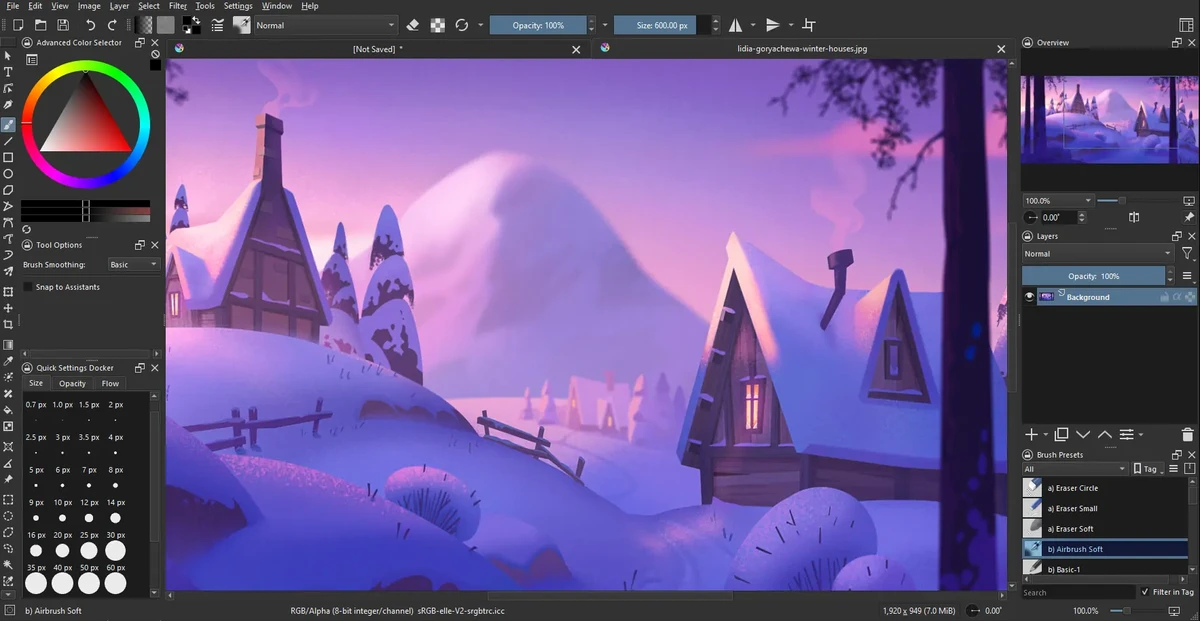

Krita is a professional open-source digital painting application designed for illustrators, concept artists, animators, and VFX creators. It provides a complete workflow for creating raster-based artwork, from sketching and inking to coloring and final rendering, all within a single platform.
The software is widely recognized as a powerful free alternative to commercial painting tools, offering advanced brush engines, customizable workspaces, and production-ready features. Its brush system includes multiple engines such as pixel, smudge, texture, particle, and sketch brushes, allowing artists to create both traditional and highly stylized digital effects.
Krita’s interface is highly flexible, enabling users to customize toolbars, shortcuts, and workspace layouts for different stages of their creative process. It also supports canvas rotation, mirroring, and distraction-free modes to improve drawing comfort.
Features of Krita
- Advanced brush engines (pixel, smudge, particle, sketch, texture, etc.)
- Highly customizable interface and workspace layouts
- Full raster and vector layer support
- Non-destructive editing with masks and filters
- Advanced selection tools (shape, color, path-based selections)
- Symmetry drawing with multiple axis control
- Perspective grids and drawing assistance tools
- Extensive blending modes for compositing
- Real-time filter previews and adjustment layers
- High bit-depth color support (8/16/32-bit)
- Multiple color models (RGBA, CMYK, Lab, YCbCr, XYZ)
- Canvas rotation, mirroring, and wrap-around mode
- Brush preset management and sharing
- Distraction-free full-screen painting mode
Interface and Usability
Krita’s interface is designed for professional artists but remains approachable once users become familiar with its layout. The workspace can be heavily customized, allowing artists to prioritize tools relevant to their workflow.
While beginners may initially find the number of tools overwhelming, the modular design helps users gradually adapt. The canvas performance is smooth, and features like rotation and wrap-around mode make it comfortable for long drawing sessions.
Who Should Use Krita?
- Digital illustrators and concept artists
- Game developers creating assets and concept art
- Comic and manga artists
- VFX and animation designers
- Freelance artists and hobbyists
- Studios needing a free painting solution
Conclusion
Krita is one of the most powerful free digital painting applications available today. It offers professional-level features without licensing costs, making it an excellent choice for artists who want full creative control over their work.


