


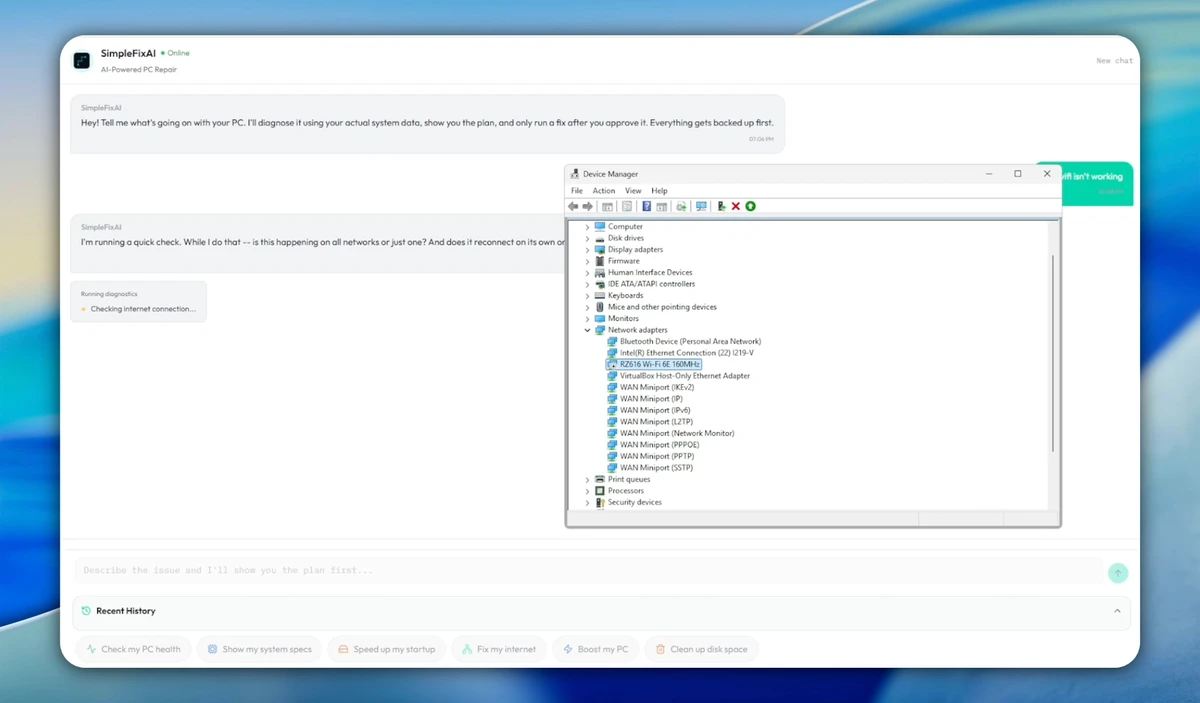

SimpleFixAI is a Windows troubleshooting utility that uses a locally running AI model to analyze system issues and recommend repairs. Instead of relying on cloud-based services or generic repair routines, the application examines your computer's hardware, settings, running processes, and system state to identify potential causes of problems before suggesting a solution.
One of its standout characteristics is its transparent repair process. Rather than making automatic changes, SimpleFixAI presents a detailed repair plan and waits for user approval before applying any modifications. It also creates a system backup before making changes, allowing users to roll back the applied fixes with a single click if needed. Because all analysis is performed locally using the Qwen AI model, the software keeps system information on the user's computer without requiring a cloud connection.
Features of SimpleFixAI
- AI-powered Windows troubleshooting.
- Uses a locally running AI model (Qwen).
- No cloud connection required.
- Analyzes:
- Hardware
- System settings
- Running processes
- System errors
- Chat-based interface for describing issues.
- Displays a repair plan before making changes.
- Requires user approval before applying fixes.
- Creates a system backup before modifications.
- One-click rollback to undo applied changes.
- History section for reviewing previous repairs.
- Settings panel for managing application preferences.
Interface and Usability
SimpleFixAI offers a clean and straightforward interface centered around a chat window where users can describe the problems they are experiencing. Navigation is simple, with a sidebar providing quick access to chat history, previous repair sessions, and application settings.
The repair workflow is designed to be transparent. After analyzing the system, the software explains the proposed actions before making any modifications, allowing users to review and approve each repair. This approach makes the application approachable even for users who are not comfortable performing manual troubleshooting. The inclusion of repair history also makes it easier to revisit previous solutions when recurring issues appear.
Who Should Use SimpleFixAI?
SimpleFixAI is suitable for:
- Windows users experiencing system problems.
- Home users looking for guided troubleshooting.
- Users who prefer local AI over cloud-based services.
- People who want to review repairs before applying them.
- Users who value the ability to undo system changes.
- Anyone seeking a simple interface for Windows diagnostics.
Conclusion
SimpleFixAI takes a different approach to Windows troubleshooting by combining local AI analysis with a transparent repair workflow. Instead of automatically applying generic fixes, it examines your system, explains its recommendations, and gives you full control over whether to proceed.


