


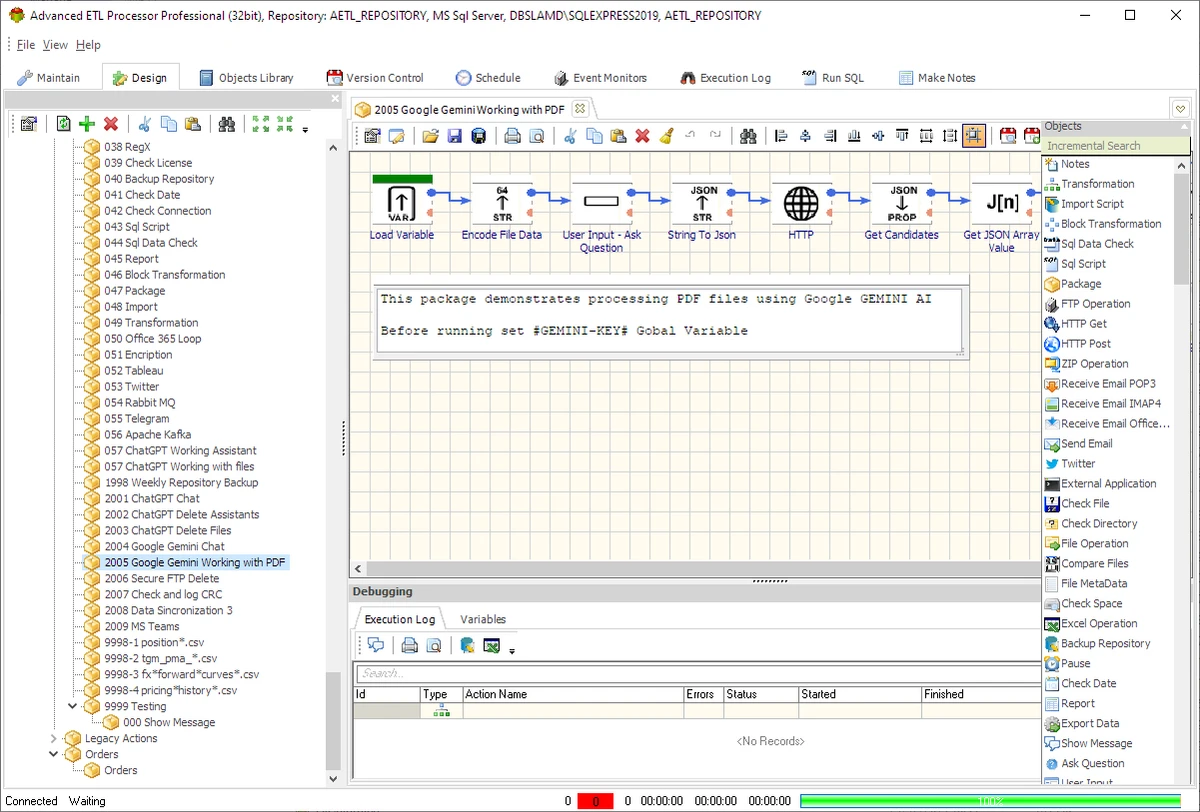

Managing large volumes of business data often requires more than basic database utilities. Advanced ETL Processor Professional is designed to automate data integration, transformation, validation, and database management tasks, helping organizations streamline complex workflows while reducing manual effort. Supporting a wide range of databases and data sources, the software provides an extensive collection of ETL (Extract, Transform, Load) tools suitable for business automation and enterprise data processing.
Overview
Advanced ETL Processor Professional is a comprehensive ETL and database automation solution that enables users to import, transform, validate, manage, and export data across multiple database systems and file formats. Designed for business environments, the software simplifies repetitive database operations by combining data integration, SQL execution, scheduling, reporting, and automation into a single application. Whether working with relational databases, spreadsheets, or text files, users can build workflows that reduce manual processing and improve data consistency.
Features of Advanced ETL Processor Professional
- Automates ETL (Extract, Transform, Load) workflows
- Supports multiple database management systems
- Connects to Oracle, Microsoft Access, SQL Server, MySQL, PostgreSQL, Excel, and other ODBC-compatible databases
- Full ODBC connection support
- Import and export data between multiple data sources
- Supports multiple Excel files and worksheets
- Supports delimited and fixed-width text files
- Supports multiple Microsoft Access databases
- Supports DBF files
- Performs complex data transformation
- String validation
- Number validation
- Date validation
- Time validation
- Includes 15 built-in data transformation functions
- String transformation
- Number transformation
- Date transformation
- Multiple date formatting options
- SQL query execution
- Database object management
- Tree-view database explorer
- Built-in scheduler for automated tasks
- Report generation
- Email support for automated workflows
- Office document processing
- Export data from various database systems
- Create SQL INSERT statements from multiple data sources
- Load data into BLOB fields
- Object library for managing packages, reports, customers, and other project elements
User Experience
Advanced ETL Processor Professional is built for users who regularly work with databases and business data workflows. Its multi-tab interface keeps tools organized, making it easier to switch between designing ETL jobs, managing connections, executing SQL statements, and monitoring projects. The database explorer provides a clear tree-based view of connected databases, allowing users to navigate tables and objects efficiently. This layout helps simplify complex database environments, especially when working with multiple data sources.
The software's flexibility is one of its strongest points. It supports numerous database platforms, spreadsheets, text files, and ODBC-compatible data sources, making it suitable for organizations that rely on heterogeneous data environments. Data validation and transformation tools allow users to clean and standardize incoming data before loading it into target databases. Built-in scheduling further improves productivity by automating repetitive import, export, and synchronization tasks without requiring manual intervention.
Although the interface is well organized, the application is clearly designed for database administrators, developers, data analysts, and IT professionals. Users without prior database knowledge may need some time to become familiar with its ETL concepts and workflow design.
Who Should Use Advanced ETL Processor Professional?
- Database administrators
- Data engineers
- Business intelligence professionals
- SQL developers
- System integrators
- IT departments
- Enterprise organizations
- Businesses that automate database workflows
- Users managing multiple database platforms
Conclusion
Advanced ETL Processor Professional delivers a robust set of tools for organizations that rely on database automation and large-scale data processing. Its ability to connect to multiple database systems, perform complex data transformations, execute SQL statements, and automate recurring tasks makes it a capable solution for professional ETL workflows.
While its extensive feature set may be more than casual users require, database professionals and business environments will appreciate its flexibility, automation capabilities, and broad support for diverse data sources. If your workflow involves frequent database integration, validation, reporting, or scheduled data processing, Advanced ETL Processor Professional is a solid choice.


