FileLegit Windows Development Tools Database Tools SysTools SQL Backup Recovery
SysTools SQL Backup Recovery logo

SysTools SQL Backup Recovery 12.0.0

  • User Rating:
    ★★★★★
    ★★★★★
    0.0 0Votes
  • Requirements:
    Windows
  • Version: 12.0.0
  • Latest updated: 6 days ago
  • License: Free Trial  
  • Publisher: SysTools Software
  • Size: 18.4 MB
× app stores

SysTools SQL Backup Recovery is a specialized database recovery solution designed to repair and recover corrupt Microsoft SQL Server backup (.BAK) files. The software helps database administrators and IT professionals restore critical database objects, recover deleted records, and extract data from damaged SQL Server backups without modifying the original backup file. Supporting a wide range of SQL Server versions, the tool offers multiple export options and can recover data from both standard and differential backup files.

Features of SysTools SQL Backup Recovery

  • Repairs corrupt SQL Server BAK files
  • Supports SQL Server backup files from multiple versions
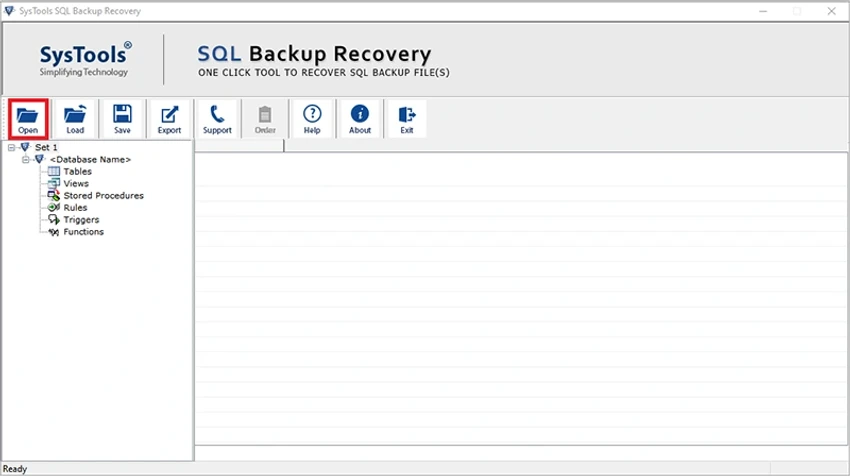
  • Recovers tables, views, stored procedures, triggers, functions, and columns
  • Restores MDF and NDF files contained within backup files
  • Supports differential backup (.BAK) recovery
  • Recovers deleted table records
  • Auto-detects SQL Server backup file versions
  • Recovers deleted database objects including:
    • Tables
    • Stored Procedures
    • Functions
    • Views
    • Triggers
    • Indexes
    • Rules
  • Highlights deleted database objects in red for easier identification
  • Supports Unicode stored procedure recovery
  • Supports XML data types
  • Exports recovered data to:
    • SQL Server Database
    • SQL Server Compatible Script
    • CSV files
  • Supports exporting recovered data to SQL Server instances located on a network
  • No documented file size limitation
  • Tested with SQL backup files up to 1.4 TB

User Experience

After evaluating SysTools SQL Backup Recovery, it is clear that the software focuses on a very specific but critical task: recovering data from damaged SQL Server backup files. One of the most practical aspects is its ability to work directly with corrupt backup files without altering the source data. This approach helps reduce risk during recovery operations and preserves the integrity of the original backup. The recovery process is structured around a wizard-driven workflow, making it accessible even for administrators who may not perform database recovery tasks regularly. The software provides previews of recoverable database objects before export, allowing users to verify the contents of the backup before proceeding.

The ability to recover not only tables but also views, triggers, functions, stored procedures, indexes, and rules makes the tool particularly valuable for complete database restoration scenarios. Recovering deleted records and deleted database objects adds another layer of usefulness when dealing with accidental data loss. Support for MDF and NDF recovery from backup files further extends its capabilities, while multiple export formats provide flexibility depending on the recovery objective. Organizations managing large SQL Server environments may also appreciate the lack of practical file size limitations and support for very large backup files.

Who Should Use SysTools SQL Backup Recovery?

  • Database administrators (DBAs)
  • SQL Server professionals
  • IT support teams
  • Data recovery specialists
  • System administrators
  • Organizations managing SQL Server databases
  • Businesses requiring backup restoration and corruption recovery solutions

Conclusion & Recommendation

SysTools SQL Backup Recovery is a powerful utility for recovering data from damaged SQL Server backup files. With support for tables, stored procedures, triggers, functions, MDF/NDF recovery, and multiple export formats, it offers a comprehensive recovery toolkit for SQL Server administrators.

Pros & Cons

Pros

  • Repairs corrupt SQL Server backup files
  • Supports a wide range of SQL Server versions
  • Recovers deleted database records and objects
  • Recovers MDF and NDF files from backups
  • Supports differential backup recovery
  • Multiple export options available
  • Preview functionality before export
  • Handles large backup files
  • Supports Unicode stored procedures and XML data types
  • Auto-detects SQL backup file versions

Cons

  • Designed specifically for Microsoft SQL Server environments
  • Primarily intended for database administrators and technical users

Frequently Asked Questions

What is SysTools SQL Backup Recovery used for?

The software is used to repair corrupt SQL Server BAK files and recover database objects, records, and associated files from SQL Server backups.

Can SysTools SQL Backup Recovery recover deleted records?

Yes. The software includes functionality to recover deleted SQL database table records and deleted database objects.

Which SQL Server versions are supported?

The software supports SQL Server 2025, 2022, 2019, 2017, 2016, 2014, 2012, 2008/R2, 2008, 2005, and 2000 backup files.

Can the software recover MDF and NDF files?

Yes. SysTools SQL Backup Recovery can recover MDF and NDF files stored within SQL Server backup files.

Does it support differential backup files?

Yes. The software supports recovery from differential SQL Server backup (.BAK) files.

What export options are available?

Recovered data can be exported to a SQL Server database, SQL Server-compatible scripts, or CSV files.

Is there a file size limitation?

The software states there is no file size limitation and has been tested with SQL backup files as large as 1.4 TB.

Which operating systems are supported?

The software supports Windows 11, Windows 10, Windows 8, Windows 7, and Windows Server 2016, 2012 R2, and 2008 in both 32-bit and 64-bit environments.

Recommended apps [Freeware]:
  • EarthTime 6.33.6 EarthTime logo displays world clocks, weather, and local times for 120,000+ cities with customizable alarms and maps.
  • Smadav 2026 v15.8.2 Smadav logo a lightweight antivirus for Windows that provides USB protection, malware cleaning, and additional security
  • Automatic Email Processor 4.1.0 Automatic Email Processor logo Automatically save, archive, print, and process Outlook emails and attachments with customizable rules.
  • FluentTweaker 26.06.02 FluentTweaker logo a Windows utility for safe, reversible system tweaks focused on UI, privacy, and performance control.
  • CCleaner 7.08.1355 CCleaner logo removes junk files, clears browsing traces, and helps optimize Windows for better performance
  • DiskMax 7.33 DiskMax logo cleans unnecessary files, optimizes Windows storage, and helps improve PC performance with automated maintenance tools
Recommended apps [Shareware]:
  • Adobe Premiere Pro 2026 Adobe Premiere Pro logo professional 4K video editor with advanced audio, color, and motion graphics tools.
  • EF Commander 26.06 EF Commander logo a feature-rich Windows file manager with FTP, media tools, archiving, and advanced file control
  • VovSoft Audio to Lyrics Converter 1.0 VovSoft Audio to Lyrics Converter logo offline AI tool to transcribe audio into LRC, SRT, VTT, and text files.
  • Bulk Image Downloader 6.64 Bulk Image Downloader logo Download full-size images and videos from galleries, forums, and image hosts with Bulk Image Downloader
  • Drive SnapShot 1.51.0.1811 Drive SnapShot logo creates complete disk image backups while Windows runs, allowing fast system recovery and file restoration
  • Lyric Video Studio 1.5.49 Lyric Video Studio logo a Windows app for creating lyric videos with AI tools, subtitles, motion tracking, and 4K video editing