


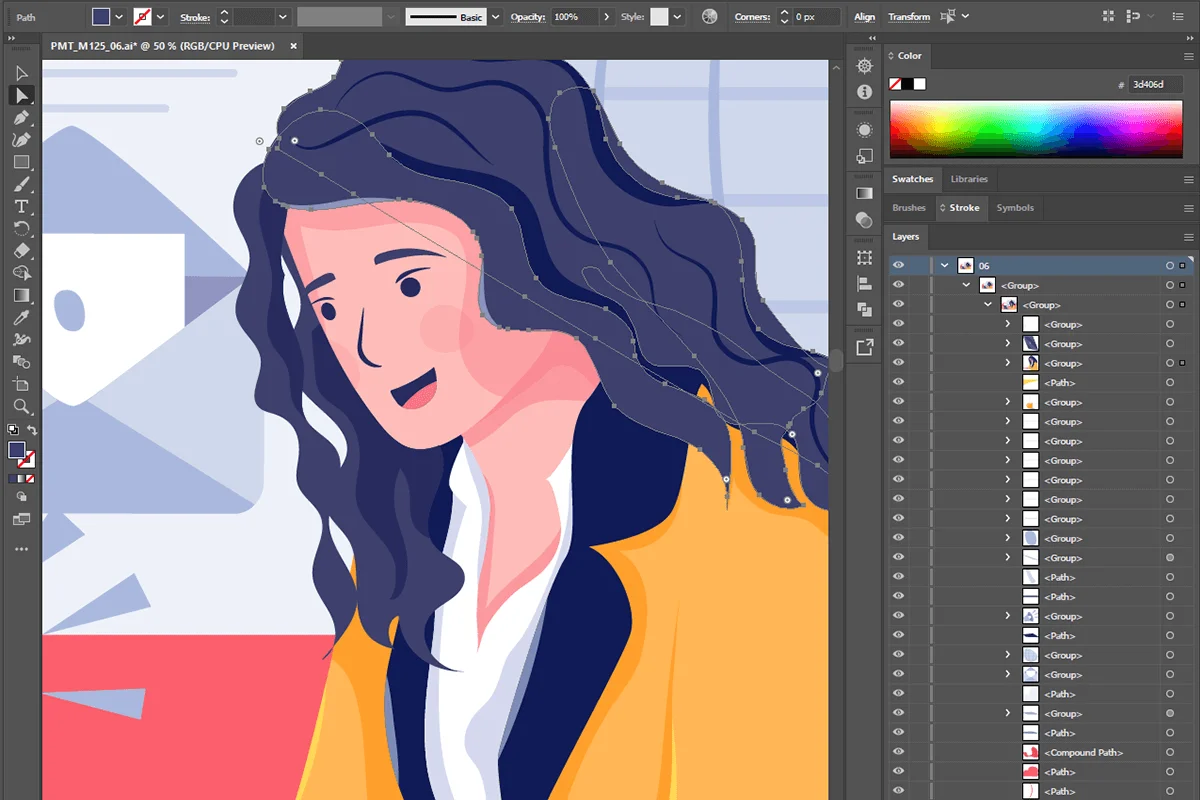

Adobe Illustrator 2026 v30.3.0.182 is a versatile vector graphic editor that allows designers, illustrators, and artists to create high-quality logos, icons, illustrations, and typography for print and web. Its precision and scalability make it ideal for both small and large projects.
Overview
First launched in 1987, Adobe Illustrator has grown into the industry standard for vector graphics. Unlike raster-based programs that edit images pixel by pixel, Illustrator uses mathematical formulas to create vector artwork. This ensures designs remain crisp and clear, no matter the scale—whether it’s a business card or a giant banner. With seamless integration across Adobe Creative Cloud apps, users can work fluidly with Photoshop, InDesign, Premiere Pro, and more. Illustrator 2026 continues this legacy with enhanced tools and workflows.
Key Features of Adobe Illustrator 2026
- Vector Graphic Editing: Create scalable designs without quality loss.
- Direct Shape Editing: Simplified bounding box interface for precise shape modifications.
- Shared Symbols: Edit master shapes while maintaining independent styling for instances.
- Multiple Artboards: Manage up to 100 artboards in a single document.
- Enhanced Creative Cloud Library: Improved collaboration and Adobe Stock integration.
- Advanced Smart Guides: Align and space objects intuitively without extra tools.
- Shaper Tool: Transform freehand gestures into editable geometric shapes.
- Advanced Text Tools: Add text to paths, manage character styles, and format paragraphs efficiently.
- Image Trace: Convert raster images into editable vector graphics with customizable fidelity.
- Seamless Adobe Integration: Smooth workflow with Photoshop, InDesign, and other Adobe apps.
User Experience
Using Illustrator 2026 feels intuitive, especially for designers familiar with Adobe’s ecosystem. The interface is polished, with tools and panels that are easy to navigate. Smart Guides make alignment effortless, while the Shaper Tool adds creative flexibility. Multiple artboards and improved Creative Cloud libraries enhance workflow efficiency, particularly for projects with many assets. Performance is smooth on recommended hardware, and integration with other Adobe apps ensures minimal friction when switching between different project types.
System Requirements
- Operating System: Windows 10, 11 (version 1903 or higher)
- RAM: 4 GB minimum (8 GB recommended)
- Storage: 4 GB available space (SSD recommended)
- Screen Resolution: Minimum 1024 x 768
- File Size: 3.2 GB
Who Should Use Adobe Illustrator?
- Graphic designers and digital illustrators
- Logo and branding designers
- Marketing professionals creating print and digital materials
- Artists looking for scalable vector illustrations
Conclusion
Adobe Illustrator 2026 is a must-have for professionals who require precise, scalable, and high-quality vector graphics. Its robust feature set, seamless Creative Cloud integration, and advanced design tools make it ideal for logos, banners, illustrations, and more. For anyone serious about graphic design, Illustrator is worth the investment. Explore Adobe Illustrator 2026 today to elevate your design projects.


