


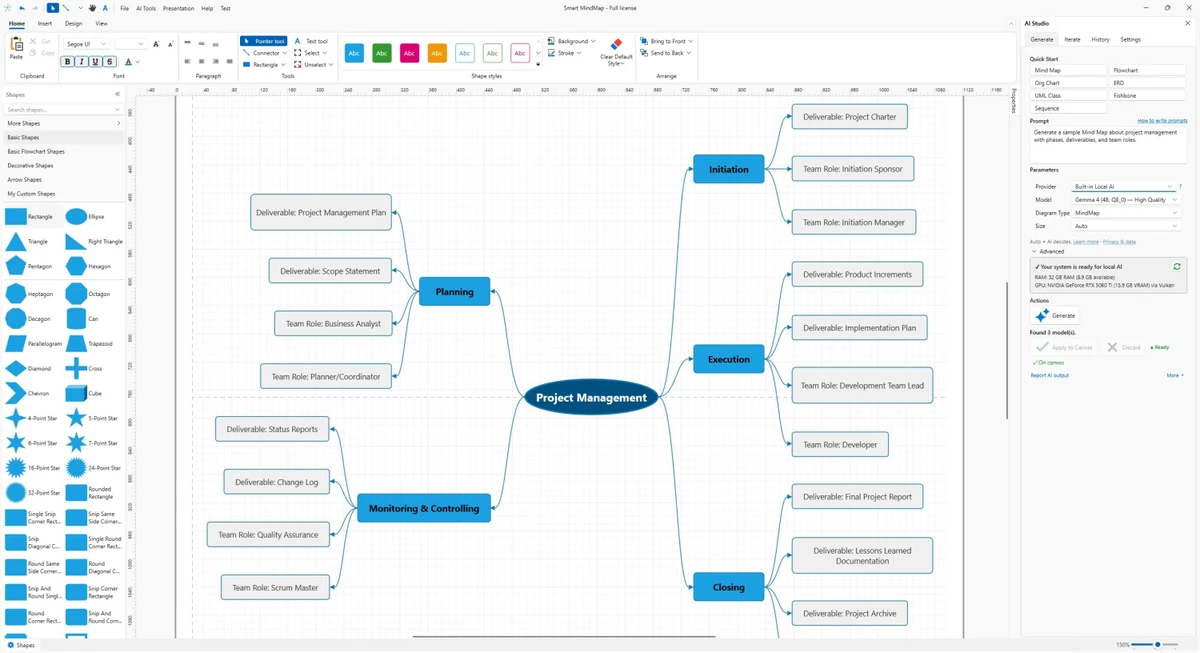

Smart MindMap is a professional Windows desktop application designed for creating structured visual diagrams such as mind maps, flowcharts, UML diagrams, ERDs, org charts, fishbone diagrams, and network layouts. It combines traditional diagramming tools with a built-in local AI system, allowing users to generate and refine visual structures directly on their computer. Unlike many cloud-based diagram tools, Smart MindMap focuses on offline productivity. With its integrated AI engine powered by local Gemma 4 models, users can generate diagrams from prompts without needing external APIs, internet services, or additional setup tools.
Features of Smart MindMap
- Built-in Local AI with Gemma 4 models (no API or external setup required)
- AI-assisted diagram generation from prompts
- Support for mind maps, UML, ERD, flowcharts, org charts, and network diagrams
- Template-based or blank canvas creation
- Automatic layout optimization tools
- Reusable stencils and custom shape creation
- Over 7,200 built-in vector icons and shapes
- Visio-inspired theme system for professional visuals
- Connector styles with 27 built-in arrow types
- Shape grouping and shape manager tools
- Containers and lists for structured diagram organization
- Grid snapping and alignment assistance
- Presentation Builder and Pitch Mode for live presentations
- Export support for SVG, PDF, PNG, JPG, BMP, and GIF
- PowerPoint export support
User Experience
Using Smart MindMap feels like working with a hybrid between a diagram editor and an AI-assisted design tool. The biggest advantage is the built-in local AI system, which removes the need for external services or account-based setups. From a workflow perspective, starting a diagram is flexible. Users can begin with a prompt, choose a template, or build from scratch. Once content is created, automatic layout tools help organize complex diagrams into readable structures, which is especially useful for UML and system architecture work.
The editing experience is supported by snapping tools, containers, and reusable shapes, making it easier to maintain structure in large diagrams. Presentation Mode also adds value by turning diagrams into ready-to-present visuals without exporting to external software. However, the experience may depend on system performance, especially when running local AI models alongside heavy diagram projects.
Who Should Use Smart MindMap?
- Software engineers creating UML or system architecture diagrams
- Business analysts designing workflows or process maps
- Students and educators building structured visual notes
- Project managers organizing ideas and organizational charts
- Professionals who prefer offline tools with AI assistance
- Users who want a PowerPoint-ready diagram workflow
Conclusion
Smart MindMap stands out by combining traditional diagramming capabilities with a fully local AI engine. The ability to generate and refine diagrams without cloud dependencies makes it particularly appealing for users who value privacy, speed, and offline access. With its broad diagram support, rich symbol library, and presentation features, it works as a complete visual thinking and communication tool for both technical and business use cases. For Windows users looking for an AI-enhanced diagramming solution, it offers a strong and modern workflow.


