AnyDesk logo

AnyDesk 9.7.8

  • User Rating:
    ★★★★★
    ★★★★★
    0.0 0Votes
  • Requirements:
    Windows
  • Version: 9.7.8
  • Latest updated: 5 days ago
  • License: Freeware  
  • Publisher: Philandro Software
  • Size: 7 MB
× app stores

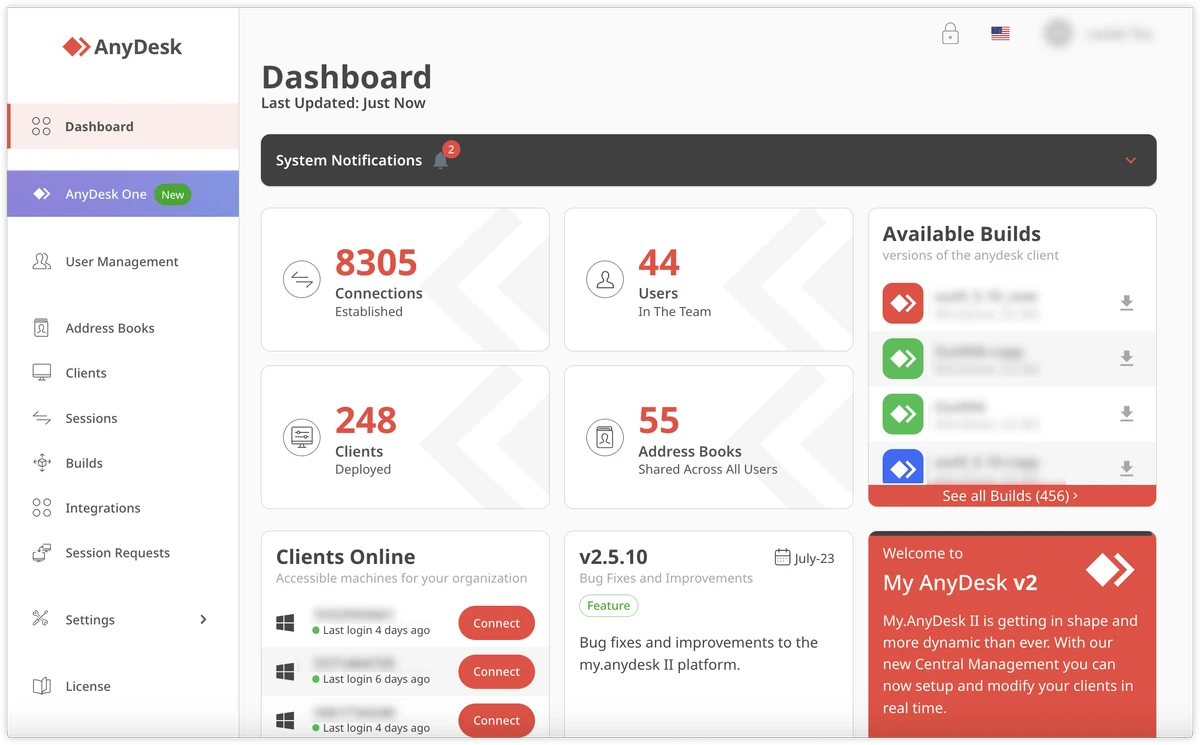
AnyDesk is a remote desktop application designed to help users access and control computers from a distance. It provides a way to connect Windows desktops and servers remotely, allowing users to work with files, manage systems, provide technical support, and collaborate online. The software focuses on delivering smooth remote connections through efficient performance, low latency, and optimized bandwidth usage. With support for multiple operating systems, AnyDesk can be used for both personal remote access and professional IT administration.

Features of AnyDesk

Remote Desktop Access

  • Connect to Windows client devices and servers remotely
  • Access desktop environments from another location
  • Control connected computers for administration and support tasks
  • Work with files and documents remotely

Smooth Remote Performance

  • Provides high frame rates for responsive remote sessions
  • Uses bandwidth efficiently for stable connections
  • Designed to reduce noticeable delays during remote control
  • Supports online collaboration and remote desktop usage

Remote Support and Administration

  • Enables instant technical assistance
  • Allows administrators to manage connected Windows devices
  • Helps IT teams perform maintenance and troubleshooting remotely

File Sharing and Collaboration

  • Supports remote file access and sharing
  • Makes online teamwork easier through remote desktop connections
  • Provides tools for communication during remote sessions

Security Features

  • Uses TLS 1.2 encryption technology
  • Includes connection verification to help protect remote sessions
  • Allows access requests only from authorized users
  • Supports private network setups with AnyDesk Enterprise

Multi-Platform Compatibility

  • Supports Windows systems
  • Also works with platforms including:
    • iOS
    • macOS
    • Linux
    • Android

User Experience

AnyDesk offers a straightforward approach to remote computer access. The application is lightweight, with the download file size listed at around 3 MB, making installation and deployment quick. The interface is designed around simplicity, allowing users to connect to remote devices without dealing with complicated setup procedures. Once connected, the remote desktop experience focuses on responsiveness, making everyday tasks such as accessing documents, managing applications, and providing technical support more practical.

For professional environments, AnyDesk provides useful remote administration capabilities. IT teams can manage multiple Windows computers, assist users remotely, and maintain systems without being physically present. The software’s performance depends on network conditions, but its focus on bandwidth efficiency and low latency helps create a smoother experience compared with basic remote access solutions. Security features such as encryption and connection verification also provide additional protection for remote sessions.

Who Should Use AnyDesk?

  • Remote workers
  • IT support professionals
  • System administrators
  • Businesses managing multiple computers
  • Users who need access to a home or office PC remotely
  • Teams requiring remote collaboration tools

Conclusion & Recommendation

AnyDesk provides an efficient way to connect to Windows computers remotely without requiring complex configuration. Its combination of fast performance, secure connections, and broad platform support makes it a practical choice for remote access and technical support.

Pros & Cons

Pros

  • Fast remote desktop connections
  • Lightweight application size
  • Supports Windows desktop and server access
  • Useful for remote support and administration
  • Includes encryption and connection verification
  • Works across multiple operating systems
  • Simple setup and user-friendly interface

Cons

  • Remote performance depends on internet connection quality
  • Advanced enterprise features may require additional solutions
  • Older supported systems may have limited compatibility compared with newer Windows versions

Frequently Asked Questions

What is AnyDesk used for?

AnyDesk is used for remote desktop access, allowing users to control and manage computers from another location.

Can AnyDesk connect to Windows computers remotely?

Yes. AnyDesk supports remote connections to Windows client devices and servers.

Is AnyDesk suitable for IT support?

Yes. The software includes remote control features designed for troubleshooting, administration, and live support.

Does AnyDesk support file sharing?

Yes. AnyDesk allows users to work with files remotely and supports file sharing during remote sessions.

Is AnyDesk secure?

AnyDesk uses TLS 1.2 encryption and connection verification features to help protect remote sessions.

What operating systems does AnyDesk support?

AnyDesk supports Windows and is also compatible with iOS, macOS, Linux, and Android platforms.

What are the minimum system requirements for AnyDesk?

AnyDesk supports Windows XP SP2 and later versions, as well as Windows Server 2003 SP2 and later.

Recommended apps [Freeware]:
  • SoftPerfect RAM Disk 26.6 SoftPerfect RAM Disk logo creates high-speed virtual drives in memory to boost performance and reduce disk wear
  • WildBit Viewer 6.20.1 WildBit Viewer logo a fast, lightweight image viewer for Windows with slideshow, compare tools and EXIF metadata support
  • InstallerClean 1.9.2 InstallerClean logo removes unnecessary Windows installer leftovers safely to free disk space with a simple cleanup process
  • GOM Player 2.3.120 Build 5390 GOM Player logo a free Windows media player supporting many formats, subtitles, VR videos, and damaged file playback
  • MSI Dragon Center 2.0.156.0 MSI Dragon Center logo monitor CPU, GPU, and RAM, optimize gaming performance, and control RGB and system settings on MSI PCs
  • Avast Free Antivirus 26.6.11050 Avast Free Antivirus logo real-time malware protection, phishing defense, and scam detection with minimal impact on Windows performance
Recommended apps [Shareware]:
  • Typing Instructor Platinum 21.1 Typing Instructor Platinum logo improve typing speed and accuracy through interactive lessons, games, and 10-finger typing practice.
  • Automatic PDF Processor 2.5.2 Automatic PDF Processor logo Automate PDF processing, renaming, printing, data extraction, and document organization on Windows.
  • ViewCompanion Pro 17.03.0.1203 ViewCompanion Pro logo View, convert, annotate, and compare PDF, DWF, CAD, and technical drawing files with powerful batch tools
  • Pazu StreamGet 3.1.5 Pazu StreamGet logo Download movies and TV shows from major streaming platforms to MP4 or MKV
  • n-Track Studio 10.3.1.10917 n-Track Studio logo a powerful multitrack audio recording and editing software with MIDI support, VST plugins, live effects, and professional mixing tool
  • Aeon Timeline 3.5.107 Aeon Timeline logo create detailed timelines for writing, projects, legal cases, research and education