SecretDNS logo

SecretDNS 3.9.2

  • User Rating:
    ★★★★★
    ★★★★★
    0.0 ★ 0Votes
  • Requirements:
    Windows
  • Version: 3.9.2
  • Latest updated: 3 weeks ago
  • License: Freeware  
  • Publisher: kilho
  • Size: 6 MB
× app stores

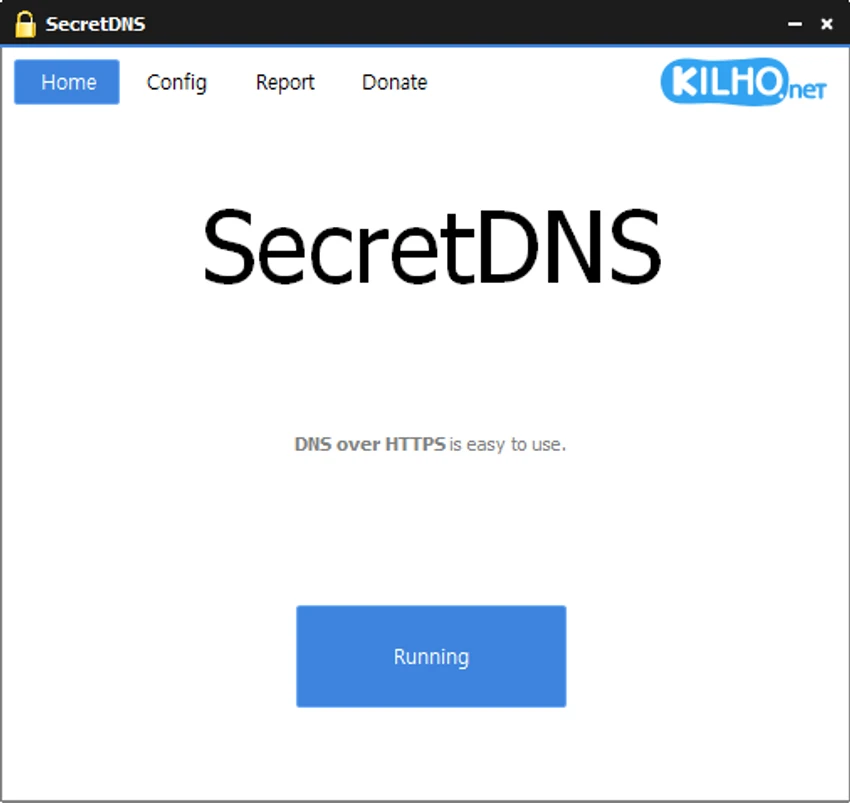
SecretDNS is a Windows-based security and privacy tool designed to improve how DNS requests are handled by using DNS over HTTPS (DoH). The software encrypts DNS queries between the user’s device and the DNS resolver, helping protect this information from interception and manipulation. SecretDNS uses Cloudflare as its default DNS provider, while also allowing users to adjust DNS settings through its dedicated configuration tab.

Beyond encrypted DNS resolution, SecretDNS includes SNI fragmentation features designed to reduce SNI eavesdropping risks during HTTP and HTTPS connections. Users can configure domain exceptions through a whitelist to minimize potential access problems. The software also provides reporting capabilities, allowing connection-related report data to be copied easily for review. SecretDNS works by specifying DNS servers through packet bypass without requiring changes to Windows network settings.

Features of SecretDNS

  • DNS over HTTPS (DoH) support to encrypt DNS packets and queries through HTTPS.
  • Cloudflare DNS configuration by default for secure DNS resolution.
  • SNI fragmentation support for specified domains to help bypass SNI eavesdropping.
  • Selective SNI string fragmentation to reduce potential slowdown and connectivity problems.
  • Whitelist support to minimize access issues by creating domain exceptions.
  • Packet bypass DNS configuration without modifying Windows system DNS settings.
  • Access information reporting with an option to copy report data to the clipboard.

Interface and Usability

SecretDNS focuses on providing practical security controls rather than a complex user interface. The software organizes DNS configuration options in a dedicated tab, allowing users to adjust DNS-related settings when needed. The ability to configure domain exceptions makes it easier to manage situations where certain websites may experience access issues.

The application is designed for users who want additional control over DNS privacy and SNI-related protection without changing Windows network settings manually. Its reporting function is also useful for checking connection information and copying diagnostic data quickly. While the tool is specialized, the available options are straightforward for users familiar with DNS and network privacy concepts.

Who Should Use SecretDNS?

SecretDNS is suitable for users who want to improve DNS privacy on Windows computers through encrypted DNS communication. It can be useful for people concerned about DNS interception, SNI monitoring, or maintaining more control over how their DNS requests are processed.

Conclusion

SecretDNS is a focused Windows privacy tool that provides DNS over HTTPS support and SNI fragmentation features for users who want more control over their network privacy. By encrypting DNS queries and allowing configurable DNS settings, it helps reduce the risk of DNS data interception while maintaining a flexible approach to connection management.

Pros & Cons

✓

Pros

  • Supports DNS over HTTPS for encrypted DNS communication.
  • Includes SNI fragmentation for specified domains.
  • Allows DNS configuration without changing Windows DNS settings.
  • Provides whitelist options to reduce access problems.
  • Includes reporting tools for connection information.
✕

Cons

  • Some features may require technical knowledge of DNS and network settings.
  • SNI fragmentation is only available for specified domains.

Frequently Asked Questions

What is SecretDNS?

SecretDNS is a Windows security and privacy tool that provides DNS over HTTPS support and SNI fragmentation features. It is designed to help protect DNS information by encrypting DNS queries and adding additional privacy controls for network connections.

How does SecretDNS improve DNS privacy?

SecretDNS improves DNS privacy by using DNS over HTTPS, which encrypts DNS packets and queries between the device and the DNS resolver. This helps prevent unauthorized interception or manipulation of DNS data.

Does SecretDNS require changes to Windows DNS settings?

No. SecretDNS can specify a DNS server through packet bypass without changing the DNS settings configured in Windows. This allows users to manage DNS behavior directly through the application.

Can I change the DNS server in SecretDNS?

Yes. SecretDNS allows users to modify DNS configuration through its dedicated DNS settings tab. The default DNS configuration uses Cloudflare, but users can adjust the settings if needed.

What is SNI fragmentation used for in SecretDNS?

SNI fragmentation is used to split the SNI string for specified domains. SecretDNS includes this feature to help bypass SNI eavesdropping while aiming to reduce slowdowns and connection issues.

Does SecretDNS support Windows 10 and Windows 11?

Yes. SecretDNS supports Windows 11, Windows 10, Windows 8, and Windows 7 operating systems.

Recommended apps [Freeware]:
  • Glow 26.9 Glow logo advanced Windows system analysis tool offering deep hardware insights, diagnostics, benchmarks, and system optimization utilities
  • LAV Filters 0.82 LAV Filters logo a free DirectShow codec package that enables broad audio and video format support on Windows
  • RapidRAW 1.5.9 RapidRAW logo a lightweight, GPU-accelerated RAW photo editor with advanced masking, non-destructive editing, and AI tools
  • BitDefender Antivirus Free Edition 27.0.60.339 BitDefender Antivirus Free Edition logo real-time protection against malware, phishing, and viruses for Windows users
  • Catalyst Browse 2026.1.1 Catalyst Browse logo a media viewing and logging tool for Pro formats, offering playback, metadata editing, and workflow management.
  • CapCut 8.9.1.3802 CapCut logo Create professional videos easily with a versatile editor featuring AI tools, effects, templates, and advanced editing options.
Recommended apps [Shareware]:
  • Glary Malware Hunter 1.218.0.860 Glary Malware Hunter logo Windows security tool that scans, detects, and removes malware while offering system cleanup and performance optimization features
  • MobiKin Transfer for Mobile 5.1.17 MobiKin Transfer for Mobile logo Transfer contacts, photos, messages, and more between iOS and Android devices with MobiKin Transfer for Mobile on Windows
  • FolderMatch 5.1.3.0 FolderMatch logo Compare folders, synchronize files, find duplicates, and batch rename files with FolderMatch for Windows.
  • Google Satellite Maps Downloader 8.419 Google Satellite Maps Downloader logo downloads satellite map tiles from Google Maps for offline viewing, GIS projects, and map export
  • Actual Window Minimizer 8.15.4 Actual Window Minimizer logo adds minimize-to-tray functionality to Windows, letting you hide applications in the system tray with one click
  • CrawlRhino SEO Crawler 1.1.36.0 CrawlRhino SEO Crawler logo Analyze website structure, detect SEO issues, audit backlinks, and generate detailed reports with a comprehensive website crawler.