ESET Internet Security logo

ESET Internet Security 19.2.7.0

  • User Rating:
    ★★★★★
    ★★★★★
    0.0 0Votes
  • Requirements:
    Windows
  • Version: 19.2.7.0
  • Latest updated: 3 weeks ago
  • License: Free Trial  
  • Publisher: ESET
  • Size: 86 MB
× app stores

ESET Internet Security is a comprehensive cybersecurity suite designed to protect Windows users from viruses, malware, ransomware, phishing attacks, and online threats. Built on ESET’s cloud-powered and proactive detection technologies, it combines traditional antivirus protection with advanced security layers such as firewall control, anti-spam filtering, parental controls, and secure online payment protection. Unlike basic antivirus tools, ESET Internet Security is designed to provide multi-layered protection while maintaining low system impact, making it suitable for both everyday users and professionals who need strong security without performance slowdowns.

Features of ESET Internet Security

  • Real-time antivirus protection against viruses, worms, trojans, spyware, adware, and rootkits.
  • Advanced heuristic detection for unknown and emerging threats.
  • Cloud-powered threat intelligence via ESET LiveGrid.
  • Integrated firewall for network traffic control and intrusion prevention.
  • Anti-phishing protection for secure web browsing.
  • Email protection for POP3 and IMAP protocols.
  • Secure online banking and payment protection.
  • Parental control features for family safety.
  • Device control for USB drives, CDs, DVDs, and external media.
  • HIPS (Host-based Intrusion Prevention System) for detailed system behavior rules.
  • Game Mode to reduce interruptions and optimize performance during gaming or fullscreen apps.
  • Regular virus database and module updates.

User Experience

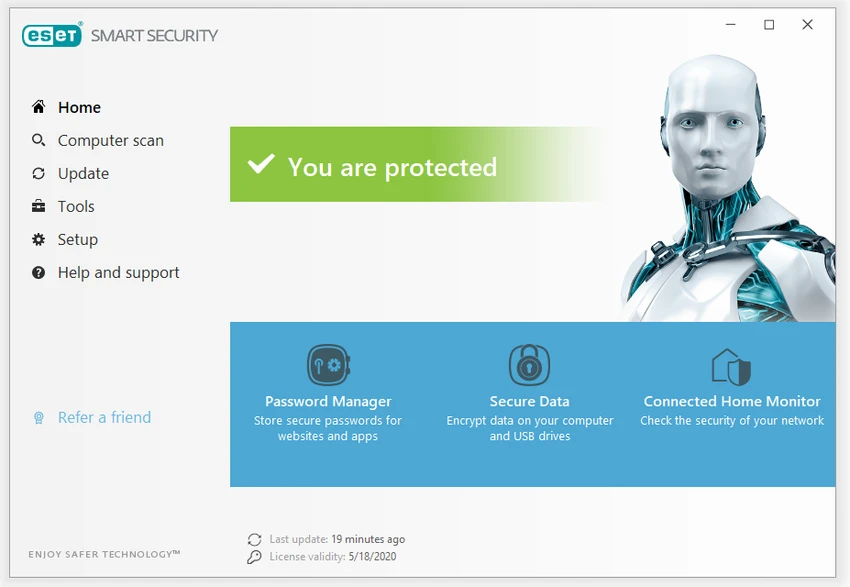
ESET Internet Security delivers a clean and lightweight user experience compared to many other security suites. The interface is modern, straightforward, and designed to reduce complexity while still offering access to advanced configuration options for experienced users.

During everyday use, the software runs quietly in the background, providing continuous protection without noticeably affecting system performance. This is especially important for users who multitask, play games, or work with resource-heavy applications. The real-time protection system works effectively by monitoring files, web traffic, email activity, and network connections. The inclusion of ESET LiveGrid enhances detection speed by using cloud-based reputation data, helping identify suspicious files more quickly.

Web browsing feels safer thanks to anti-phishing and secure banking protection features, which help prevent users from accessing fraudulent or malicious websites. Meanwhile, the firewall adds an additional layer of defense by controlling incoming and outgoing network traffic. The Game Mode is a useful addition for users who want uninterrupted performance during gaming sessions, automatically suppressing pop-ups and background tasks. Overall, the software strikes a strong balance between security strength and system efficiency.

Who Should Use ESET Internet Security?

  • Home users looking for complete PC protection.
  • Professionals handling sensitive data online.
  • Gamers who need lightweight security software.
  • Families who want parental control features.
  • Users who frequently shop or bank online.
  • Anyone seeking reliable antivirus with low system impact.

Conclusion

ESET Internet Security stands out as a powerful yet lightweight security solution that protects against a wide range of online threats. With its combination of antivirus protection, firewall, anti-phishing tools, and cloud-based threat intelligence, it offers a well-rounded defense system for modern Windows users.

Pros & Cons

Pros

  • Strong multi-layered antivirus and anti-malware protection.
  • Lightweight impact on system performance.
  • Excellent phishing and web protection.
  • Built-in firewall for network security.
  • Cloud-based threat detection (ESET LiveGrid).
  • Useful parental control and device control features.
  • Game Mode reduces interruptions during gameplay.
  • Frequent and reliable updates.

Cons

  • Advanced settings may be complex for beginners.
  • Some features require configuration to get full benefit.
  • Paid subscription required for full protection.

Frequently Asked Questions

What is ESET Internet Security?

ESET Internet Security is a comprehensive antivirus and cybersecurity suite that protects Windows computers from malware, phishing attacks, ransomware, and other online threats.

Does ESET Internet Security include a firewall?

Yes. It includes an integrated firewall that monitors and controls network traffic to protect against unauthorized access and cyberattacks.

Does ESET Internet Security slow down your PC?

No. One of ESET’s key advantages is its lightweight design, which provides strong protection while having minimal impact on system performance.

What is ESET LiveGrid?

ESET LiveGrid is a cloud-based reputation system that helps detect new and unknown threats by analyzing data from users worldwide in real time.

Can I use ESET Internet Security for online banking?

Yes. It includes secure browsing and payment protection features designed to safeguard online banking and financial transactions.

Is ESET Internet Security suitable for gaming?

Yes. It includes a Game Mode that reduces notifications and background activity to ensure smoother performance during gameplay.

Recommended apps [Freeware]:
  • Universal USB Installer 2.0.3.8 Universal USB Installer logo create bootable Linux USB drives easily with ISO support and persistence options on Windows.
  • CheckMail 5.23.7 CheckMail logo a POP3 email checker that lets users preview, manage, and delete emails before downloading them
  • ToDoList 9.2.4.0 ToDoList logo customizable task manager for Windows with subtasks, reminders, notes, tracking, and project tools
  • NxFilter 4.7.5.3 NxFilter logo freeware enterprise web filtering tool that blocks malware, controls internet access, and enforces DNS-based security policies
  • Total Commander Ultima Prime 9.4 Total Commander Ultima Prime logo enhanced file manager package with plugins and tools for advanced file and system management on Windows.
  • UltraCopier 3.1.0.0 UltraCopier logo Speed up file transfers with UltraCopier. Enjoy advanced copy management, error handling, speed control, and customization
Recommended apps [Shareware]:
  • Coolutils Print Maestro 4.2.0.0 Coolutils Print Maestro logo print folder contents, export directory trees, and generate detailed file reports quickly
  • Duplicate Photos Fixer Pro 1.3.1086.1158 Duplicate Photos Fixer Pro logo finds and removes duplicate and similar photos to organize your library and save space
  • PingPlotter 5.27.10 PingPlotter logo network monitoring tool for tracking latency, packet loss, and remote host performance in real time
  • Light Image Resizer 7.6.4.173 Light Image Resizer logo Resize, compress, convert, organize, and watermark images quickly with batch processing, quality optimization, and format support.
  • Gammadyne Mailer 74.0 Gammadyne Mailer logo Automate email campaigns, manage mailing lists, track engagement, and process messages with advanced marketing tools.
  • Apowersoft Video Download Capture 6.6.4.0 Apowersoft Video Download Capture logo Download, record, convert, and edit online videos with a versatile tool supporting multiple formats, resolutions, and streaming sources.