EventSentry Light logo

EventSentry Light 6.0.1.68

  • User Rating:
    ★★★★★
    ★★★★★
    0.0 0Votes
  • Requirements:
    Windows
  • Version: 6.0.1.68
  • Latest updated: 4 days ago
  • License: Freemium  
  • Publisher: NETIKUS.NET ltd
  • Size: 137 MB
× app stores

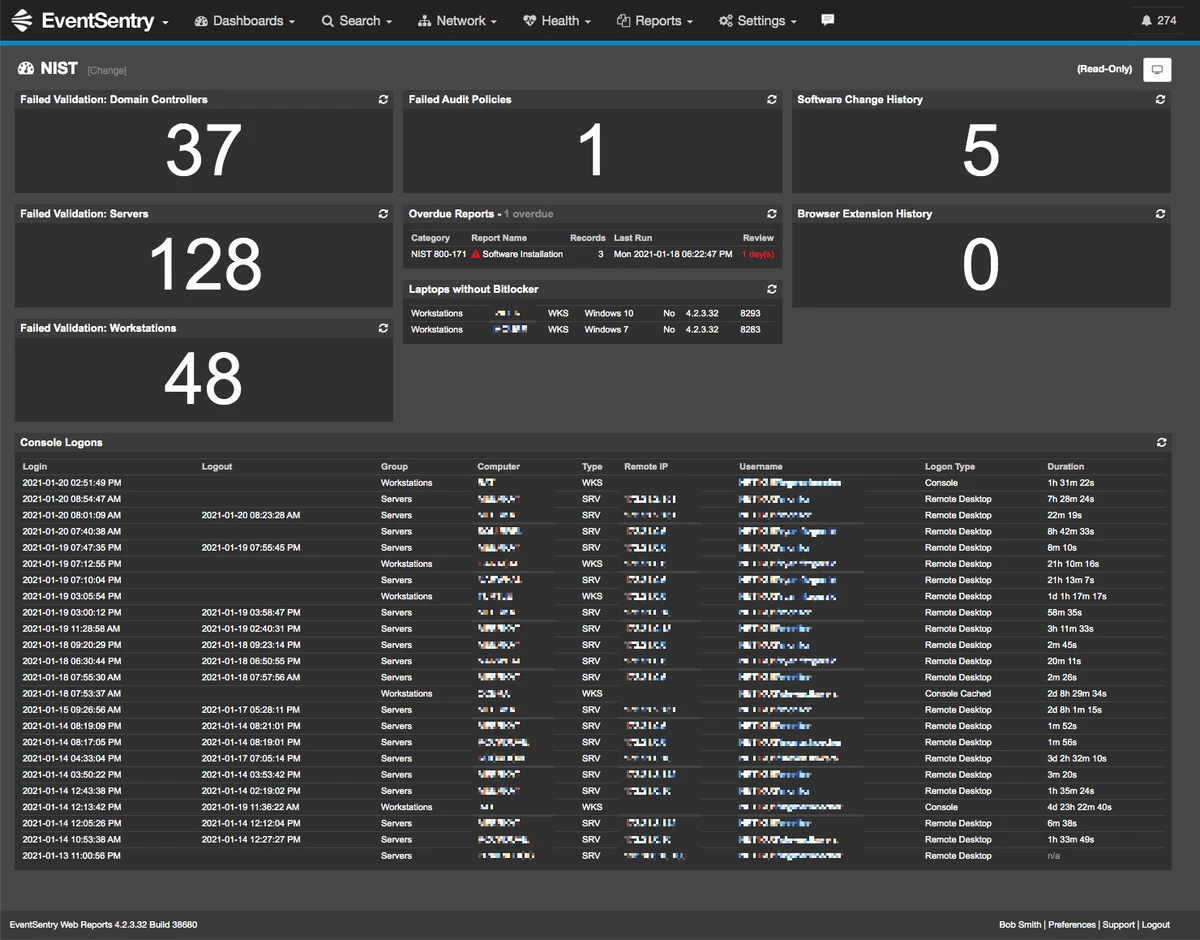
EventSentry Light is a Windows-based system monitoring and log management tool designed for IT professionals who need visibility into their infrastructure. It helps consolidate system logs, monitor critical components, and deliver real-time alerts when issues arise. Acting as a proactive monitoring “guard,” the software focuses on early detection of system failures and infrastructure problems before they escalate. It also supports monitoring of IP-based devices such as routers, switches, and Linux/BSD systems using protocols like TCP, PING, and SNMP.

Features of EventSentry Light

  • Centralized log collection and viewing
  • Real-time system monitoring and alerting
  • Custom rule-based alert filtering system
  • Monitoring of critical server components
  • IP-based device monitoring (routers, switches, Linux/BSD hosts)
  • Support for TCP, PING, and SNMP monitoring protocols
  • Consolidated log management for faster troubleshooting
  • Proactive alerts for potential system outages

User Experience

After using EventSentry Light, I found that its main strength lies in centralized monitoring and proactive alerting. Instead of checking multiple systems or log locations, all relevant information is gathered into one interface, making it easier to identify potential issues quickly.

The rule-based alert system is particularly useful in reducing unnecessary notifications. It allows users to define which events should trigger alerts, helping avoid alert fatigue in busy IT environments. Monitoring network devices via PING, TCP, and SNMP adds flexibility, especially in mixed environments that include servers, networking hardware, and Linux or BSD systems. This makes it suitable for small to medium IT infrastructures that require unified monitoring.

However, the interface and feature set are clearly designed for IT administrators rather than general users. Some configuration is required to fully take advantage of its monitoring capabilities, especially when setting up rules and device checks. Overall, EventSentry Light provides a focused monitoring experience for users who need centralized visibility and early warning alerts for system and network health.

Who Should Use EventSentry Light?

  • IT administrators managing Windows-based infrastructure
  • System engineers monitoring servers and services
  • Network administrators overseeing routers and switches
  • Small to medium businesses needing centralized monitoring
  • Users who want early alerts for system or network issues

Conclusion

EventSentry Light is a practical monitoring solution for IT environments that need centralized log management and real-time infrastructure alerts. Its ability to monitor servers, network devices, and system components in one place makes it valuable for proactive IT management.

Pros & Cons

Pros

  • Centralized system log and event monitoring
  • Real-time alerts for infrastructure issues
  • Custom rule-based alert filtering
  • Supports monitoring of servers and network devices
  • Uses TCP, PING, and SNMP for device checks
  • Helps detect issues before system outages occur
  • Suitable for IT infrastructure environments

Cons

  • Requires configuration to fully utilize monitoring features
  • Designed primarily for IT professionals, not casual users
  • Advanced features are part of the paid full version
  • Limited reporting and automation in Light edition

Frequently Asked Questions

What is EventSentry Light used for?

EventSentry Light is used to monitor IT infrastructure, collect system logs, and send real-time alerts for system and network issues.

Can EventSentry Light monitor network devices?

Yes. It can monitor routers, switches, and Linux/BSD systems using TCP, PING, and SNMP protocols.

Does EventSentry Light provide real-time alerts?

Yes. The software sends alerts based on configurable rules when system or network issues are detected.

What are the limitations of EventSentry Light?

The Light version has limited reporting, automation, and advanced features compared to the full paid version.

Who should use EventSentry Light?

It is designed for IT professionals, including system administrators and network engineers managing infrastructure environments.

Recommended apps [Freeware]:
  • FastCopy 5.11.3 FastCopy logo a lightweight Windows tool for ultra-fast file copying, syncing, and error-resilient data transfer
  • SoundSwitch 7.1.0 / 7.1.1 Beta 1 SoundSwitch logo a lightweight Windows tool that lets you switch audio devices instantly using customizable hotkeys
  • ExplorerPatcher 26100.8457.70.3 ExplorerPatcher logo restores Windows 10-style taskbar, menus, and Explorer behavior on Windows 11.
  • Jubler Subtitle Εditor 9.0.1 / 10.0.0 Jubler Subtitle Εditor logo edit, sync, translate, and correct subtitles with real-time video preview
  • AIMP 5.40.2721 AIMP logo a lightweight audio player with high-quality sound, playlist tools, equalizer, and audio conversion features
  • VSDC Free Video Editor 11.2.3.729 VSDC Free Video Editor logo a non-linear video editing tool for creating videos with effects, transitions, and multi-format support on Windows
Recommended apps [Shareware]:
  • Amazing Laptop Cooling Wizard 1.1.5.8 Amazing Laptop Cooling Wizard logo Reduce laptop overheating by optimizing CPU and fan cooling performance on Windows.
  • Adobe Photoshop 2026 Adobe Photoshop logo powerful image editing and graphic design tool for creating, enhancing, and transforming photos, illustrations
  • Total PDF Converter 6.5.0.171 Total PDF Converter logo converts PDF to DOC, XLS, images, TXT, PDF/A and more with batch processing and advanced tools.
  • EF Mailbox Manager 26.05 EF Mailbox Manager logo Manage multiple POP3 email accounts, remove spam on the server, and download messages securely
  • XL-Connector 3.7.14.0 XL-Connector logo Excel plugin for Salesforce data export, import, bulk updates, and metadata management.
  • Pano2VR 8.0.4 Pano2VR logo powerful software for building interactive panoramic images and virtual tours for desktop and mobile platforms