


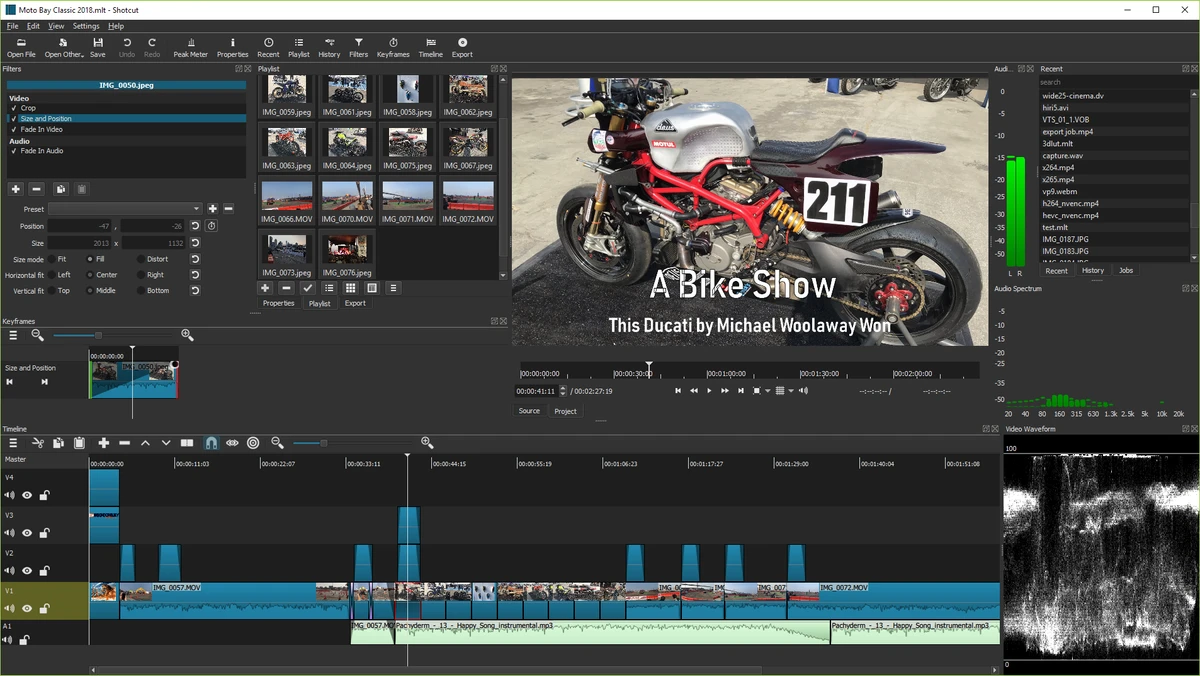

Shotcut is a free, open-source video editing software designed for users who want a flexible and feature-rich editing environment without complex licensing or subscriptions. It supports a wide range of audio, video, and image formats through FFmpeg, allowing users to edit media directly without requiring prior conversion or import. The software is built around a timeline-based workflow and supports advanced editing features such as multi-track editing, filters, transitions, and real-time playback.
Key Features of Shotcut
- Supports a wide range of audio and video formats via FFmpeg.
- Native editing (no import required).
- Multi-format timeline with mixed resolutions and frame rates.
- Frame-accurate seeking for supported formats.
- Drag-and-drop media import from file manager.
- Supports image formats including:
- BMP, GIF, JPEG, PNG, SVG, TIFF, TGA
- Image sequences
- Network streaming playback (HTTP, HLS, RTMP, RTSP, MMS, UDP).
- Multi-track timeline with thumbnails and audio waveforms.
- Video filters such as:
- Blur, Crop, Sharpen, Rotate, Vignette, Stabilize
- Color grading, saturation, white balance, sepia
- Audio filters including:
- Gain, normalize, balance, pan, channel control
- Cross-fade and dissolve transitions.
- Video wipe transitions (clock, iris, diagonal, box, etc.).
- Audio mixing across multiple tracks.
- Keyframe-based editing and trimming tools.
- Hardware-accelerated processing (OpenGL GPU-based).
- Batch encoding and export using FFmpeg.
- Screen, webcam, and external device capture support.
- Unlimited undo/redo with edit history.
- Flexible UI with dockable panels and themes.
User Experience
Shotcut provides a powerful editing environment that balances functionality with accessibility. The interface is modular and allows users to rearrange panels based on workflow preferences, which is especially helpful when working on complex projects. Importing media is straightforward thanks to its native editing approach, which eliminates the need for a separate import process. The timeline is responsive, and features such as waveform visualization and thumbnails make editing more intuitive. While Shotcut offers professional-level tools such as color grading, transitions, and multi-track editing, it may require some learning time for beginners unfamiliar with video editing workflows. However, once familiar, it becomes a capable and reliable editor for both simple and advanced projects.
Who Should Use Shotcut?
- Beginners learning video editing.
- Content creators on a budget.
- Users needing a free alternative to paid editors.
- YouTubers and social media creators.
- Users who need multi-format video support.
Conclusion
Shotcut is a powerful and flexible video editing tool that delivers professional-grade features at no cost. With strong format support, advanced timeline editing, and a wide range of filters and transitions, it is suitable for both simple edits and more complex video production.


