Cloudflare WARP logo

Cloudflare WARP 2026.6.850.0

  • User Rating:
    ★★★★★
    ★★★★★
    0.0 ★ 0Votes
  • Requirements:
    Windows
  • Version: 2026.6.850.0
  • Latest updated: 2 weeks ago
  • License: Freeware  
  • Publisher: Cloudflare, Inc.
  • Size: 56 MB
× app stores

Cloudflare WARP is a secure networking client that improves the privacy, security, and performance of your internet connection. Instead of functioning like a traditional VPN that primarily changes your virtual location, WARP routes your traffic through Cloudflare's global network using the modern WireGuard protocol to create a faster and more reliable connection.

For individual users, Cloudflare WARP offers encrypted internet traffic, improved privacy, and optimized routing that can reduce latency while browsing, streaming, or using online services. For organizations, it integrates with Cloudflare Gateway to extend Zero Trust security policies beyond the office, protecting remote employees wherever they connect.

The result is a solution that combines VPN-like privacy with Cloudflare's global infrastructure and enterprise security capabilities.

Features of Cloudflare WARP

  • Encrypts internet traffic using the WireGuard protocol
  • Routes traffic through Cloudflare's global network
  • Improves connection privacy and security
  • Optimizes internet routing for better performance
  • One-click connection
  • Helps speed up traffic, particularly to websites behind Cloudflare
  • Supports secure browsing on mobile devices
  • Integrates with Cloudflare Gateway for enterprise deployments
  • Enforces security policies outside the corporate network
  • Supports HTTP filtering through Cloudflare Gateway
  • Anti-virus scanning through Gateway integration
  • Browser Isolation support through Gateway
  • Identity-based policy enforcement
  • Provides application and user visibility for organizations
  • Helps identify and manage shadow IT
  • Supports device posture checks
  • Enables Zero Trust security policies based on device compliance
  • Suitable for both personal and business use

Interface and Usability

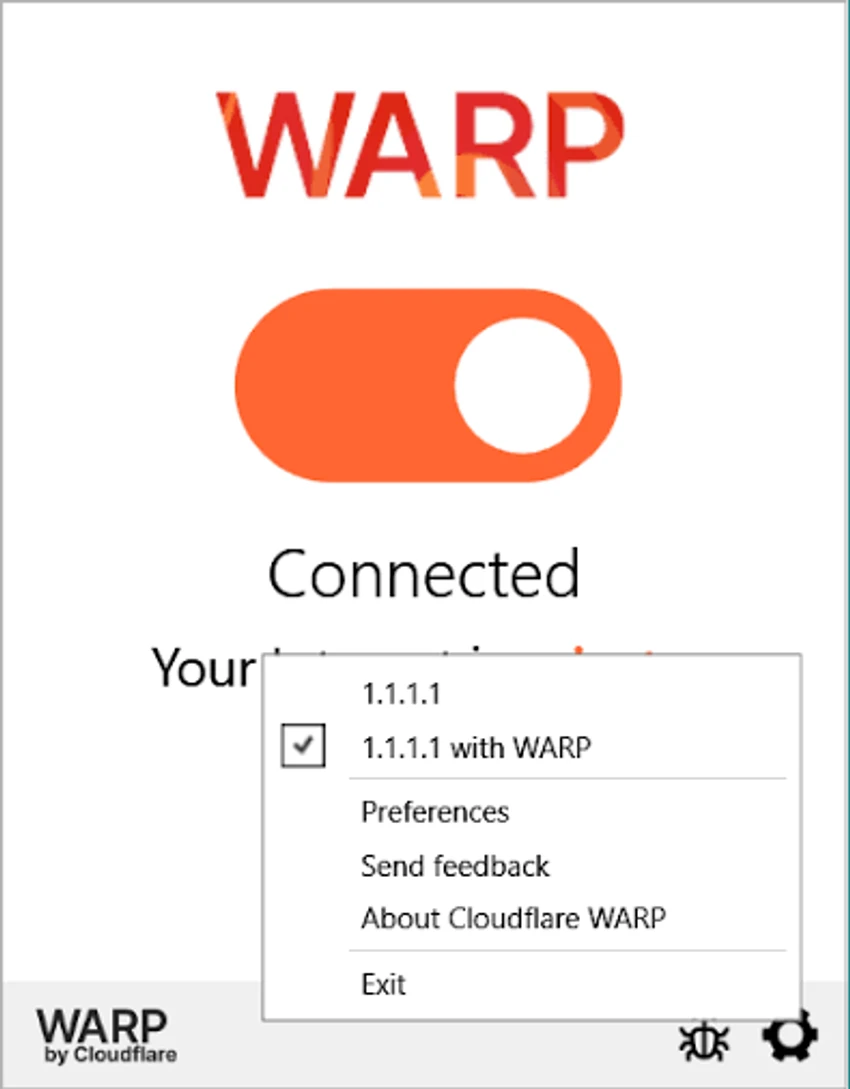
Cloudflare WARP keeps the user experience refreshingly simple. After installation, connecting to the service is typically as easy as pressing a single button. There are very few settings required for basic use, making it accessible even for users with little networking knowledge. In daily use, the application runs quietly in the background while encrypting internet traffic. Unlike many traditional VPN applications that emphasize choosing server locations, WARP focuses on improving the overall connection by automatically routing traffic through the nearest Cloudflare data center.

For enterprise users, additional configuration options become available through Cloudflare Gateway, allowing administrators to apply organization-wide security policies without significantly complicating the client itself.

Who Should Use Cloudflare WARP?

  • Users seeking a faster and more secure internet connection
  • People who frequently use public Wi-Fi
  • Remote workers
  • Businesses implementing Zero Trust security
  • Organizations using Cloudflare Gateway
  • Mobile users who want encrypted internet traffic
  • Anyone looking for a lightweight alternative to traditional VPN software

Conclusion

Cloudflare WARP offers a modern approach to internet privacy by combining encrypted connections with intelligent network routing. Rather than simply acting as a traditional VPN, it leverages Cloudflare's global infrastructure and the WireGuard protocol to improve both security and performance. Its minimalist interface makes it easy for everyday users to secure their internet connection, while enterprise features such as Cloudflare Gateway integration, device posture checks, and Zero Trust policy enforcement provide additional value for organizations managing remote workforces.

Pros & Cons

✓

Pros

  • Fast, modern WireGuard-based connection
  • Encrypts internet traffic
  • Simple one-click interface
  • Optimized routing through Cloudflare's global network
  • Improves privacy during browsing
  • Supports both personal and enterprise use
  • Zero Trust security integration
  • Cloudflare Gateway compatibility
  • Device posture verification for organizations
✕

Cons

  • Focuses on secure networking rather than offering extensive VPN customization
  • Some enterprise security features require Cloudflare Gateway deployment
  • Advanced policy management is primarily intended for business environments

Frequently Asked Questions

What is Cloudflare WARP used for?

Cloudflare WARP is a secure networking client that encrypts your internet traffic, routes it through Cloudflare's global network, and helps improve privacy, security, and connection performance.

Is Cloudflare WARP a VPN?

Yes, Cloudflare WARP functions similarly to a VPN by encrypting internet traffic and protecting your connection. However, it is designed primarily to optimize and secure internet connectivity rather than focusing on changing your virtual location.

Does Cloudflare WARP use WireGuard?

Yes. Cloudflare WARP uses the WireGuard protocol to establish secure, efficient tunnels between your device and Cloudflare's network.

Can Cloudflare WARP improve internet speed?

In many situations, yes. By routing traffic through Cloudflare's optimized global network, WARP can reduce latency and improve connection performance, particularly for websites and services connected to Cloudflare.

Is Cloudflare WARP suitable for businesses?

Yes. Organizations can integrate Cloudflare WARP with Cloudflare Gateway to enforce Zero Trust security policies, apply web filtering, perform device posture checks, and protect remote users.

Does Cloudflare WARP support mobile devices?

Yes. Cloudflare WARP is available for mobile devices and allows users to securely connect through the nearest Cloudflare data center for encrypted internet access and improved network performance.

Recommended apps [Freeware]:
  • BitComet 2.21 BitComet logo BitTorrent download manager supporting torrents, HTTP, and FTP with advanced speed and disk optimization tools
  • Power-user 1.7.85.410 Power-user logo Office add-in offering templates, icons, charts, maps, and diagrams to boost productivity in PowerPoint, Excel, and Word
  • Duplicate & Same Files Searcher 10.8.2 Duplicate & Same Files Searcher logo finds duplicate files, detects NTFS links, and helps manage storage with advanced file tools
  • Resolume Arena 7.27.0 rev 14395 Resolume Arena logo Professional software for live video mixing, projection mapping, edge blending, and synchronized audiovisual performances.
  • Syncthing 2.1.2 Syncthing logo Sync files securely between devices with decentralized peer-to-peer sharing, TLS encryption, and full control over your data.
  • VidMasta 30.7 VidMasta logo Search, preview, and manage movie downloads with advanced filtering, subtitles, trailers, and detailed title information.
Recommended apps [Shareware]:
  • Quick Heal AntiVirus Pro 26.1.0.2 Quick Heal AntiVirus Pro logo real-time malware protection, ransomware defense, and email security
  • DaVinci Resolve 21.0.2 DaVinci Resolve logo a professional video editor with advanced color grading, AI tools, and high-end post-production features.
  • Axialis IconVectors 1.70 Axialis IconVectors logo a lightweight SVG icon editor for developers, featuring live code previews, vector editing tools, and workflow integration
  • Capture One 16.8.3.3630 Capture One logo professional RAW photo editor with advanced color accuracy, tethered shooting, and studio workflow tools for photographers
  • Rapid CSS 2025 v18.7.0.277 Rapid CSS logo Fast CSS editor with code completion, browser preview, validation tools, and FTP support for modern web development.
  • Apowersoft Screen Capture Pro 1.6.1.0 Apowersoft Screen Capture Pro logo Capture screenshots and record screens with flexible modes, editing tools, scheduling features, and image sharing options.