


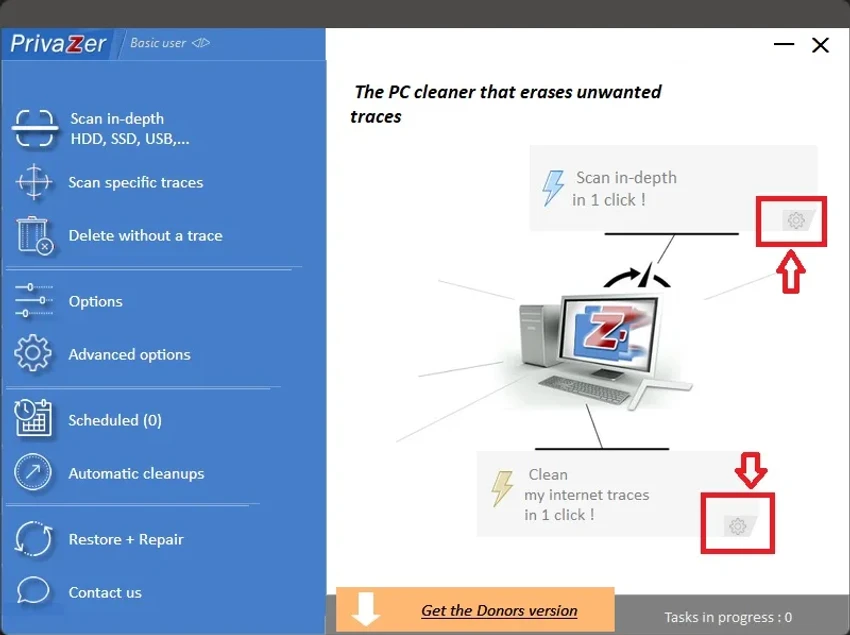

Maintaining privacy on a Windows PC involves more than simply clearing your browser history. Temporary files, registry entries, system logs, and application traces can accumulate over time, consuming storage space while leaving behind evidence of everyday computer activity. PrivaZer is designed to identify and remove these traces through an extensive cleaning process. Available as both an installer and a portable application, PrivaZer combines privacy protection with system cleanup. Its guided setup allows users to decide exactly what should be removed, making it suitable for both beginners and experienced users who want greater control over Windows maintenance.
Overview
PrivaZer is a Windows privacy and cleanup utility that helps remove traces left behind by the operating system, web browsers, messaging applications, downloads, and other software. It also helps recover disk space by cleaning unnecessary data that accumulates over time. The software offers separate Basic and Advanced modes, allowing users to tailor the cleaning process to their level of experience. During the initial setup, users select which categories should be analyzed and cleaned, while automatic registry backups provide an additional layer of protection before changes are made.
Features of PrivaZer
- Cleans privacy traces left by Windows and installed applications
- Frees up disk space by removing unnecessary data
- Available as both an installer and a portable application
- Guided setup for selecting cleanup preferences
- Basic and Advanced user modes
- Automatic registry backups before modifications
- Pre-analysis to identify removable traces
- Cleans traces in:
- Master File Table (MFT)
- Free disk space
- USN Journal
- $LogFile
- Removes Internet browsing traces
- Cleans cookies and Super/Evercookies
- Removes Index.dat and WebCache data
- Cleans traces left by messaging applications
- Removes Windows history
- Cleans registry-related traces
- Cleans indexing data
- Clears memory-related traces
- Removes Start Menu, Jump Lists, and Quick Access history
- Cleans system traces
- Removes copy and disc burning history
- Cleans download manager traces
- Cleans traces left by video, music, photo, and web software
- Includes cleanup options for other installed applications
User Experience
PrivaZer takes a more comprehensive approach to privacy cleanup than many standard disk cleaning utilities. During the initial launch, the software guides users through a step-by-step configuration process, allowing them to choose exactly which categories should be cleaned. Although this first setup requires a few minutes, it helps prevent accidental removal of data users may wish to keep. The distinction between Basic and Advanced modes is helpful. Basic mode simplifies the process for less experienced users, while Advanced mode exposes additional cleanup options for those who want greater control over system maintenance.
The pre-analysis feature is particularly useful because it scans the system before making any changes, providing an overview of removable traces. Automatic registry backups add an extra level of confidence by allowing users to restore previous settings if necessary. With support for cleaning browser data, Windows history, messaging traces, file system metadata, and application leftovers, PrivaZer offers a broad set of maintenance tools within a single interface. The availability of a portable version also makes it convenient for users who prefer not to install additional software on their systems.
Who Should Use PrivaZer?
- Privacy-conscious Windows users
- Users looking to free up disk space
- Home and office PC users
- Users who frequently browse the web
- Anyone wanting to remove traces left by applications and Windows
- Users who prefer portable maintenance tools
Conclusion
PrivaZer is a feature-rich privacy and cleanup utility that goes well beyond deleting temporary files. Its ability to clean traces from Windows, browsers, messaging applications, file system metadata, and numerous software categories makes it a comprehensive maintenance tool for users concerned about both privacy and storage management.


