FileLegit Windows Multimedia Media Players Media Player Classic Black Edition
Media Player Classic Black Edition logo

Media Player Classic Black Edition 1.9.0

  • User Rating:
    ★★★★★
    ★★★★★
    0.0 0Votes
  • Requirements:
    Windows
  • Version: 1.9.0
  • Latest updated: 2 days ago
  • License: Freeware  
  • Publisher: MPCBE
  • Size: 18 MB
× app stores

Finding a media player that combines lightweight performance with modern usability can be challenging. Media Player Classic Black Edition (MPC-BE) addresses this by building upon the classic Media Player Classic project while introducing a refreshed interface and several useful enhancements. Designed for watching videos and listening to music on Windows, MPC-BE maintains the simplicity of its predecessor while adding a dark-themed interface, video preview seeking, and built-in support for playing YouTube videos directly from their URLs.

Overview

Media Player Classic Black Edition (MPC-BE) is a free multimedia player for Windows based on the original Media Player Classic project and the Media Player Classic Home Cinema (MPC-HC) project. While it retains compatibility with the video formats supported by MPC-HC, it also introduces additional features and interface improvements. One of the most noticeable changes is its modern dark theme, which extends throughout the application and menus for a more comfortable viewing experience. MPC-BE also includes visual seek previews and built-in streaming support for YouTube videos, allowing users to watch online content without opening a web browser.

Features of Media Player Classic Black Edition

  • Free media player for Windows
  • Play video and audio files
  • Modern dark-themed user interface
  • Based on the original Media Player Classic and MPC-HC projects
  • Supports all video formats compatible with MPC-HC
  • Visual seek bar with preview thumbnails
  • Precise timeline navigation
  • Play YouTube videos directly from a video URL
  • Built-in support based on YouTube-dl for parsing YouTube video URLs
  • Configure preferred streaming resolution and video format
  • Search within streaming videos
  • Lightweight application (approximately 18 MB)

User Experience

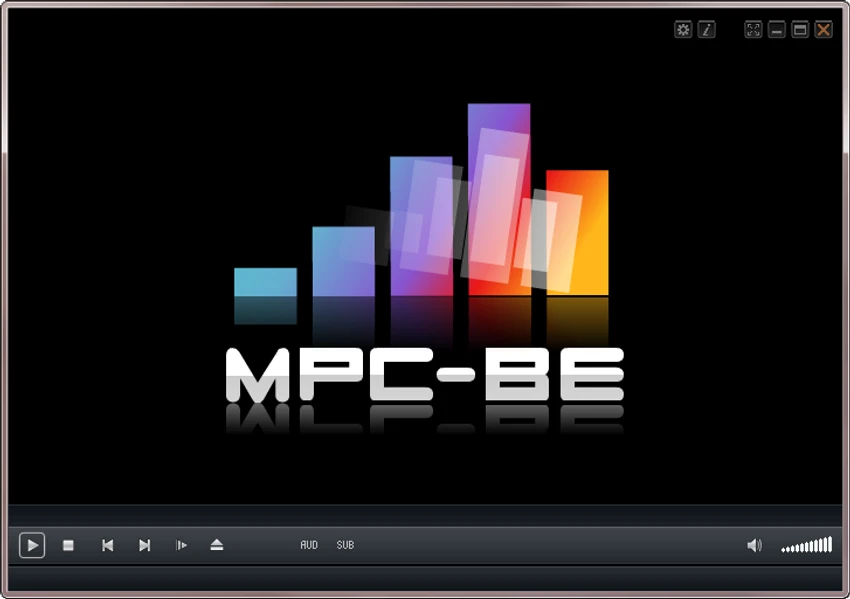
MPC-BE preserves the familiar simplicity of Media Player Classic while presenting it in a cleaner and more modern interface. The dark theme gives the application a contemporary appearance and makes extended viewing sessions more comfortable, particularly in low-light environments. One feature that stands out is the visual seek preview. Instead of moving through a timeline blindly, preview thumbnails make it much easier to locate specific scenes within a video. This proves especially useful when revisiting important moments or skipping directly to a desired section.

Another convenient capability is the built-in support for YouTube playback. By simply pasting a video URL into the application, I could stream content without launching a web browser. The ability to configure preferred streaming resolution and format adds another level of flexibility for users with different viewing preferences. Despite these additions, MPC-BE remains lightweight and responsive. Navigation is straightforward, and the interface stays focused on media playback rather than unnecessary extras.

Who Should Use Media Player Classic Black Edition?

  • Users looking for a lightweight media player
  • Movie enthusiasts
  • Music listeners
  • Fans of the classic Media Player Classic interface
  • Users who prefer a modern dark theme
  • Anyone who wants to stream YouTube videos directly from a media player

Conclusion

Media Player Classic Black Edition successfully modernizes the classic Media Player Classic experience without sacrificing its lightweight nature. The redesigned dark interface, preview-based seeking, and direct YouTube playback make it a practical upgrade for users who appreciate simplicity while wanting a few additional conveniences.

Pros & Cons

Pros

  • Free to use
  • Lightweight installation
  • Modern dark-themed interface
  • Compatible with a wide range of video formats
  • Visual seek previews improve navigation
  • Direct YouTube video playback from URLs
  • Adjustable streaming resolution and format
  • Simple and familiar interface

Cons

  • Some advanced streaming functionality depends on YouTube URL parsing
  • Interface focuses on playback rather than extensive media library management
  • YouTube preview thumbnails are not available when searching streamed videos

Frequently Asked Questions

What is Media Player Classic Black Edition (MPC-BE)?

MPC-BE is a free multimedia player for Windows based on the original Media Player Classic and Media Player Classic Home Cinema projects. It features a modern dark interface along with several usability enhancements.

Can MPC-BE play music and videos?

Yes. MPC-BE is designed for both video playback and audio playback on Windows.

Does MPC-BE support YouTube videos?

Yes. Users can paste a YouTube video URL into the player to stream the video directly without opening a web browser.

What makes MPC-BE different from MPC-HC?

According to the provided information, MPC-BE is based on MPC-HC but includes additional features such as a modern dark interface, preview-based seeking, and built-in YouTube streaming support.

Does MPC-BE support video previews while seeking?

Yes. The player includes thumbnail previews along the seek bar, making it easier to navigate to specific scenes.

Can I choose the YouTube streaming quality?

Yes. MPC-BE allows users to configure the preferred streaming resolution and video format in its media service settings.

Is MPC-BE lightweight?

Yes. The application is approximately 20 MB, making it a lightweight media player suitable for most Windows systems.

Recommended apps [Freeware]:
  • Tails 7.9 Tails logo a privacy-focused live operating system that enables anonymous browsing and secure communication
  • FluentCleaner 26.06.04 FluentCleaner logo a lightweight Windows cleaning tool designed to remove unnecessary files using a modern, minimal WinUI 3 interface
  • PilotEdit 21.0.0 PilotEdit logo a powerful text and hex editor for large files with FTP support, scripting, encryption, and search tools
  • Dropbox 258.4.3749 Dropbox logo cloud storage service for syncing files, backup, and sharing documents across Windows, mobile, and web devices
  • Trellix Stinger 26.06.26.4 Trellix Stinger logo portable malware removal tool for Windows designed to detect and remove specific viruses from infected systems
  • BitDefender Antivirus Free Edition 27.0.60.339 BitDefender Antivirus Free Edition logo real-time protection against malware, phishing, and viruses for Windows users
Recommended apps [Shareware]:
  • DiskGenius 6.2.0.1829 DiskGenius logo a Windows tool for partition management, data recovery, disk cloning, and backup with advanced features.
  • Gilisoft Screen Recorder Pro 13.1 Gilisoft Screen Recorder Pro logo a Windows tool for capturing screen, webcam, and audio with editing features, GPU acceleration, and multiple formats
  • Rons WebLynx 2026.6.23.820 Rons WebLynx logo offline Windows bookmark manager with tagging, automation, RSS support, and link checking
  • KeyShot 2026.2 KeyShot logo real-time 3D rendering and animation software for photorealistic visuals, materials, and product design
  • DaVinci Resolve 21.0.1 DaVinci Resolve logo a professional video editor with advanced color grading, AI tools, and high-end post-production features.
  • EaseUS Data Recovery Wizard 20.5.0 EaseUS Data Recovery Wizard logo Recover deleted or lost files with EaseUS Data Recovery Wizard using quick and deep scans for hard drives