


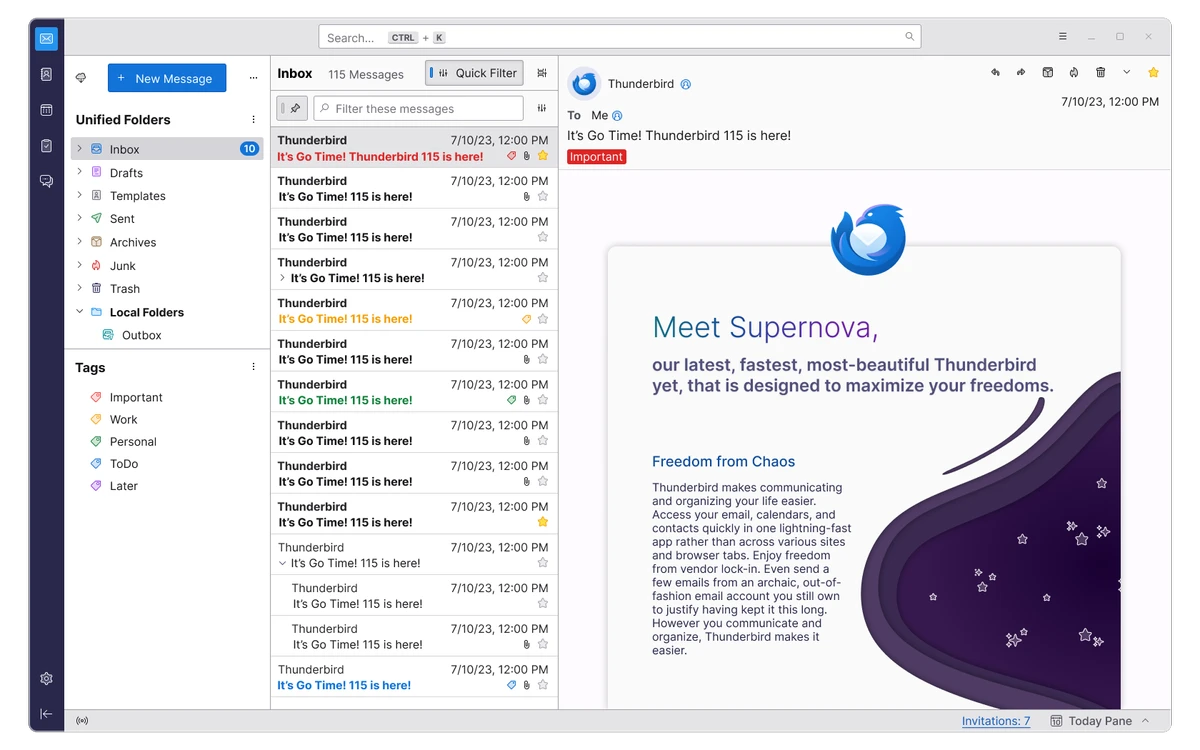

Mozilla Thunderbird is a free, open-source email client designed to centralize and manage digital communication in a single application. It supports multiple POP and IMAP email accounts, allowing users to access and organize messages from different providers without switching between platforms. Alongside email management, it also includes a built-in RSS feed reader, making it possible to follow news and updates directly within the same interface.
The software is built with a strong focus on security, privacy, and user control. It includes advanced junk mail filtering powered by Bayesian analysis, which learns over time to automatically identify and filter spam. Additional protections help reduce exposure to phishing attempts and malicious content by sanitizing HTML emails and blocking remote images in suspicious messages. These safeguards are designed to reduce risks commonly associated with email-based threats such as scams, worms, and viruses.
Users can apply tags, create custom views, and use powerful filtering tools to sort and prioritize large volumes of email. Its search capabilities include saved searches and virtual folders, which dynamically collect relevant messages across different accounts based on defined criteria. This makes it easier to manage complex inboxes without relying on manual sorting.
Features of Mozilla Thunderbird
- Supports multiple POP and IMAP email accounts
- Built-in RSS feed reader for news and updates
- Advanced junk mail filtering using Bayesian spam detection
- Automatic spam classification and learning-based filtering
- Protection against phishing and scam tactics
- HTML email security with remote image blocking and sanitization
- Flexible message views and tagging system
- Powerful search and saved search folders (virtual folders)
- Cross-account email organization and filtering
- S/MIME support for encrypted and signed emails
- OpenPGP support available via extension
- Highly customizable interface with extensions and add-ons
- Can run from removable storage like USB drives
- Cross-platform support (Windows, Mac, Linux)
Interface and Usability
Mozilla Thunderbird uses a structured interface designed around folders, message lists, and reading panes. The layout is focused on helping users manage multiple accounts and large volumes of email without clutter.
Messages can be organized using tags, filters, and saved searches, allowing emails from different accounts to be grouped logically. The RSS reader is integrated directly into the same interface, keeping news and email management in one place. Customization options and extensions allow the interface and functionality to be adjusted based on individual workflow needs.
Who Should Use Mozilla Thunderbird?
- Users managing multiple email accounts
- Professionals handling large volumes of email daily
- Privacy-conscious users needing encryption and secure messaging
- People who prefer offline-capable email clients
- Users who want integrated email and RSS feed reading
Conclusion
Mozilla Thunderbird is a reliable and secure email client that combines strong organization tools with advanced privacy features. Its support for multiple accounts, spam filtering, encryption, and RSS feeds makes it a practical choice for both personal and professional communication.


