


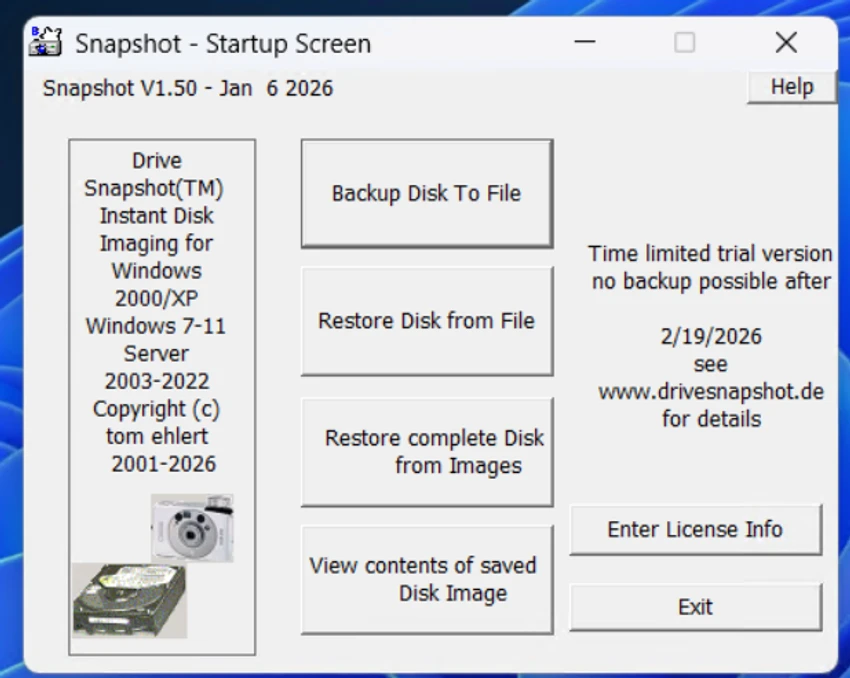

Drive Snapshot is a disk imaging and backup utility designed to create exact copies of partitions or entire hard drives while Windows is running. The software captures the operating system, installed applications, user data, and security settings into a single image file. Unlike traditional backup tools that may require restarting into another environment, Drive Snapshot allows users to continue working during the backup process. Its disk image technology is designed for reliable system protection, making it suitable for both personal computers and systems that need continuous availability.
Features of Drive Snapshot
Live Disk Image Backup
- Creates complete disk image backups while Windows is running
- No restart into DOS required during backup
- Allows users to continue working while backups are created
- Captures operating system, applications, data, and security attributes
Reliable Snapshot Technology
- Maintains consistent backup data during operation
- Handles open files during backup
- Creates images reflecting the system state at the start of the backup process
- Suitable for computers and servers that need continuous operation
File and Folder Recovery
- Allows access to individual files and directories from backup images
- Mounts image files as virtual drives
- Enables browsing and restoring data through Windows Explorer or other programs
Complete System Restoration
- Restores entire disks to their previous state
- Provides byte-for-byte recovery when restoring a disk image
- Helps recover systems after:
- Virus infections
- Trojan attacks
- Hard drive failures
File System and Hardware Support
- Supports Windows file systems:
- FAT16
- FAT32
- NTFS
- Compatible with Windows RAID methods
Command Line Support
- Provides a simple command line interface
- Supports automation of regular backup tasks
- Useful for scheduled maintenance workflows
User Experience
Drive Snapshot focuses on reliability and efficiency rather than offering a large collection of extra backup features. The main workflow is straightforward: create a complete disk image, store it safely, and restore the system or individual files when needed.
One of the most convenient aspects of the software is its ability to create backups while Windows is actively running. Users do not need to stop working or reboot into a separate environment before starting a backup. This makes it particularly useful for systems that need to remain available. The virtual drive mounting feature adds flexibility because users can access files inside a backup image without restoring the entire disk. This is helpful when only a specific document, folder, or application file needs to be recovered.
For administrators and advanced users, the command line interface provides options for automation and integration into regular backup routines. The support for servers and Windows recovery environments also expands its usefulness in professional settings. The software is lightweight, requiring minimal system resources compared with many modern backup applications. However, users should be comfortable managing image files and recovery processes, as the tool is focused on functionality rather than guided consumer-style workflows.
Who Should Use Drive Snapshot?
- System administrators
- IT professionals
- Businesses needing reliable system recovery
- Users who want complete disk image backups
- Servers requiring minimal downtime
- Advanced Windows users
Conclusion
Drive Snapshot provides a focused and efficient approach to system backup and recovery. By creating complete disk images without interrupting normal Windows usage, it offers a practical solution for protecting important systems and recovering quickly from failures.


