


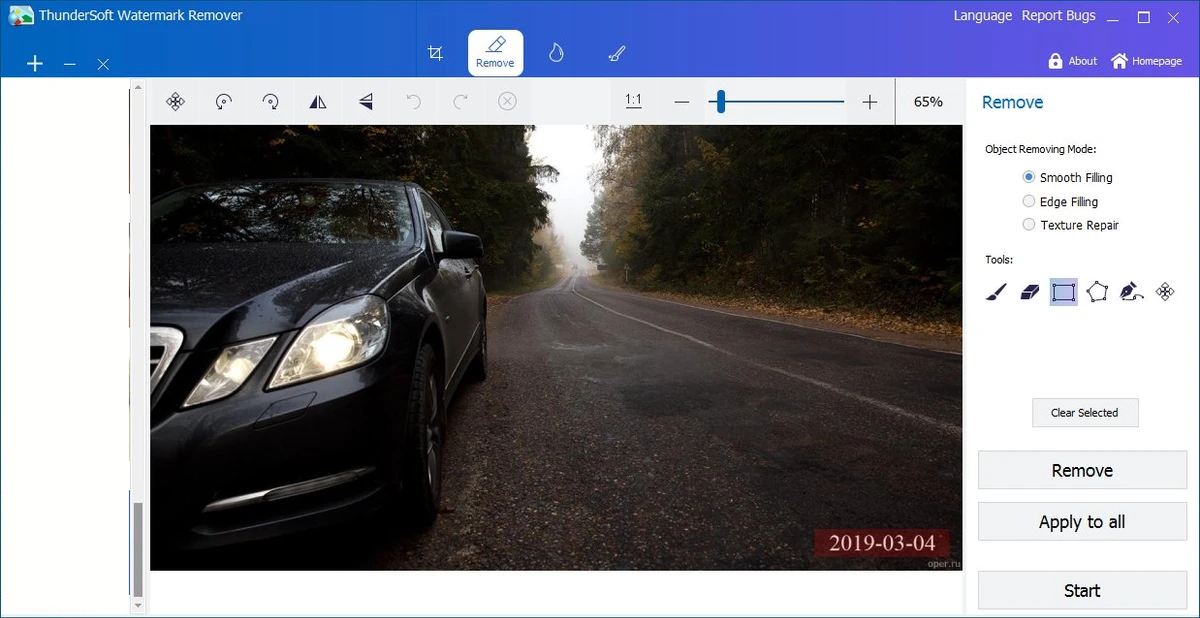

ThunderSoft Watermark Remover is a Windows image editing application designed to remove unwanted elements from photos and pictures. The software helps users eliminate watermarks, logos, date stamps, and other objects by selecting the unwanted area and applying automatic filling methods. Alongside watermark removal, the application includes basic photo editing tools and drawing features, making it a convenient solution for users who need quick image cleanup without using a full professional photo editor.
Features of ThunderSoft Watermark Remover
- Remove watermarks from photos and images
- Remove logos and date stamps
- Remove unwanted objects from pictures
- Multiple area selection tools
- Three removal methods:
- Smooth Filling
- Edge Filling
- Texture Repair
- Automatic texture generation for removed areas
- Undo and redo support
- Basic photo editing tools:
- Crop
- Rotate
- Flip
- Resize
- Add custom watermarks and logos
- Draw shapes on images:
- Straight lines
- Curves
- Rectangles
- Ellipses
- Arrows
User Experience
ThunderSoft Watermark Remover focuses on making unwanted object removal accessible to everyday users. Instead of requiring advanced photo editing knowledge, the application uses a straightforward workflow: select the unwanted area, choose a removal method, and apply the changes.
The selection tools make it easier to target different types of objects, whether removing a small logo, a date stamp, or a larger watermark area. The three available removal methods provide flexibility depending on the image and the surrounding texture. The automatic filling process is designed to restore the selected area using generated textures, helping the image return to a more natural appearance after editing. Users can also experiment with different methods and use undo and redo functions to adjust their edits.
Beyond watermark removal, the included editing tools add practical value. Simple operations such as cropping, rotating, resizing, and flipping images can be handled without opening another application. The drawing tools and watermark-adding features also make the software useful for users who need to annotate images or add their own branding elements. Overall, ThunderSoft Watermark Remover provides a focused editing experience for quick image corrections rather than a complete professional photo editing suite.
Conclusion
ThunderSoft Watermark Remover provides an easy way to clean up images by removing unwanted objects, logos, and watermarks. With flexible selection tools, multiple repair methods, and basic editing features, it offers a convenient workflow for everyday photo adjustments.


