Secret Disk logo

Secret Disk 2026 v323

  • User Rating:
    ★★★★★
    ★★★★★
    0.0 0Votes
  • Requirements:
    Windows
  • Version: 2026 v323
  • Latest updated: 1 day ago
  • License: Freemium  
  • Publisher: Clean Space LTD
  • Size: 0.4 MB
×

Secret Disk is a Windows utility designed to create hidden virtual drives that can be protected with a password. These virtual disks behave like standard hard drives, allowing users to store files and folders normally while keeping them hidden from unauthorized access. Unlike traditional encryption tools, Secret Disk does not encrypt files directly. Instead, it restricts access by hiding the virtual disk when it is locked, making the stored data invisible and inaccessible until the user unlocks it again.

Features of Secret Disk

  • Create hidden virtual drives on your PC
  • Protect disks with a password
  • Quickly lock and unlock disks within seconds
  • Store any type of files and folders on virtual drives
  • Multiple secret disks can be created simultaneously
  • Assign custom drive letters to virtual disks
  • Works like a standard hard disk in Windows
  • Automatically locks disks during power failure or system crash
  • Simple and lightweight interface
  • No need to format physical drives or modify system boot sectors

User Experience

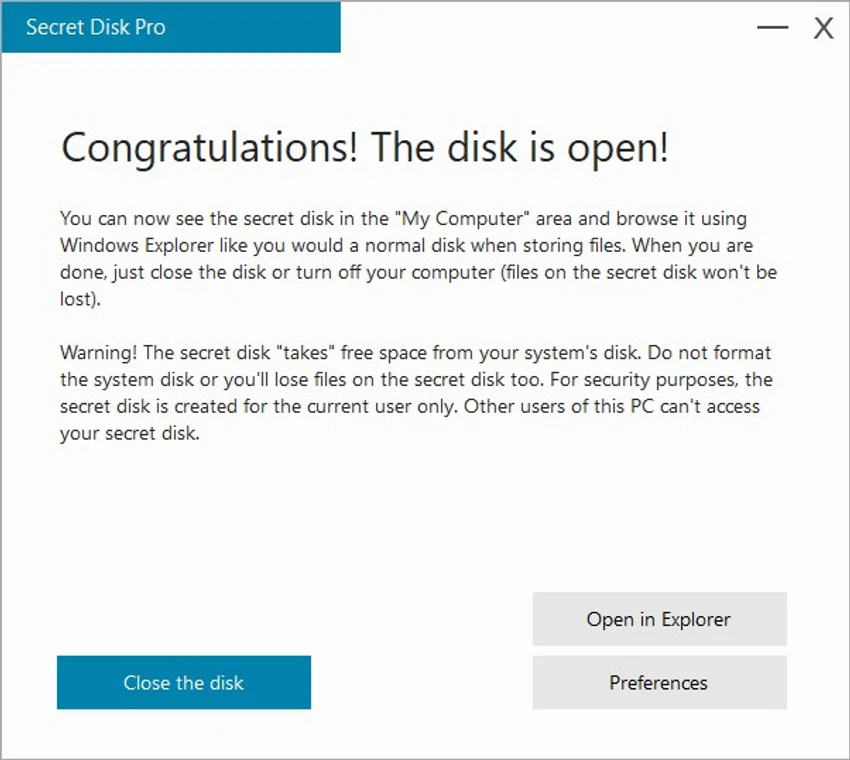
Using Secret Disk feels straightforward and lightweight. After installation, creating a new virtual drive is quick and does not require complex setup or system configuration. The disk appears like a normal drive inside Windows, allowing users to store files in a familiar way. Locking and unlocking the disk is fast and requires only a password, which makes it convenient for users who frequently switch between private and normal file access. When locked, the disk disappears from the system, effectively hiding its contents from view.

One important aspect to understand is that Secret Disk does not encrypt files. Instead, it relies on access restriction and disk visibility control. This makes it a practical solution for basic privacy needs, but not a replacement for full encryption tools in high-security environments. The automatic locking behavior during system failure or power loss adds an extra layer of convenience, ensuring that hidden disks remain inaccessible when the system restarts unexpectedly.

Conclusion

Secret Disk is a lightweight and practical tool for users who want simple file privacy without complex encryption systems. By creating hidden virtual drives that can be quickly locked and unlocked, it provides a convenient way to separate private data from regular storage.

Pros & Cons

Pros

    • Easy to create hidden virtual drives
    • Fast lock and unlock with password
    • Lightweight and simple interface
    • No need to format or modify system partitions
    • Supports multiple virtual disks
    • Works like a standard Windows drive
    • Automatically locks after system failure or power loss

Cons

    • Does not provide true file encryption
    • Security relies on access restriction rather than cryptography
    • Not suitable for high-security or enterprise-grade data protection
    • Limited advanced configuration options

Frequently Asked Questions

What is Secret Disk used for?

Secret Disk is used to create hidden virtual drives that store files securely and make them invisible when locked.

Does Secret Disk encrypt files?

No. Secret Disk does not encrypt files; it hides and restricts access to virtual disks using passwords.

Can I create multiple secret disks?

Yes. You can create more than one virtual hidden disk on the same system.

What happens if my PC crashes or loses power?

The secret disk is automatically locked and becomes invisible when the system restarts.

Is Secret Disk safe to use?

It is safe for basic privacy use, but it should not be relied on for high-security encryption needs.

Recommended apps [Freeware]:
  • Trillian 6.6 Build 15 Trillian logo all-in-one chat software designed to simplify online communication
  • Simple IP Config 2.9.7 Simple IP Config logo a lightweight, portable tool for quickly changing Windows IP, DNS, and network settings
  • StaxRip 2.52.4 StaxRip logo powerful Windows GUI for video/audio encoding using FFmpeg, x265, AviSynth+, VapourSynth, and more.
  • WSCC - Windows System Control Center 10.0.3.8 WSCC - Windows System Control Center logo Windows utility manager that installs, organizes, and runs Sysinternals and system tools from one central interface
  • OCCT 16.1.11.99 OCCT logo hardware monitoring and stress testing tool for CPU, GPU, memory, and power supply performance analysis.
  • BitTorrent 7.11.0.47255 BitTorrent logo peer-to-peer file sharing client for fast, decentralized downloads with bandwidth control and resume support
Recommended apps [Shareware]:
  • Quick Heal AntiVirus Pro 26.1.0.2 Quick Heal AntiVirus Pro logo real-time malware protection, ransomware defense, and email security
  • DBConvert Studio 4.3.1 DBConvert Studio logo simplifies database migration and synchronization across multiple database platforms.
  • Charles 5.2.0 Charles logo HTTP proxy tool for web debugging, allowing developers to inspect, modify, and analyze network traffic in real time
  • Bandizip 7.44 Bandizip logo Fast and intuitive file compression software supporting ZIP, RAR, 7Z, and more with high-speed archiving features
  • Send Anywhere 24.6.0 Send Anywhere logo free cross-platform file-sharing tool that transfers files of any size without registration.
  • Remote Desktop Manager 2026.2.9.0 Remote Desktop Manager logo manage RDP, SSH, VNC, and virtual machines from one secure centralized platform