Password Safe logo

Password Safe 3.72.0

  • User Rating:
    ★★★★★
    ★★★★★
    0.0 0Votes
  • Requirements:
    Windows
  • Version: 3.72.0
  • Latest updated: 1 week ago
  • License: Freeware  
  • Publisher: PWsafe
  • Size: 18 MB
× app stores

Password Safe is a password management tool designed to securely store, organize, and generate complex passwords. Instead of remembering multiple credentials, users only need a single master password to access an encrypted database containing all their login information. It focuses on simplicity and security, offering a straightforward way to manage sensitive credentials on Windows systems.

Overview

Password Safe helps users consolidate all their usernames and passwords into a secure encrypted vault. Once set up, it allows quick retrieval of login details while maintaining strong encryption to protect stored data. The software also supports password generation policies, enabling users to create strong and unique passwords based on rules they define. It can store data in one or multiple encrypted databases, helping users separate personal, work, or categorized credentials.

Features of Password Safe

  • Secure storage of usernames and passwords in an encrypted database
  • Master password access for unlocking all credentials
  • Password generation based on customizable policies
  • Organization of credentials by category, website, user ID, or location
  • Support for multiple password databases (e.g., work vs personal)
  • Fast retrieval of stored login credentials
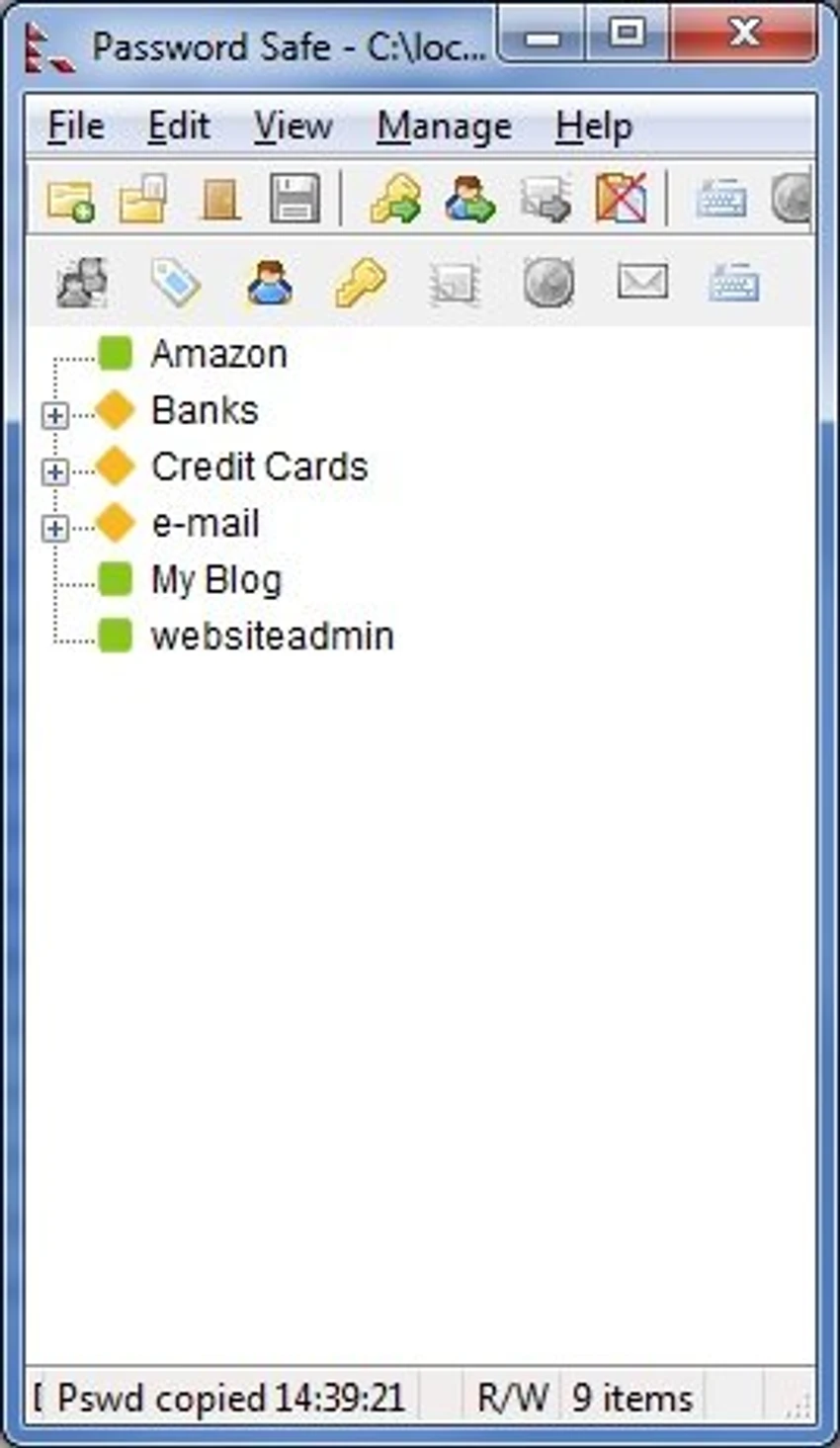
  • Simple and intuitive user interface
  • Centralized password management for all accounts

User Experience

Password Safe is designed to be straightforward, even for users who are new to password managers. Setup involves creating a master password, after which users can begin adding and organizing credentials. The interface prioritizes clarity over complexity, allowing quick access to stored passwords with minimal clicks. Users can structure their password database in a way that fits their workflow, which is especially helpful for those managing many accounts. Overall, it delivers a practical balance between usability and security without overwhelming configuration requirements.

System Requirements

  • Windows 7, 8, 10, 11

Who Should Use Password Safe?

  • Users who want a simple, secure password manager
  • Individuals managing multiple online accounts
  • Professionals separating personal and work credentials
  • Users who prefer offline password storage solutions
  • Anyone needing strong, policy-based password generation

Conclusion

Password Safe is a reliable and easy-to-use password manager focused on secure local storage and strong encryption. Its master password system and organizational flexibility make it a practical choice for users who want better control over their login credentials.

Pros & Cons

Pros

  • Strong encrypted password storage
  • Simple and beginner-friendly interface
  • Flexible organization of credentials
  • Custom password generation policies
  • Supports multiple databases for separation of data

Cons

  • No mention of cloud sync or mobile integration
  • Lacks advanced ecosystem features found in modern password managers

Frequently Asked Questions

What is Password Safe used for?

Password Safe is used to securely store and manage usernames and passwords in an encrypted database.

Do I need to remember all my passwords?

No, you only need to remember one master password to access all stored credentials.

Can I organize my passwords?

Yes, you can organize them by categories, websites, or user IDs.

Does Password Safe generate strong passwords?

Yes, it can generate passwords based on customizable security policies.

Is Password Safe suitable for beginners?

Yes, it has a simple interface designed for quick setup and easy use.

Recommended apps [Freeware]:
  • FastCopy 5.11.3 FastCopy logo a lightweight Windows tool for ultra-fast file copying, syncing, and error-resilient data transfer
  • Valentina Studio 17.5 Valentina Studio logo manage SQL and NoSQL databases with schema design, queries, reports, and cross-platform support.
  • Clean Space 2026 v721 Clean Space logo a Windows utility for removing system junk files, cache, logs, and improving online privacy protection.
  • WD Drive Utilities 2.1.6.511 WD Drive Utilities logo Manage, diagnose, and optimize Western Digital external hard drives with WD Drive Utilities for Windows
  • Google Chrome 149.0.7827.201 Google Chrome logo fast, secure, and stable web browser with sandboxing, tab isolation, and a minimal interface for modern web applications
  • Hasleo Backup Suite 5.8.2.2 Hasleo Backup Suite logo Windows backup software for system restore, disk imaging, and cloning with emergency recovery support
Recommended apps [Shareware]:
  • iPubsoft Android Desktop Manager 3.7.22 iPubsoft Android Desktop Manager logo transfer files, manage Android data, back up and restore devices, and organize contacts and SMS from your PC
  • Foxit PDF Editor 2026.1.1.36485 Foxit PDF Editor logo complete PDF solution for businesses, offering advanced editing, collaboration, and document security features.
  • DP Animation Maker 3.5.51 DP Animation Maker logo a simple Windows tool for creating animated images, GIFs, and videos with effects, objects, and music.
  • TweakNow Gallery 1.3.1 TweakNow Gallery logo a fast Windows photo viewer and organizer with slideshow and built-in image conversion tools
  • Home Manager 2026 v4.10.1002 Home Manager logo track home inventory, store item details, manage repairs, and generate insurance reports
  • EaseUS Data Recovery Wizard 20.5.0 EaseUS Data Recovery Wizard logo Recover deleted or lost files with EaseUS Data Recovery Wizard using quick and deep scans for hard drives