


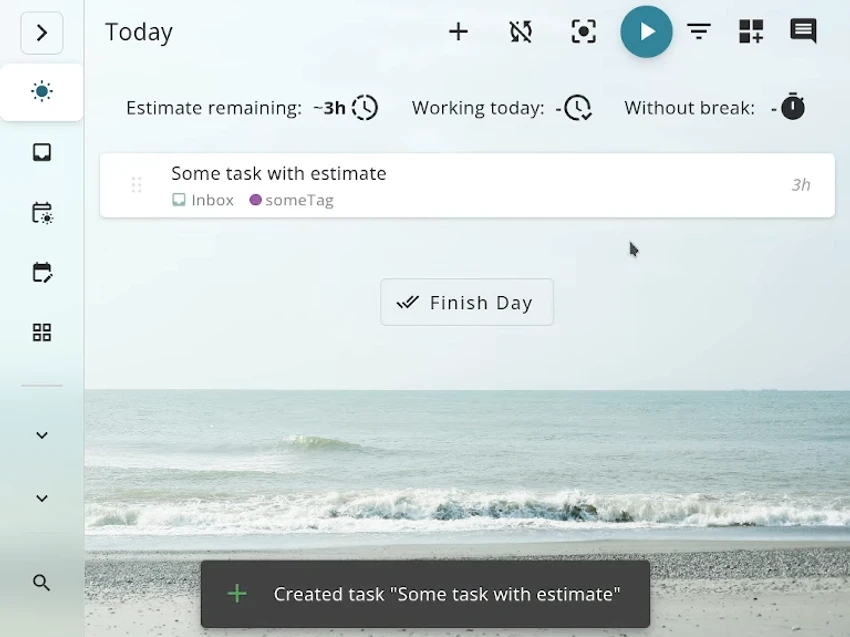

Super Productivity is a free, open-source productivity application that combines task management, time tracking, note-taking, and Pomodoro-based focus sessions into a single workspace. Designed for individuals and professionals alike, it helps users organize projects, manage daily workloads, and monitor how time is spent without relying on cloud-hosted accounts or collecting personal data.
The application allows users to create structured task lists using projects, subtasks, tags, and color coding, making it easy to organize work of any size. Built-in time tracking and timeboxing tools help estimate workloads, generate timesheets, and export work summaries when needed. The integrated Pomodoro timer encourages focused work sessions with scheduled breaks, while additional productivity tools such as break reminders, anti-procrastination prompts, and personal metrics help users build healthier work habits.
Super Productivity also integrates with popular project management and development platforms, including Jira, Trello, GitHub, GitLab, Gitea, OpenProject, Linear, ClickUp, Azure DevOps, and CalDAV calendars. Tasks assigned through these services can be imported for local planning, while work logs and notifications help keep projects synchronized.
All tasks, notes, and timers are stored locally by default, giving users complete control over their data. Optional synchronization through Dropbox, WebDAV, or a personal cloud provider enables access across multiple devices without requiring vendor-managed accounts.
Features of Super Productivity
- Task management with projects, subtasks, and tags
- Color-coded task organization
- Built-in Pomodoro timer
- Time tracking and timeboxing
- Timesheet and work summary generation
- Break reminders
- Anti-procrastination tools
- Personal productivity metrics
- Local note-taking
- Attach files, links, bookmarks, and commands to tasks
- Integration with Jira
- Integration with Trello
- Integration with GitHub
- Integration with GitLab
- Integration with Gitea
- Integration with OpenProject
- Integration with Linear
- Integration with ClickUp
- Integration with Azure DevOps
- Basic CalDAV support
- Dropbox synchronization
- WebDAV synchronization
- Local data storage with optional cloud sync
- Open-source and privacy-focused
Interface and Usability
Super Productivity features a clean, modern interface inspired by Google's Material Design. Navigation is intuitive, with projects, tasks, notes, and timers organized into clearly defined sections that make it easy to manage daily work.
The built-in Pomodoro timer integrates naturally with task planning, allowing users to move between organizing work and focusing on individual tasks without switching applications. Multiple color themes provide customization options, while the overall layout remains uncluttered despite the application's extensive feature set. Although first-time users may need a short period to explore the available integrations and productivity tools, the interface remains approachable for both personal and professional use.
Who Should Use Super Productivity?
- Professionals managing daily workloads
- Software developers using Jira, GitHub, or GitLab
- Freelancers tracking billable hours
- Students organizing study schedules
- Remote workers
- Anyone using the Pomodoro Technique to improve focus
Conclusion
Super Productivity combines task management, time tracking, note-taking, and focus tools into a polished application that emphasizes privacy and flexibility. Its local-first approach, combined with powerful integrations and customizable workflows, makes it an excellent productivity companion for both individual users and development teams.


