


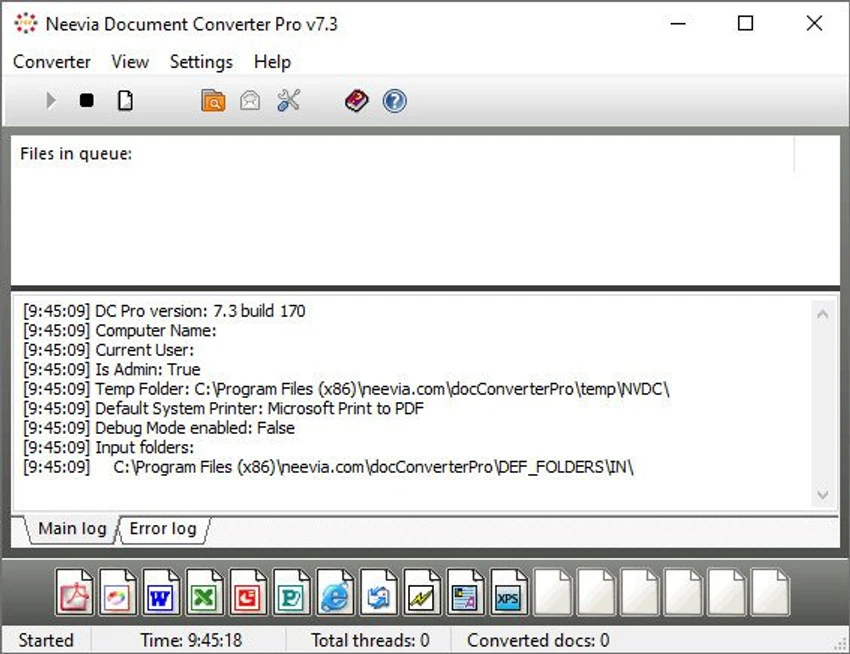

Neevia Document Converter Pro is an enterprise-grade document conversion solution designed to automate the conversion of hundreds of file formats into PDF, PDF/A, PostScript, and various image formats. Supporting more than 300 document types, the software is built for organizations that process large volumes of files and require reliable, high-performance document conversion. Features such as batch processing, OCR, multi-threaded conversion, clustering, and workflow integration make it suitable for business environments where document automation is essential.
Features of Neevia Document Converter Pro
- Convert more than 300 document formats
- Export files to PDF, PDF/A, PostScript, TIFF, JPEG, PNG, BMP, PCX, and other supported formats
- Batch document conversion through monitored folders
- Monitor multiple email accounts and automatically convert attachments
- Multi-threaded conversion for improved performance
- Failover and clustering support for high availability
- OCR support for image and PDF document recognition
- Conversion scheduling
- Multiple input folders with independent configurations
- Convert HTML with support for CSS, SSL, Java, and Flash images
- Preserve hyperlinks and headings from Microsoft Word, Excel, and PowerPoint as PDF bookmarks and links
- Convert Microsoft Word form fields into PDF form fields
- PDF merge and split functionality
- Add watermarks and stationery to PDF files
- Encrypt PDF documents with 128-bit or 256-bit encryption
- Embed fonts with multilingual support
- COM object and .NET component for application integration
- Run as a Windows service
- Print supported documents directly to a physical printer instead of converting them
User Experience
After using Neevia Document Converter Pro, I found that it is designed primarily for business and enterprise workflows rather than individual desktop users. The software emphasizes automation, stability, and high-volume document processing. Setting up monitored folders and scheduled conversion tasks allows incoming documents to be processed automatically without constant user intervention. This makes it particularly useful in environments where large numbers of files are generated daily. The support for more than 300 document formats provides considerable flexibility. Whether working with Microsoft Office documents, WordPerfect files, HTML, AutoCAD drawings, emails, PostScript files, or images, the software offers a centralized conversion solution.
OCR support is another valuable feature, allowing scanned documents and image-based PDFs to become searchable during the conversion process. I also appreciated the built-in PDF management capabilities, including merging, splitting, watermarking, encryption, and preserving hyperlinks from Microsoft Office documents. These features reduce the need for additional PDF editing software in many workflows.
For organizations that require system integration, the included COM object, .NET component, Windows Service support, and clustering capabilities make deployment more flexible in automated environments. Overall, Neevia Document Converter Pro delivers a comprehensive document conversion platform for organizations that need scalable and reliable file processing.
Who Should Use Neevia Document Converter Pro?
- Businesses processing large volumes of documents
- Legal firms
- Insurance companies
- Pharmaceutical organizations
- Enterprises automating document workflows
- IT administrators managing centralized document conversion systems
- Developers integrating document conversion into custom applications
Conclusion
Neevia Document Converter Pro is a powerful document conversion platform built for enterprise environments. Its extensive file format support, OCR capabilities, automation tools, workflow integration options, and high-performance architecture make it a strong choice for organizations that rely on large-scale document processing.


