


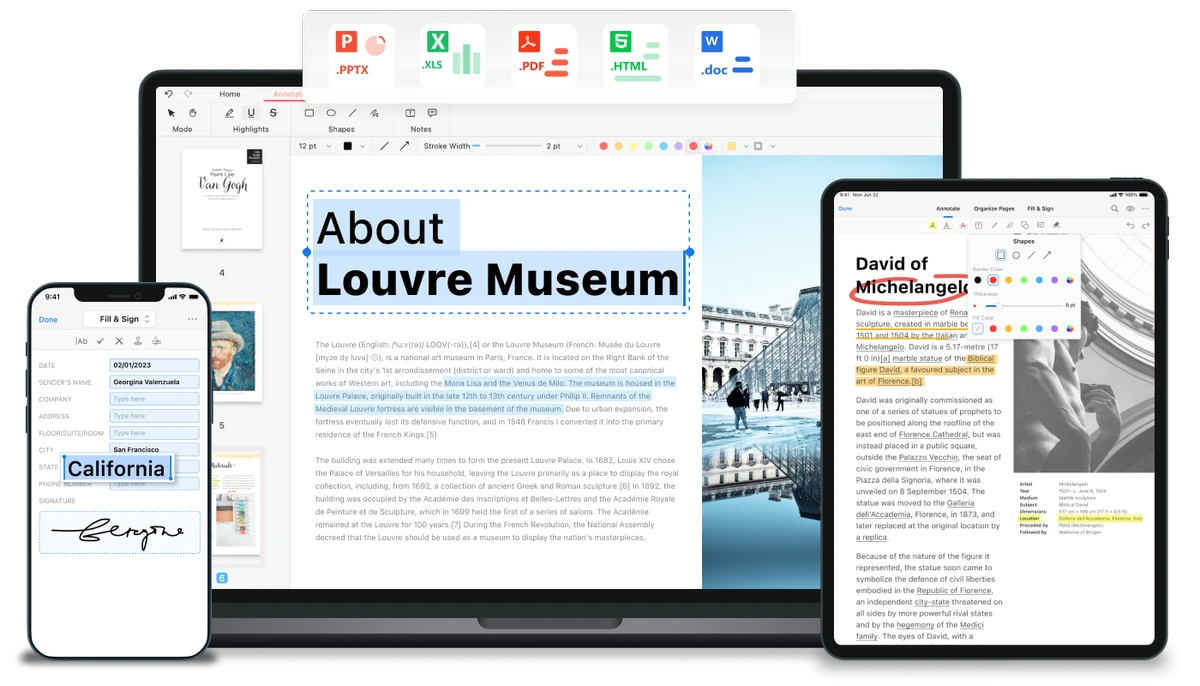

PDFgear is a free PDF management tool designed to handle editing, conversion, and document processing tasks without requiring sign-up or subscription. It combines traditional PDF editing features with AI-assisted capabilities, making it a versatile solution for both simple document edits and more advanced workflows like summarization and OCR processing.
Overview
PDFgear is positioned as an all-in-one PDF solution that allows users to read, edit, convert, merge, and sign PDF documents. Unlike many traditional PDF editors, it emphasizes accessibility by offering full functionality without mandatory registration or payment. One of its standout features is its Word-like editing experience, where users can directly modify text, images, and layout elements inside a PDF file. This makes it easier for users to work with documents without converting them into separate formats first. In addition to standard PDF tools, PDFgear integrates AI capabilities and OCR functionality to support scanned documents and intelligent document processing.
Features of PDFgear
- Edit PDF text directly in a Word-like interface
- Insert, replace, or remove images and text elements
- Convert between 60+ file formats (Word, Excel, PowerPoint, images, e-books, etc.)
- Batch file conversion for improved productivity
- Merge, split, and organize PDF documents
- Digital signing for secure document handling
- OCR support for scanned PDFs
- Convert scanned documents into editable Word files
- AI-powered PDF Copilot for natural language interaction
- Summarize, rewrite, and analyze PDF content using AI
- Chat-based interaction with documents for quick insights
- Free to use with no sign-up required
User Experience
PDFgear delivers a modern and intuitive experience, especially for users familiar with office-style document editing. The ability to directly edit PDF text without complex conversion steps makes it particularly convenient for quick document modifications. The interface is designed to be accessible, with clear tools for editing, conversion, and organization. The AI Copilot feature adds another layer of usability by allowing users to interact with documents using natural language commands, which can simplify tasks like summarization or content rewriting.
OCR performance is especially useful for scanned documents, enabling users to convert non-editable files into usable formats. However, performance may vary depending on document quality and complexity. Overall, the experience feels like a blend of traditional PDF editing software and modern AI-assisted productivity tools.
Who Should Use PDFgear?
PDFgear is ideal for students, office workers, researchers, and professionals who frequently work with PDF documents and need a free, all-in-one editing solution. It is especially useful for users who want AI-assisted features for summarization, rewriting, and document analysis without subscribing to paid software.
Conclusion
PDFgear is a powerful and modern PDF editor that combines essential document tools with AI-driven features. Its free access model and wide range of functions make it a strong alternative to traditional paid PDF software.


