


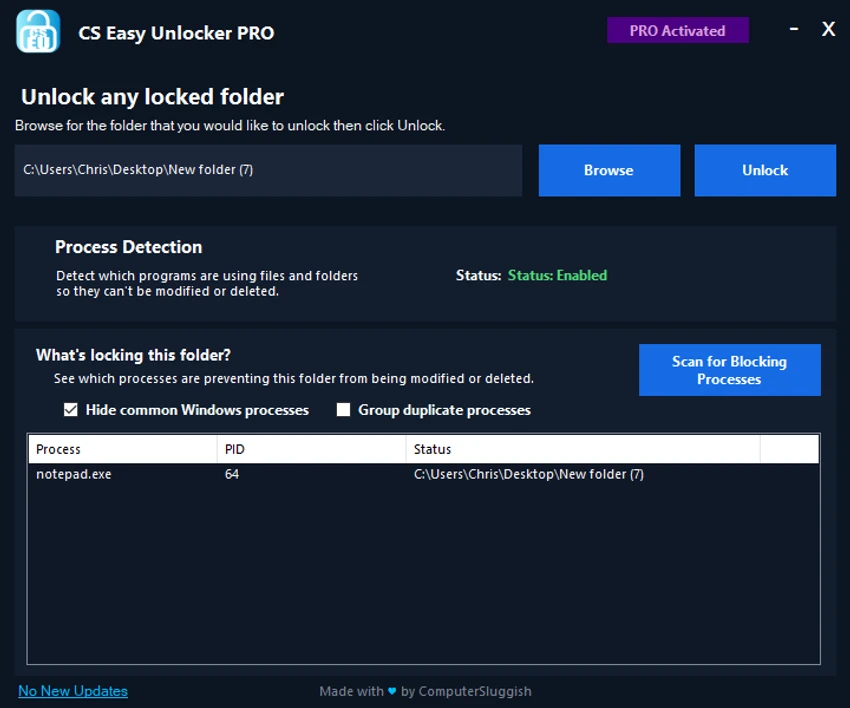

CS Easy Unlocker is a lightweight Windows utility designed to help users unlock folders that trigger the common “Access Denied” error. Built for simplicity, the tool focuses on restoring access to protected or locked files and directories using a straightforward one-click approach. Instead of manually changing permissions or navigating complex Windows security settings, CS Easy Unlocker provides a faster way to regain control of restricted folders, especially on Windows 10 and Windows 11 systems.
Features of CS Easy Unlocker
- Simple and lightweight interface
- One-click unlocking of restricted Windows folders
- No installation required (portable tool)
- Designed to fix “Access Denied” errors
- Works with locked folders on Windows 10 and Windows 11
- Quick access restoration to protected files and directories
- Minimal system footprint (0.1 MB)
User Experience
CS Easy Unlocker feels extremely lightweight and straightforward from the moment it is launched. Since it does not require installation, it can be used immediately, which is convenient when dealing with urgent access issues. The interface is minimal, focusing entirely on the task of unlocking folders. Users simply select a restricted folder and trigger the unlock function. This one-click approach removes the need to manually adjust permissions through Windows security settings, which can be time-consuming and confusing for less experienced users.
Conclusion
CS Easy Unlocker is a quick and convenient tool for resolving common folder access issues in Windows. Its simplicity, portability, and one-click operation make it a practical choice for users who want to bypass “Access Denied” errors without dealing with complex system settings.


