


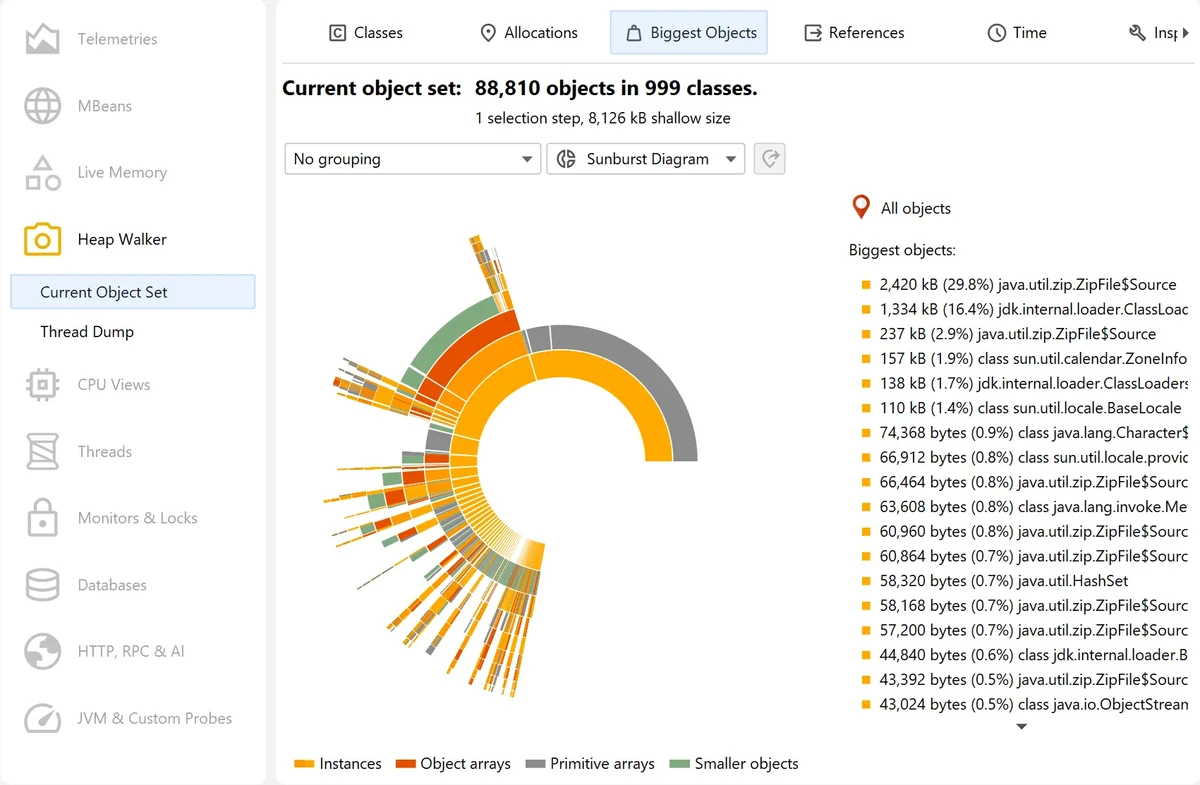

JProfiler is a professional profiling tool designed for Java applications, helping developers identify performance bottlenecks and optimize code execution. It combines deep analysis capabilities with a user-friendly interface, making it suitable for both experienced developers and teams working on enterprise applications. During my experience with it, I found that JProfiler presents complex profiling information in an organized and approachable manner.
Features of JProfiler
- Dynamic profiling for Java applications
- Straightforward session configuration
- Third-party integrations for quick setup
- Natural and easy-to-understand presentation of profiling data
- JDBC profiling with timeline and activity views
- JPA and Hibernate profiling support
- NoSQL database probes for MongoDB, Cassandra, and HBase
- Hot spots view for identifying slow database statements
- Telemetry views and individual event analysis
- Extensive Java Enterprise Edition (JEE) support
- Request-based call tree analysis
- Semantic profiling layer for JDBC, JPA/Hibernate, JMS, and JNDI
- High-level profiling information for RMI calls, files, sockets, and processes
- Support for web services, JSP/Servlets, and JMS
- Custom probes configurable on the fly
- Compatible with Windows 11, Windows 10, and Windows Server 2025, 2022, 2019, and 2016
User Experience
After working with JProfiler, one of the first things I noticed was how approachable the setup process is. Creating profiling sessions is straightforward, and the interface organizes large amounts of information without feeling overwhelming. Database profiling stands out as one of its strongest areas. The JDBC timeline view and hot spots analysis make it much easier to understand where performance issues originate. Rather than simply showing raw metrics, JProfiler helps connect slow queries to the code responsible for them.
The support for Java Enterprise Edition environments is equally impressive. Breaking down call trees by components and request URIs provides valuable insight into how enterprise applications behave under load. I also appreciated the semantic layer added on top of low-level profiling data, making the results easier to interpret. Advanced users will benefit from the numerous probes that cover files, sockets, processes, and remote method calls. Custom probes can also be configured dynamically, providing additional flexibility when analyzing specific application components.
Despite the depth of information available, the interface remains surprisingly easy to navigate, allowing developers to focus on solving performance problems instead of learning the tool itself.
Who Should Use JProfiler?
- Java developers optimizing application performance
- Enterprise development teams working with JEE applications
- Developers troubleshooting JDBC and JPA performance issues
- Teams using MongoDB, Cassandra, or HBase databases
- Professionals requiring detailed profiling and event tracing
- Software engineers seeking deep insights into resource usage
Conclusion
JProfiler is a highly capable performance analysis tool that balances depth with usability. Its database profiling features, enterprise Java support, and extensive monitoring capabilities make it an excellent choice for developers who need to diagnose bottlenecks and optimize application performance. If you're building or maintaining Java applications and want detailed insight into how they behave, JProfiler is a tool worth considering.


