


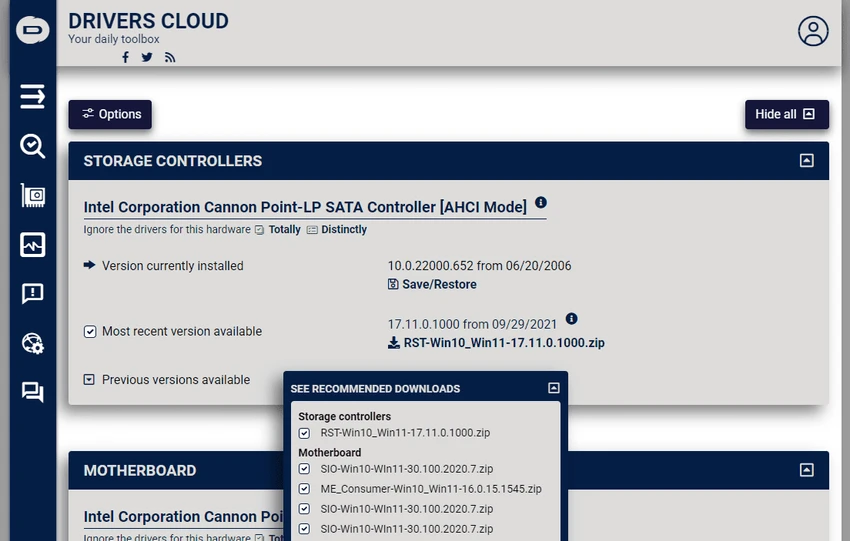

DriversCloud is a Windows utility designed to analyze your computer’s hardware and software configuration, assist with driver updates, and provide real-time system monitoring. It is commonly used for troubleshooting, system diagnostics, and keeping device drivers up to date. The tool also includes diagnostic features such as BSOD analysis and exportable system reports for sharing or technical support.
DriversCloud performs a deep scan of your system to identify installed hardware components, drivers, and software configurations. It then presents this information in a structured format that can be used for diagnostics or maintenance. Beyond system detection, it supports driver update assistance and hardware monitoring, allowing users to keep track of critical performance metrics like CPU and GPU temperature, voltage, and overall system health. It is also capable of exporting system reports in formats such as PDF for documentation or remote support purposes.
Additionally, it includes tools for analyzing Blue Screen of Death (BSOD) crashes, making it useful for troubleshooting system stability issues.
Features of DriversCloud
- Complete hardware and software system detection
- Driver installation and update assistance
- Real-time hardware monitoring (CPU/GPU temperature, voltage, etc.)
- BSOD (Blue Screen of Death) crash analysis
- Export system configuration to PDF reports
- Shareable system diagnostic summaries
- Deep system scanning for installed components
- Useful for troubleshooting and technical support
User Experience
Using DriversCloud feels like working with a detailed system diagnostic dashboard. Once launched, it quickly gathers extensive information about the machine and organizes it into readable categories. The real-time monitoring feature is particularly useful for users who want to keep track of hardware performance under load. It provides continuous insight into system behavior, which can help identify overheating or instability issues.
Conclusion
DriversCloud is a powerful diagnostic and driver management tool that goes beyond basic system scanning. With real-time monitoring, BSOD analysis, and detailed hardware reporting, it is particularly valuable for users who need deeper insight into system performance and stability.


