


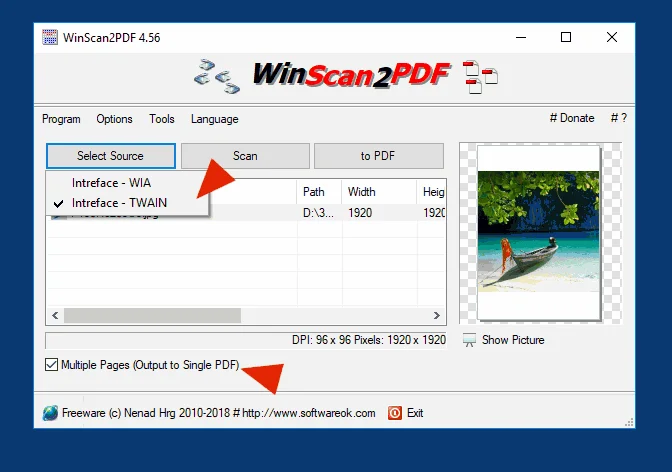

WinScan2PDF is a lightweight, portable scanning tool that allows users to scan documents and save them directly as PDF files. Designed for simplicity, it eliminates the need for complex PDF printer drivers or large software suites, making it perfect for occasional document scanning.
Overview
If you occasionally need to send signed or printed documents via email, WinScan2PDF is a practical solution. The program supports multiple-page PDFs, allows quality adjustments, and even lets users save scans as JPEGs. Its small size and portable design mean it runs efficiently without installation and works with almost any scanner. With low CPU usage and a straightforward interface, it is ideal for users who want a no-fuss scanning tool that focuses purely on generating PDF files.
Key Features of WinScan2PDF
- Scan documents directly to PDF
- Support for multiple-page PDF documents
- Adjustable scan quality for PDFs
- Option to save scans as JPEG images
- Built-in translation support
- Compatible with a wide range of scanners
- Very small program size and portable
- Low CPU and system resource usage
User Experience
WinScan2PDF is extremely easy to use. After launching, users select their scanner, scan the document, and save it as a PDF with just a few clicks. The interface is minimal and intuitive, making it accessible even to users unfamiliar with scanning software. Multiple pages can be combined into a single PDF, and the quality settings allow control over file size versus image clarity. Its portability is a significant advantage for those who do not want to install permanent software or need to use it on multiple computers.
Who Should Use WinScan2PDF?
- Users who occasionally need to scan and send documents
- Professionals needing a lightweight, portable scanning tool
- Students or home users looking for simple PDF scanning
- Anyone who prefers low-resource, straightforward software
Conclusion
WinScan2PDF is a small but powerful tool for scanning documents directly to PDF or JPEG. Its simplicity, portability, and low CPU usage make it ideal for casual users or anyone who needs a quick, efficient way to digitize documents. For those who want a no-frills, reliable scanning solution, WinScan2PDF is highly recommended.


