


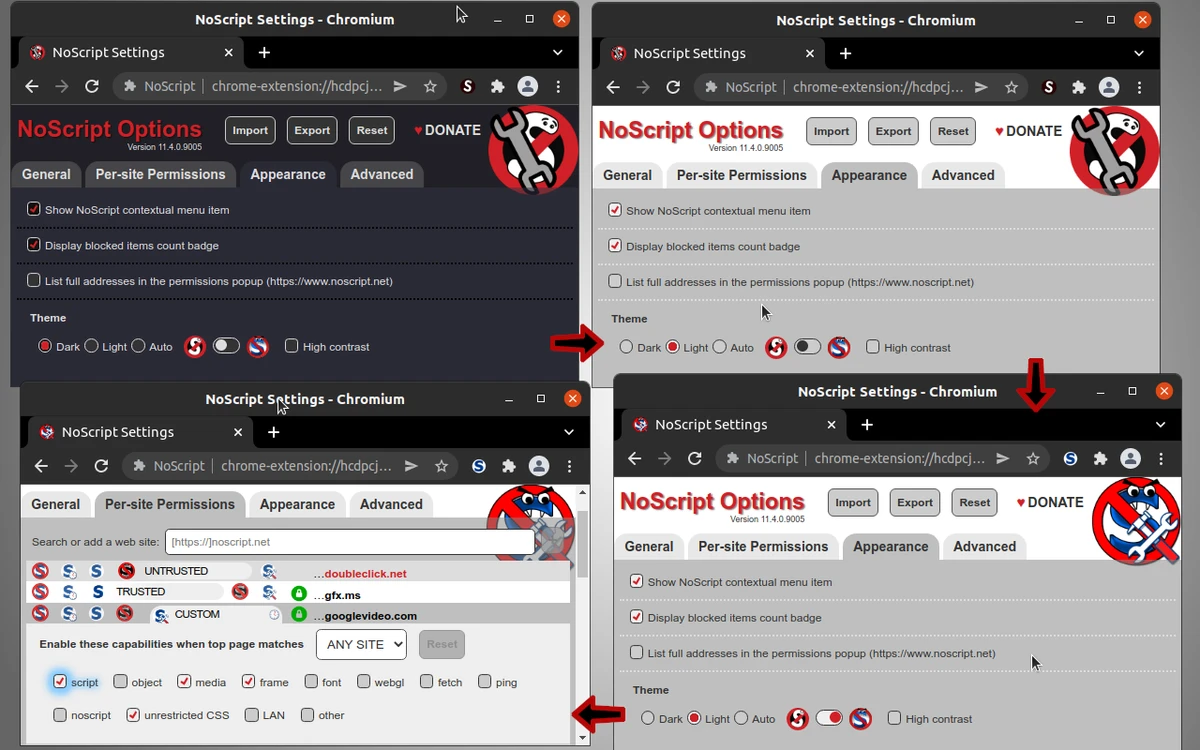

NoScript is an open-source browser extension designed to improve web security by blocking JavaScript, Java, Flash, and other potentially harmful active content by default. Available for Firefox, Chrome, and other Mozilla- and Chromium-based browsers, it gives users complete control over which websites are allowed to execute scripts. After using NoScript, I found that its whitelist-based approach offers strong protection against malicious websites while allowing trusted sites to function normally. Combined with advanced anti-XSS and anti-clickjacking defenses, it provides an extra layer of browser security for users who want greater control over web content.
Features of NoScript
- Blocks JavaScript, Java, Flash, and other active content by default
- Open-source browser extension
- Compatible with Firefox, Chrome, and other Mozilla- and Chromium-based browsers
- Whitelist-based security model for trusted websites
- Temporarily or permanently allow scripts on selected websites
- Advanced protection against Cross-Site Scripting (XSS) attacks
- Built-in anti-clickjacking protection
- Detailed configuration options for script blocking behavior
- Customizable whitelist management
- Supports HTTPS-related security configuration
- Easy script management through the browser toolbar or context menu
Interface and Usability
NoScript integrates directly into the browser toolbar, making it easy to control script permissions while browsing. By default, scripts are blocked automatically, and trusted websites can be added to a whitelist with only a few clicks. During use, the toolbar icon provides quick access to temporary and permanent permissions, while the configuration panel offers more advanced options for users who want fine-grained control over browser security. Although new users may need some time to understand the permission system, the interface remains organized and highly customizable.
Who Should Use NoScript?
- Privacy-conscious users
- Security professionals
- Developers testing website scripts
- Users who frequently visit unfamiliar websites
- Anyone seeking stronger protection against malicious web content
- Firefox and Chrome users who prefer granular control over browser permissions
Conclusion
NoScript is one of the most comprehensive browser security extensions for users who want maximum control over active web content. Its default script-blocking approach, combined with whitelist management and protection against XSS and clickjacking attacks, makes it a valuable tool for enhancing browser security. If you're comfortable managing site permissions and want stronger protection while browsing, NoScript is well worth installing.


