


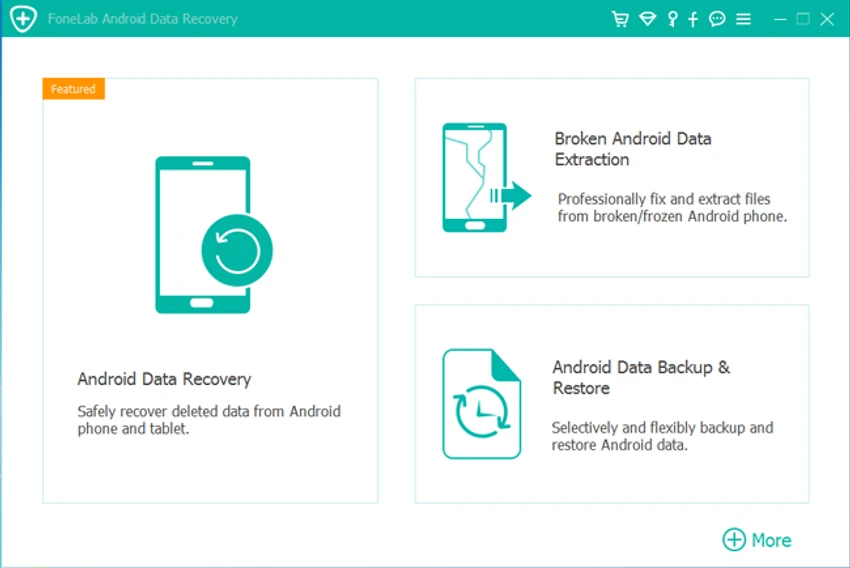

FoneLab Android Data Recovery is a Windows-based recovery tool designed to help users restore lost or deleted data from Android phones, SD cards, and SIM cards. The software focuses on recovering important personal files, including contacts, messages, message attachments, call history, photos, videos, audio files, WhatsApp data, and documents.
The application is designed to handle data loss situations caused by accidental deletion, system crashes, virus attacks, device failures, forgotten passwords, rooting issues, SD card problems, and other common Android-related issues. As long as the device can be detected by FoneLab, the software can attempt to recover available data. FoneLab Android Data Recovery provides multiple recovery methods. Users can recover data directly from an Android phone, scan an SD card, or restore information from a SIM card. Before completing recovery, the software allows users to preview available files and select specific data for restoration.
Beyond standard recovery features, FoneLab also includes related Android tools such as broken Android data extraction and Android data backup and restore functions. The software supports a wide range of Android devices, including models from Samsung, HTC, LG, Motorola, Sony, Google, and HUAWEI. With support for Android 5.0 and later versions, including newer Android releases, FoneLab Android Data Recovery is designed for users who need a convenient way to recover important mobile data on Windows computers.
Features of FoneLab Android Data Recovery
- Recovers deleted or lost Android data
- Supports recovery from Android phones, SD cards, and SIM cards
- Restores contacts, messages, message attachments, and call logs
- Recovers photos, videos, music, audio files, and documents
- Supports WhatsApp data recovery
- Provides preview before data recovery
- Allows users to select specific files before restoring
- Supports Android devices from brands including Samsung, HTC, LG, Motorola, Sony, Google, and HUAWEI
- Handles recovery after accidental deletion, virus attacks, system crashes, and device issues
- Includes broken Android data extraction features
- Includes Android data backup and restore tools
- Supports Android 5.0 and above
Interface and Usability
FoneLab Android Data Recovery is designed with a guided recovery workflow that helps users move through the recovery process step by step. The software provides different recovery modes depending on where the lost data is stored, including Android devices, SD cards, and SIM cards.
The preview function improves usability by allowing users to check available files before recovery. Instead of restoring all detected data, users can review results and choose specific contacts, messages, photos, documents, or other supported file types. The software is designed for both basic recovery tasks and more advanced situations involving damaged or inaccessible Android devices. However, successful recovery depends on factors such as device detection, data condition, and whether the lost files remain recoverable.
Who Should Use FoneLab Android Data Recovery?
- Android users who accidentally deleted important files
- Users recovering contacts, messages, or media files
- People dealing with Android device failures or system problems
- Users who need SD card or SIM card recovery options
- Anyone looking for a Windows-based Android recovery solution
Conclusion
FoneLab Android Data Recovery provides a comprehensive solution for users who need to recover lost Android data from phones, SD cards, or SIM cards. With support for contacts, messages, media files, WhatsApp data, and documents, it covers many common data recovery needs.


