Urban VPN logo

Urban VPN 5.2.1

  • User Rating:
    ★★★★★
    ★★★★★
    0.0 0Votes
  • Requirements:
    Windows
  • Version: 5.2.1
  • Latest updated: 4 days ago
  • License: Freeware  
  • Publisher: Urban VPN
  • Size: 70.5 MB
× app stores

Urban VPN for Windows is a virtual private network tool designed to help users protect their identity and privacy while browsing the internet. It provides access to multiple VPN servers across different countries, enabling users to change their virtual location and browse more securely.

Overview

Urban VPN for Windows focuses on delivering a free and unlimited VPN service with access to a wide network of servers. It allows users to connect through 21 different locations worldwide, offering flexibility when accessing websites or online services. The software emphasizes speed optimization, privacy protection, and unrestricted browsing. With built-in encryption and DNS/IPv6 leak protection, it aims to secure user data while replacing the real IP address with an anonymous one from its server network.

Features of Urban VPN for Windows

  • Free VPN service with unlimited usage
  • Access to servers in 21 countries
  • Fast connection speeds optimized for browsing
  • Unlimited server and location switching
  • Data encryption for secure internet activity
  • DNS and IPv6 leak protection
  • Real IP masking with anonymous IP assignment
  • Compatible with Windows 11, 10, 8, and 7

User Experience

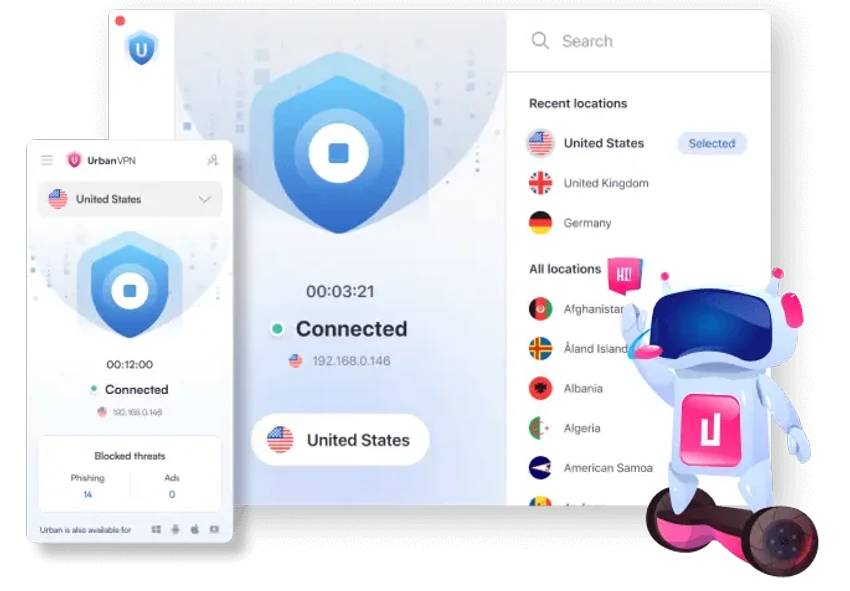
From a user perspective, Urban VPN for Windows is designed for simplicity. The interface focuses on quick connection setup, allowing users to switch locations without complex configuration. Once connected, the VPN runs in the background while maintaining access to websites with a different IP address. Performance is centered on speed optimization and unlimited bandwidth, which supports continuous browsing without noticeable usage restrictions. However, actual experience may vary depending on server load and location selection.

Who Should Use Urban VPN for Windows?

Urban VPN for Windows is suitable for users who want basic, free VPN protection for everyday browsing. It is especially useful for those who need to access region-restricted websites, enhance privacy on public networks, or simply change their virtual location without advanced configuration.

Conclusion

Urban VPN for Windows delivers a straightforward and free VPN solution focused on privacy, unlimited usage, and global access. With its simple interface and broad location coverage, it is a practical option for users who want basic protection and unrestricted browsing.

Pros & Cons

Pros

  • Free and unlimited VPN usage
  • Wide selection of 21 global locations
  • Simple setup and user-friendly interface
  • Includes encryption and leak protection
  • No bandwidth limitations mentioned

Cons

  • Performance may vary depending on server load
  • Limited technical details in provided data

Frequently Asked Questions

What is Urban VPN for Windows used for?

It is used to protect user privacy and access websites securely by masking the real IP address.

Is Urban VPN for Windows free?

Yes, it offers free and unlimited VPN access based on the provided information.

How many server locations does it offer?

Urban VPN provides access to servers in 21 countries.

Does Urban VPN encrypt internet traffic?

Yes, it includes encryption and DNS/IPv6 leak protection for security.

Recommended apps [Freeware]:
  • EarthTime 6.33.6 EarthTime logo displays world clocks, weather, and local times for 120,000+ cities with customizable alarms and maps.
  • CS Easy Unlocker 1.1.6.0 CS Easy Unlocker logo unlock restricted folders and fix “Access Denied” errors with a simple one-click tool.
  • Autoruns 14.30 Autoruns logo a Windows startup manager that reveals and controls all autostart programs, services, drivers, and registry entries
  • XRecode 3 v1.184 XRecode logo a powerful audio converter supporting many formats, CD ripping, and audio extraction from video files
  • Windows 11 Debloater 2.1.3 Windows 11 Debloater logo remove unwanted features, adjust privacy settings, and personalize Windows 11
  • Viber for Windows 28.2.0 Viber for Windows logo make free calls, send messages, and sync chats across devices via WiFi or 3G
Recommended apps [Shareware]:
  • Sidify Spotify Music Converter 2026 Sidify Spotify Music Converter logo convert Spotify songs, playlists, and podcasts to MP3, AAC, FLAC, and WAV formats.
  • EF Commander 26.06 EF Commander logo a feature-rich Windows file manager with FTP, media tools, archiving, and advanced file control
  • MacDrive 12.0.1.23 MacDrive logo Access, read, and write Mac-formatted APFS and HFS+ drives on Windows with full support for encrypted volumes and RAID
  • MediaHuman YouTube to MP3 Converter 3.9.21 MediaHuman YouTube to MP3 Converter logo downloads audio from YouTube, SoundCloud, and other platforms in high-quality MP3 format
  • My Music Collection 3.4.16.178 My Music Collection logo organize CDs, vinyl, and MP3s with cataloging, tracking, and export features on Windows
  • EF Duplicate MP3 Finder 26.05 EF Duplicate MP3 Finder logo Find and remove duplicate MP3, FLAC, WMA, and OGG audio files using tag-based and similarity analysis