


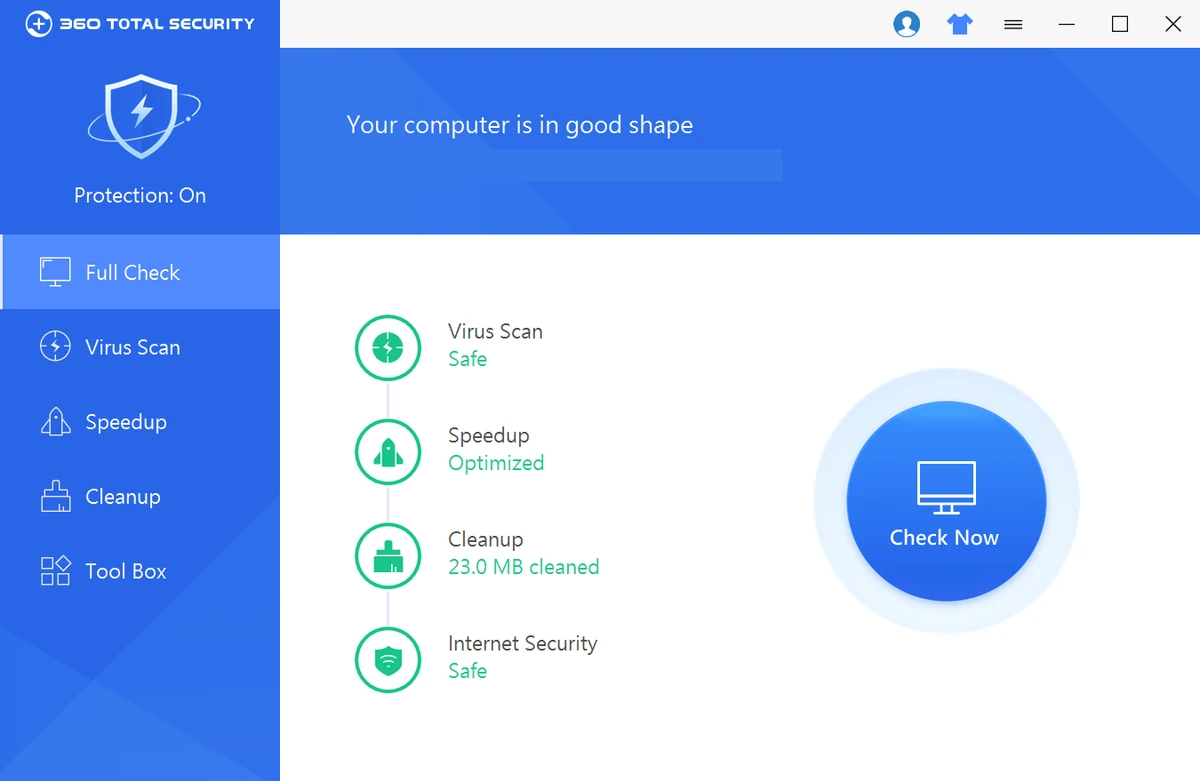

360 Total Security is an antivirus and PC security solution designed to protect computers against viruses, malware, spyware, and online threats. The software combines security features with system cleanup and optimization tools, allowing users to scan for threats, remove suspicious files, and improve computer performance from one interface. Developed by Qihoo 360, the application includes antivirus protection, internet security features, ransomware protection, and cloud-based threat information updates. In addition to detecting malicious software, 360 Total Security provides tools for cleaning unnecessary files and checking system performance. The software is designed to help users maintain a safer computing environment while protecting personal data during activities such as browsing websites, downloading files, and shopping online.
Features of 360 Total Security
- Virus and malware protection: Detects and removes viruses, trojans, spyware, and other malicious software.
- Internet security protection: Helps protect online activities from potential threats.
- Ransomware protection: Provides protection against ransomware-related risks.
- Cloud-based security updates: Uses cloud security information to help identify new threats.
- System cleanup tools: Removes unnecessary files and helps maintain system performance.
- PC optimization: Includes tools designed to improve computer speed and efficiency.
- Threat detection information: Provides details about detected security risks.
- Security vulnerability checks: Displays available Microsoft security patches and updates.
- Suspicious file scanning: Helps identify potentially dangerous files.
Interface and Usability
360 Total Security combines antivirus tools, system cleanup features, and optimization options within a single interface. The software is designed to make security management easier by placing scanning, cleanup, and performance tools in one location. The available tools allow users to check their system for threats, remove unwanted files, and review security information without needing separate applications. The combination of protection and optimization features makes it suitable for users looking for an all-in-one security utility. For everyday computer users, the interface provides a convenient way to manage basic security tasks and maintain system performance.
Who Should Use 360 Total Security?
360 Total Security is suitable for home users and anyone looking for an antivirus solution with additional system cleanup and optimization features. It can be useful for users who want protection against common malware threats while also having tools to remove junk files and maintain computer performance.
Conclusion
360 Total Security provides a combination of antivirus protection, malware detection, online security features, and system optimization tools. Its all-in-one approach makes it a convenient option for users who want both security and basic PC maintenance features in one application.


