



Foxit PDF Editor Pro (formerly Foxit PhantomPDF Business) is a robust PDF solution designed for business and professional use. It allows users to create, edit, organize, secure, and collaborate on PDF documents with ease. Suitable for small, medium, and large businesses, it also supports personal and home office use. Foxit PDF Editor Pro enables merging, splitting, and repackaging PDFs, converting documents to PDF in bulk, and creating interactive forms, making it a versatile tool for document management.
Key Features of Foxit PDF Editor
- AI Assistant: Automate PDF tasks including summarizing, extracting insights, translating, correcting spelling and grammar, defining and clarifying text, and executing smart commands.
- Edit PDFs: Effortlessly add and modify text, images, shapes, and multimedia elements, search and replace text, and run spell-check.
- Create and Convert PDFs: Create PDFs from various file types and templates, convert PDFs to multiple formats, build PDF portfolios, and merge files into a single document.
- Collaborate and Share PDFs: Add/manage comments, integrate with ECM systems & cloud services, share PDFs for real-time collaboration, and use Foxit Cloud Documents for seamless access across platforms
- Protect PDFs: Protect PDFs with passwords or certificates, redact sensitive information, and use AI-based document redaction.
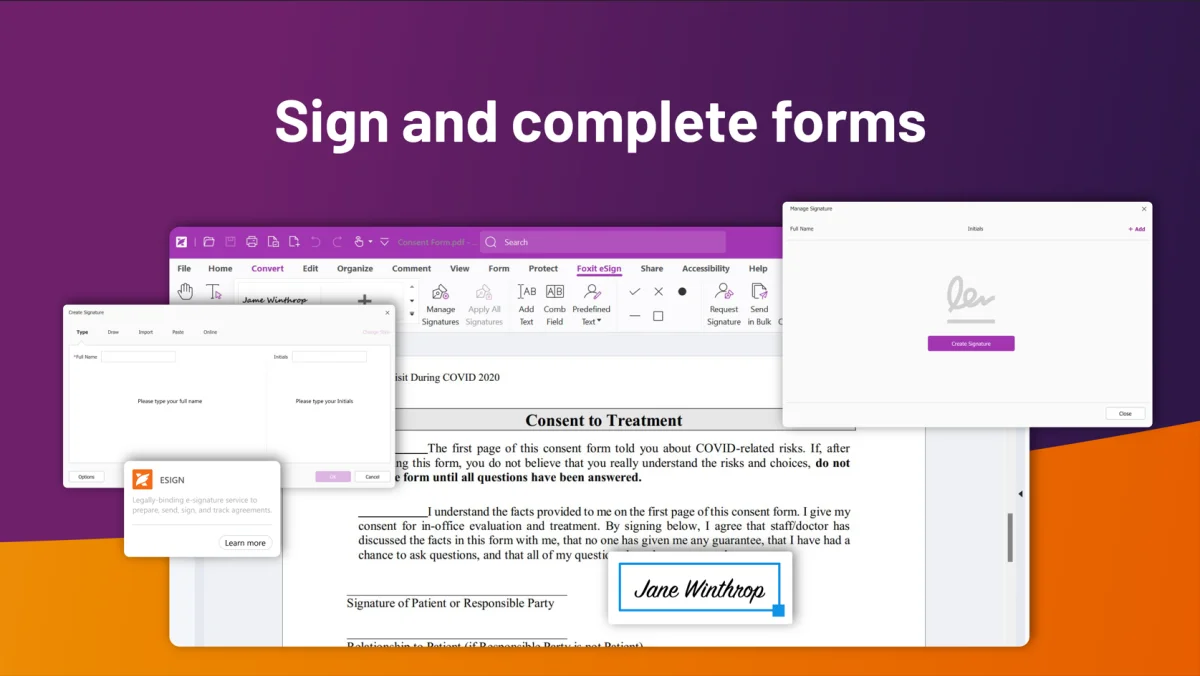
- Sign PDFs: Add handwritten or digital signatures, prepare, send, sign, and track agreements with Foxit eSign or DocuSign.
- Organize PDFs: Manage pages, add headers, footers, watermarks, page numbers, backgrounds, and apply Bates numbering.
- Work on PDF Forms: Create interactive forms, fill in and save forms, and import and export form data.
- Scan, OCR, and Optimize PDFs: Scan documents to searchable or editable PDFs, and compress PDFs to reduce file size.
- Accessibility: Check PDF accessibility and use tools to make PDFs accessible.
- View PDFs: View PDFs in multiple modes, support Dark Mode, read PDFs out loud, search text, and compare two versions of a PDF.
- Compare PDFs: Utilize the compare document features to quickly review the differences between documents.
Professional PDF Editing
- Edit PDF text and layouts like a word processor.
- Adjust fonts, text size, spacing, and page layout.
- Insert multimedia elements directly into PDFs.
Collaboration & Sharing
- Work with team members on shared reviews and comments.
- Integrate with major content management systems and cloud storage.
- Streamline feedback and approvals within your organization.
Export to Popular Formats
- Convert PDFs to Word, PowerPoint, Excel, RTF, HTML, text, or images.
- Export entire documents or selected sections.
PDF Creation & Forms
- Create PDF, PDF/A, PDF/X, and PDF/E files from nearly any file type or web page.
- Build interactive forms with form field recognition.
- Generate 3D PDFs from CAD files (.DWG) with PRC support.
Organize & Manipulate PDFs
- Merge and split PDFs, reorder pages, and drag-and-drop pages between documents.
- Add stamps, watermarks, headers, and footers.
PDF Security
- Protect sensitive documents with passwords or Microsoft AIP encryption.
- Permanently redact text and images.
- Digitally sign PDFs to ensure authenticity.
Accessibility
- Make PDFs accessible to users with disabilities.
- Verify compliance with Section 508 accessibility standards.
OCR & Paper Document Conversion
- Scan paper documents or images into PDFs.
- Use OCR to create searchable, selectable, and editable text.
System Requirements
- Operating System: Windows 7/8/10 (32-bit and 64-bit)
- Microsoft Office: 2010 or later (required for some PDF creation features)
- Disk Space: 2 GB minimum
- Installation Size: 1.2 GB
Conclusion
Foxit PDF Editor Pro 2026 is a full-featured, professional-grade PDF solution. It is ideal for businesses of all sizes, offering advanced editing, secure collaboration, document organization, and accessibility features. Its intuitive interface combined with powerful tools makes PDF management efficient and reliable.


