pdfFactory Pro logo

pdfFactory Pro 9.31

  • User Rating:
    ★★★★★
    ★★★★★
    0.0 0Votes
  • Requirements:
    Windows
  • Version: 9.31
  • Latest updated: 2 weeks ago
  • License: Free Trial  
  • Publisher: Fineprint
  • Size: 28 MB
× app stores

pdfFactory Pro is a Windows-based PDF creation and virtual printing tool designed to simplify how users generate and manage PDF documents. Instead of using a traditional PDF editor, it works as a printer driver, allowing users to “print” any document into a PDF file directly from any application. What makes pdfFactory Pro stand out is its focus on speed, simplicity, and workflow efficiency. It enables users to combine multiple print jobs into a single PDF, preview documents before saving, and manage document structure without needing external tools like Adobe Acrobat.

The Pro version expands on the standard edition with advanced features such as bookmarks, automated email delivery, job ordering, and document branding tools like letterheads and watermarks.

Features of pdfFactory Pro

  • Create PDFs from any printable Windows application
  • Print directly to paper or PDF without double processing
  • Combine multiple documents into a single PDF file
  • Live preview of PDFs before saving
  • Zoom up to 400% for detailed inspection
  • Add bookmarks and table of contents
  • Insert and delete pages within PDF jobs
  • Protect PDFs with security settings
  • Embed fonts for consistent document appearance
  • Send PDFs directly via email
  • Automatic saving (AutoSave) support
  • Add headers, footers, page numbers, and watermarks
  • Create documents on custom letterheads
  • Maintain live URL links inside PDFs
  • Manage print jobs through an integrated job tab
  • Easy deployment in server environments
  • Custom virtual printer driver configuration
  • Set initial viewing properties for PDFs

Interface and Usability

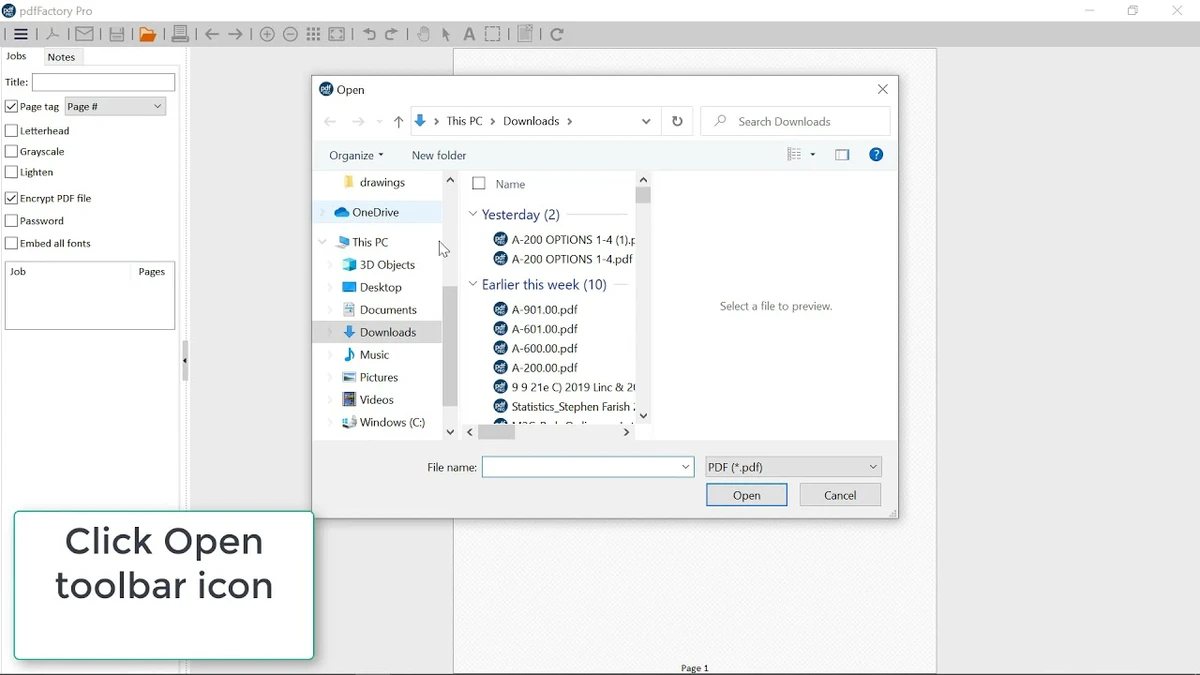
pdfFactory Pro operates as a virtual printer, making it extremely easy to use. Users simply select “pdfFactory Pro” as their printer from any application, and the software opens a preview window where the PDF can be reviewed, modified, and saved.

The interface is minimal and focused on document workflow rather than complex editing. Features such as page reordering, combining documents, and adding bookmarks are accessible directly from the preview screen. This approach makes it especially useful in office environments where speed and simplicity are more important than full-scale PDF editing.

Who Should Use pdfFactory Pro?

  • Office workers handling frequent document printing
  • Business professionals creating reports and invoices
  • Administrative staff managing large document batches
  • IT teams deploying PDF solutions across networks
  • Users who need fast PDF creation without complex editing
  • Anyone who prints and shares documents regularly

Conclusion

pdfFactory Pro is a practical and efficient PDF creation tool designed for users who need fast, reliable document conversion without the complexity of full PDF editing software. Its virtual printer approach makes it extremely easy to use, while features like document merging, previewing, and email integration add strong workflow value.

Pros & Cons

Pros

  • Extremely easy PDF creation via virtual printer
  • Combines multiple documents into one PDF
  • Built-in preview before saving
  • Supports bookmarks, headers, and watermarks
  • Fast workflow with minimal steps
  • Email integration for document sharing
  • Works without Adobe Acrobat

Cons

  • Not a full-featured PDF editor
  • Limited advanced PDF editing capabilities
  • Interface focused on printing rather than design
  • Best suited for Windows environments only

Frequently Asked Questions

What is pdfFactory Pro used for?

pdfFactory Pro is used to create PDF files from any printable document by using a virtual printer system on Windows.

Can I combine multiple documents into one PDF?

Yes. You can print multiple files into pdfFactory Pro, and it will automatically combine them into a single PDF document.

Does pdfFactory Pro require Adobe Acrobat?

No. pdfFactory Pro works independently and does not require Adobe Acrobat to create or print PDFs.

Can I preview PDFs before saving?

Yes. It includes a built-in preview feature that allows you to review documents before saving or sharing them.

Can I add bookmarks and page structure?

Yes. The Pro version supports bookmarks, table of contents, and page organization tools.

Is pdfFactory Pro suitable for business use?

Yes. It is widely used in office and enterprise environments for fast and reliable PDF generation and document management.

Recommended apps [Freeware]:
  • HWMonitor 1.65 HWMonitor logo a free system tool that monitors CPU, GPU, voltages, temperatures, and fan speeds in real time.
  • ConfigureDefender 4.1.1 ConfigureDefender logo a Windows utility that helps users fine-tune Microsoft Defender settings with presets and advanced security controls
  • SoftPerfect RAM Disk 26.7 SoftPerfect RAM Disk logo creates high-speed virtual drives in memory to boost performance and reduce disk wear
  • NanaZip 6.5.1767.0 NanaZip logo a modern file compression and extraction tool based on 7-Zip, offering strong encryption and wide format support
  • Drupal 11.4.2 Drupal logo open-source CMS and web development framework that powers enterprise websites, digital platforms, and scalable web applications
  • MultiPack Visual C++ Installer 4.2 MultiPack Visual C++ Installer logo Install required Microsoft Visual C++ runtimes quickly to fix application and game compatibility issues on Windows systems.
Recommended apps [Shareware]:
  • WinRAR 7.23 WinRAR logo Windows tool for compressing, decompressing, and managing RAR, ZIP, and many other archive formats.
  • Ant Download Manager 2.17.6 Ant Download Manager logo a Windows tool that speeds up downloads, captures streaming media, supports torrents, and integrates with browsers
  • OkMap Desktop 19.6.6 OkMap Desktop logo a GPS mapping software for route planning, waypoint creation, and offline/online map management
  • Asset Manager 2026 v4.10.3001 Asset Manager logo track assets, manage inventory, use barcodes, and maintain service histories efficiently
  • iToolab WatsGo 9.1.0 iToolab WatsGo logo transfer, back up, and restore WhatsApp data between Android and iPhone devices easily
  • Pepakura Designer 6.2.6 Pepakura Designer logo converts 3D models into printable papercraft patterns with layout editing and export tools